When potential customers drop off, it can happen at two key points: during form filling or anywhere in the sales funnel. Form abandonment happens when someone starts filling out a form but doesn’t finish, often due to long forms, security concerns, or poor design. Lead loss is broader - it refers to losing potential customers at any stage, often due to slow follow-ups, generic messaging, or weak nurturing.
Key Takeaways:
- Form abandonment is specific to incomplete forms and can leave partial data for re-engagement.
- Lead loss spans the entire funnel and is harder to recover from as it often lacks actionable data.
- Recovery for form abandonment focuses on immediate actions like follow-up emails or simplifying forms.
- Lead loss recovery requires stronger nurturing, faster responses, and personalized communication.
Quick Comparison:
| Aspect | Form Abandonment | Lead Loss |
|---|---|---|
| Definition | User starts a form but doesn’t submit. | Potential customer exits at any stage. |
| Funnel Stage | Early (lead capture). | Any stage of the sales funnel. |
| Causes | Long forms, security issues, poor design. | Slow follow-up, weak nurturing, delays. |
| Recoverability | Easier with partial data. | Harder without actionable data. |
| Impact | Missed lead generation. | Missed sales and wasted efforts. |
Tools like MagicTag can help recover incomplete forms by saving user data in real time, boosting conversions by up to 12x. To reduce lead loss, focus on faster follow-ups and personalized engagement.

Form Abandonment vs Lead Loss: Key Differences and Statistics
What Is Form Abandonment?
Form abandonment occurs when someone starts filling out an online form but leaves before hitting submit. This is different from simply viewing a form without engaging with it - the key difference lies in intent. When users begin typing, it shows genuine interest, but something along the way stops them from completing the process.
This issue can hurt your ability to capture leads and negatively affect the user experience. Research shows that 81% of people have abandoned at least one web form after starting it. Even more striking, 67% of visitors who abandon a form due to issues or complications never return. That’s a huge loss of potential leads.
But it’s not just about losing individual prospects. High form abandonment rates often point to deeper problems, like poor design, usability flaws, or even a lack of trust in your business. Mike Hakob, Co-Founder of FormStory, explains it well:
users instead of hitting submit abandon the form and leave your site altogether, resulting in lost leads and sales disappearing before your eyes.
Every abandoned form represents wasted marketing efforts and missed revenue.
Why Users Abandon Forms
To tackle form abandonment, you first need to understand why it happens. While reasons vary, certain patterns consistently emerge across different industries.
One of the biggest reasons is security concerns. About 29% of users abandon forms because they don’t trust the site with their personal information. Another major factor is form length - 27% of users give up when forms feel too long or intrusive.
Phone number fields are particularly problematic. A staggering 37% of users abandon forms that require a phone number unless it’s clearly marked as optional. Similarly, 10% of users leave when faced with unnecessary questions, and 11% walk away when forms include ads or upselling attempts.
Technical issues also play a huge role. For example, only 3% of users prefer filling out forms on mobile devices, compared to the 84% who favor laptops or desktops. If your form isn’t mobile-friendly, you’re likely losing a significant chunk of your audience. And while CAPTCHAs are meant to improve security, they can reduce conversions by up to 40%.
Here’s a quick snapshot of the main reasons users abandon forms:
| Reason for Abandonment | Percentage of Users Affected |
|---|---|
| Asking for phone numbers (if not optional) | 37% |
| Security concerns | 29% |
| Form length (too long) | 27% |
| Advertisements or upselling | 11% |
| Unnecessary questions | 10% |
Some fields are particularly prone to abandonment. The password field has the highest abandonment rate, averaging 10.5%, while email and phone number fields contribute 6.4% and 6.3% respectively. During checkout, 23% of users abandon forms if they’re required to create an account.
Identifying these pain points is critical to reducing form abandonment.
How to Measure Form Abandonment
Understanding why users leave is just the first step - you also need to measure the problem to address it effectively. Tracking form abandonment helps you pinpoint where users drop off and why.
Start with the form abandonment rate, which is calculated by dividing the number of users who began filling out the form by those who completed it. Analytics tools can help you see exactly where users are dropping off. For instance, if the phone number field has a high drop-off rate, it’s a clear sign that this field needs attention.
Another useful approach is analyzing which fields users complete before abandoning the form. For example, research on eCommerce checkouts found that users who abandoned forms spent 20 seconds in the promo code field, compared to just 3.5 seconds for those who completed the process. This suggests that users may have left to search for discounts.
On average, users abandon forms after 1 minute and 43 seconds. If users leave faster than this, it indicates serious usability issues. If they stick around longer but still abandon the form, there may be specific obstacles causing frustration.
To dig deeper, set up event tracking in your analytics platform. Monitor interactions like field clicks, time spent on each section, and points of exit. This data reveals exactly where users drop off, allowing you to make targeted improvements that encourage more completions.
What Is Lead Loss?
Lead loss refers to losing potential customers at any stage of your marketing or sales funnel. It’s a broader issue than form abandonment, which happens when someone decides not to complete a form. Lead loss can occur at any point - from the first interaction to follow-up stages - making it a more complex challenge.
While form abandonment is one specific example, lead loss goes beyond that. For instance, a prospect might fill out your form but then ignore your follow-up emails. They might initially engage but lose interest during the nurturing process. Or, they might drop off entirely because your follow-up was delayed or your messaging missed the mark.
Here’s a sobering fact: 79% of marketing leads never convert into sales, often because businesses fail to nurture them effectively. Even more striking, only about 25% of leads are ready to move to the sales stage. This means the majority of your leads require careful attention and timely follow-up, or they’ll slip away.
The financial stakes are high. Losing leads doesn’t just mean missed revenue - it also means wasted time, effort, and marketing dollars. Every lost lead represents a missed opportunity to see a return on your investment.
Capturing a lead is just the beginning. To convert them, you need to act quickly and provide tailored, meaningful follow-up. These numbers highlight the importance of engaging with leads promptly and in a way that resonates with their needs.
Main Causes of Lead Loss
Lead loss can happen for various reasons, depending on where prospects are in your funnel. While form abandonment often stems from design or usability issues, lead loss after initial contact is usually tied to inefficient follow-up and poor nurturing processes.
One major factor is slow response times. Research shows that leads are 9x more likely to convert when businesses respond within 5 minutes. If you wait too long, the likelihood of conversion plummets. When someone reaches out, they’re engaged and ready to learn more - but that interest fades quickly if you don’t act fast.
Another common issue is generic messaging. Prospects who take the time to fill out a form expect personalized communication that speaks to their specific needs. Instead, many businesses send out one-size-fits-all emails that feel impersonal. This lack of relevance can cause leads to lose interest and move on.
Weak nurturing strategies also play a big role. Most leads aren’t ready to buy right away. They need consistent communication, education, and trust-building to move forward. Businesses that nurture their leads effectively report 50% more sales at 33% lower costs compared to non-nurtured prospects. Without a structured approach to nurturing, you risk losing leads who might have converted with the right attention.
Other factors include unexpected costs that arise later in the process, requiring prospects to create accounts before they’re ready, or failing to deliver enough value to keep them engaged. Each of these issues can drive potential customers away, even after you’ve invested time and money to attract them.
How to Track Lead Loss
To address lead loss, you need to monitor every stage of your funnel. While form analytics can reveal where users drop off during submission, tracking lead loss more broadly requires analyzing engagement and conversion across all stages.
Start with CRM data analysis. Your Customer Relationship Management system records every interaction with leads, from their first contact to follow-up attempts and eventual conversion or loss. By reviewing this data, you can identify patterns: Are leads going cold after the first email? Which stages of your funnel see the most drop-offs? Understanding these trends can help you pinpoint where improvements are needed.
Next, focus on engagement tracking. Metrics like email open rates, link clicks, website visits, and response times can signal when a lead is losing interest. A drop in engagement is a red flag, giving you a chance to step in and re-engage before it’s too late.
You can also leverage automated workflows to keep tabs on lead activity. For example, if a lead hasn’t responded to your emails in a specific timeframe or hasn’t revisited your website in weeks, your system can flag them for follow-up or trigger re-engagement messages automatically.
Finally, pay attention to time-based metrics. How quickly does your team respond to new leads? How much time passes between touchpoints? How long do leads stay in each stage of your funnel? These metrics can reveal whether your processes are keeping prospects engaged or if delays are causing you to lose them. By addressing these timing issues, you can improve your chances of converting leads into customers.
Form Abandonment vs Lead Loss: Main Differences
These two terms highlight different challenges in the sales process. Form abandonment happens when someone starts filling out an online form but doesn’t finish it. On the other hand, lead loss refers to when a potential customer leaves the sales funnel entirely.
While form abandonment is a specific type of lead loss, it typically occurs earlier in the funnel. The key difference lies in recoverability: abandoned forms often provide partial data that can be used for re-engagement, whereas lost leads - especially those further down the funnel - are harder to win back. This distinction is crucial when crafting targeted strategies for each issue.
Side-by-Side Comparison
Here’s a breakdown of the key differences:
| Aspect | Form Abandonment | Lead Loss |
|---|---|---|
| Definition | When a user starts filling out a form but doesn’t complete it. | When a potential customer exits the sales process entirely. |
| Funnel Stage | Typically happens during the initial lead capture phase. | Can occur at any point in the sales funnel. |
| Primary Causes | Often linked to issues like lengthy forms, unclear value propositions, technical glitches, or poor mobile experiences. | Usually caused by broader factors such as slow follow-up, generic communication, weak nurturing, or better offers from competitors. |
| Recoverability | Easier to recover with real-time data capture and quick follow-up. | Harder to recover once the lead is fully disengaged and contact information is lost. |
| Business Impact | Missed lead generation opportunities, though recovery is possible. | Results in lost sales and wasted marketing efforts if not addressed. |
As Olivia Pompeu puts it:
If lead-generation efforts can be a very expensive process, then recovering half-started leads from form abandonment is a smart move and very cost-effective.
Understanding these differences helps businesses allocate resources more effectively, improving form design and follow-up strategies to minimize lead loss.
sbb-itb-77d5bc3
How Form Abandonment and Lead Loss Affect Recovery Efforts
Recovery strategies need to address the unique challenges posed by form abandonment and lead loss, as these issues require tailored approaches based on the data - or lack thereof - that's available.
When someone abandons a form, you're often left with partial information - maybe a name, an email, or a phone number they entered before leaving. This gives you a starting point for re-engagement. In contrast, lead loss, especially when it occurs further down the sales funnel, often leaves you with little to no information to work with. This difference directly influences how urgent and specific your recovery efforts can be.
Form abandonment recovery tends to be immediate and highly targeted. With real-time tracking tools, businesses can capture user input as it happens, enabling prompt follow-ups. For example, you can send a personalized email with a direct link to pick up where they left off, offer to save their progress, or even launch retargeting ads based on the exact point they abandoned the form. Considering that over 80% of users abandon forms after starting them, this approach is both efficient and focused.
On the other hand, recovering from lead loss demands a longer-term, broader strategy. Without detailed data, re-engaging someone who has mentally moved on requires more effort. This might involve running re-engagement campaigns, analyzing feedback, and maintaining consistent communication through newsletters or exclusive offers. For instance, a B2B company dealing with lengthy sales cycles managed to cut lead loss by 30% by refining their nurturing process and aligning their sales and marketing teams - a clear example of the commitment required for this type of recovery.
From a cost perspective, recovering partially completed forms is far more economical than acquiring new leads. Olivia Pompeu highlights that re-engaging prospects who started filling out a form is significantly cheaper than attracting fresh leads. In fact, businesses that actively track form abandonment can see up to a 50% boost in submissions compared to those that don’t.
Recovering Leads with MagicTag
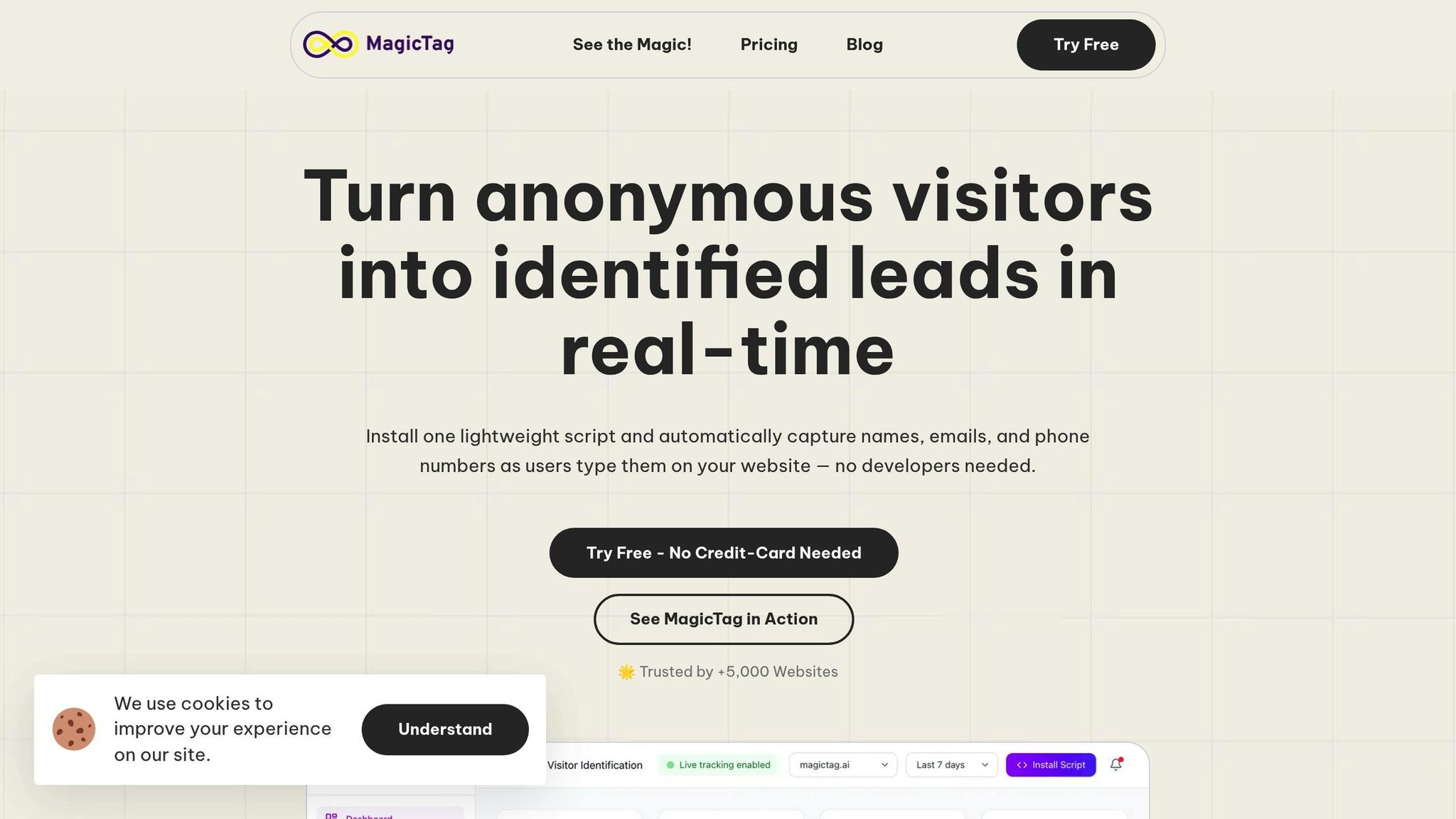
Recovering lost leads and re-engaging prospects who abandon forms can feel like a constant uphill battle. That’s where MagicTag steps in, turning these challenges into real opportunities for revenue. MagicTag tackles the problem of form abandonment by capturing user data as visitors fill out form fields - even if they don’t hit "submit." This real-time data capture ensures you don’t lose valuable lead information when users get distracted, change their minds, or encounter technical issues. It’s a simple yet effective way to preserve potential leads and lay the groundwork for reconnecting with them.
Setting up MagicTag is quick and easy - it takes less than two minutes to install a single tracking code. Once it’s in place, it automatically tracks activity at the field level, saving data that would otherwise disappear. The captured information syncs seamlessly with popular CRMs like Salesforce, HubSpot, or Slack through webhook and API integrations, ensuring recovered leads flow directly into your workflow.
MagicTag’s automation features take it a step further by enabling custom follow-ups. You can set up drip email campaigns for abandoned leads, add them to retargeting ads, or even offer a saved progress feature that lets users pick up right where they left off. Considering that 81% of people recently abandoned at least one online form and most don’t return to complete it, these tools address one of the biggest hurdles in digital marketing: lost conversions.
How MagicTag Solves Form Abandonment
MagicTag works quietly in the background, recording every user interaction in real time. It complies fully with GDPR and LGPD regulations, so you can recover leads while staying on the right side of privacy laws. Through its real-time dashboard, you can see exactly what’s happening with your forms - whether they’re in progress, submitted, or abandoned. It even pinpoints the exact field where users drop off, helping you identify and fix problem areas like overly strict requirements or confusing questions.
What’s more, MagicTag integrates effortlessly with your existing systems using no-code webhook and API connections. This means recovered lead data flows directly into your sales and marketing tools without any extra effort on your part.
Improving Conversions and ROI with MagicTag
MagicTag doesn’t just help you recover leads - it helps you turn them into conversions. Websites using MagicTag can identify up to 12 times more leads compared to those without it. Businesses that actively monitor their forms often see up to a 50% increase in submissions. On top of that, by addressing form abandonment, MagicTag can increase revenue by 10%–15% - all without spending more on ads. In short, it helps you get more from your current marketing efforts, boosting ROI while keeping acquisition costs low.
Conclusion
Grasping the difference between form abandonment and lead loss is a game-changer for improving conversions. These two stages, though closely related, require distinct strategies to tackle effectively.
Did you know that over 80% of users abandon forms after starting them? And nearly 70% of visitors may never return if they face issues during the process. With online forms being the primary source of leads for 50% of marketers, the stakes couldn’t be higher. Plus, recovering partial leads is far more cost-effective than chasing new prospects.
For small and medium-sized businesses, every abandoned form is more than just a missed opportunity - it’s wasted marketing dollars. That’s where MagicTag steps in. As highlighted earlier, this tool captures user data in real time, ensuring you don’t lose valuable leads - even if the form isn’t submitted. With a simple two-minute setup, seamless CRM integrations, and automation that re-engages lost leads, MagicTag transforms a frustrating problem into a chance to grow.
Don’t let potential leads slip through the cracks. Start tracking your forms, identify where users drop off, and implement tools to recover those leads. Active form monitoring alone can increase submissions by up to 50%. Take action today to secure every lead and maximize your marketing efforts.
FAQs
What are the best ways to prevent users from abandoning forms on my website?
When aiming to reduce form abandonment, the key is to create a smooth and straightforward experience for users. Start by keeping the number of required fields to a minimum - only ask for the information that’s absolutely necessary. Features like auto-fill can save users time, while multi-step forms break the process into manageable chunks, making it feel less daunting. Don’t forget to ensure your forms are mobile-friendly, so they work seamlessly across all screen sizes.
Clarity is just as important. Provide clear, concise instructions, and steer clear of unnecessary or overly complicated questions. Incorporating real-time validation can also make a big difference, as it allows users to fix errors immediately instead of waiting until they submit. These adjustments may seem small, but they can have a big impact on whether users stick around to complete your forms.
What are the best ways to recover lost leads?
Recovering lost leads takes a mix of creativity and strategy. A great first step is to design personalized follow-up campaigns that speak directly to what your leads are looking for. Dive into your CRM data to segment your audience, allowing you to craft messages that resonate with their specific needs or interests.
You might also want to sweeten the deal by offering incentives - think discounts, special offers, or exclusive perks. Retargeting ads can work wonders too, keeping your product or service top of mind as leads browse online. Don’t stop there - try reaching out through multiple channels like email, phone calls, or even direct mail. The more touchpoints you create, the better your chances of reconnecting.
Bringing these strategies together can help you re-engage those lost leads and steer them back into your sales funnel.
Why is recovering from lead loss harder than addressing form abandonment?
Recovering from lead loss can be tough because it involves reconnecting with potential customers who were already deep into their decision-making journey but decided to pull back. This disengagement often stems from issues like a frustrating user experience, a lack of trust, or technical glitches. These problems can chip away at their confidence, making it more challenging to reignite their interest and rebuild the relationship.
On the other hand, form abandonment happens earlier in the process. It occurs when someone starts filling out a form but quits before completing it. The good news? This is often easier to tackle. Barriers like confusing form fields or unclear incentives can be identified and fixed, giving you a chance to re-engage users before they completely lose interest. By addressing these hurdles early, you can reduce lead loss and boost your chances of converting them into customers.