Lead capture tools help small businesses turn website visitors into potential customers by collecting their contact details. These tools simplify the process, reduce form abandonment, and ensure faster follow-ups. Whether you're looking to recover incomplete forms, manage leads from multiple platforms, or track phone inquiries, there’s a tool for your needs.
Here’s a quick overview of 10 tools that can boost your lead generation efforts:
- MagicTag: Saves user data in real time, even if forms are incomplete. Offers free plan.
- Podium: Centralizes leads from platforms like your website, social media, and more. Contact for pricing.
- SalesIntel: Identifies anonymous visitors and enriches lead data. Contact for pricing.
- FormAssembly: No-code form builder with AI assistance for quick setup. Contact for pricing.
- ZoomInfo: Provides detailed contact data and buyer intent insights. Starts at ~$1,000/month.
- CallRail: Tracks phone leads to identify effective campaigns. Starts at $45/month.
- Lead411: Uses intent data to pinpoint high-interest prospects. Contact for pricing.
- Adapt: Offers a real-time B2B contact database and LinkedIn integration. Contact for pricing.
- Kaspr: Extracts LinkedIn contact details via a Chrome extension. Contact for pricing.
- FlashInfo: Scans business cards and offers offline lead collection. Contact for pricing.
Quick Comparison
| Tool | Capture Method | Key Features | Starting Price (USD) |
|---|---|---|---|
| MagicTag | Real-time form data capture | Recovers abandoned forms | Free (1,000 users), $19/mo |
| Podium | Webchat and multi-platform lead collection | Unified inbox for leads | Contact vendor |
| SalesIntel | Visitor identification and data enrichment | Intent automation | Contact vendor |
| FormAssembly | AI-powered no-code form builder | Salesforce/Google Sheets sync | Contact vendor |
| ZoomInfo | Website visitor identification | Buyer intent signals | ~$1,000/month |
| CallRail | Call tracking and attribution | Campaign performance insights | $45/month |
| Lead411 | Intent data and triggers | Email/SMS automation | Contact vendor |
| Adapt | B2B database with search filters | LinkedIn Chrome extension | Contact vendor |
| Kaspr | LinkedIn prospecting tool | Verified contact details | Contact vendor |
| FlashInfo | Offline lead collection and database | Business card scanning | Contact vendor |
Choose a tool based on your budget, lead sources, and integration needs. Tools like MagicTag and CallRail are affordable for small businesses, while options like ZoomInfo cater to those with higher budgets and complex requirements. Start with a free trial or basic plan to see what works best for your business.
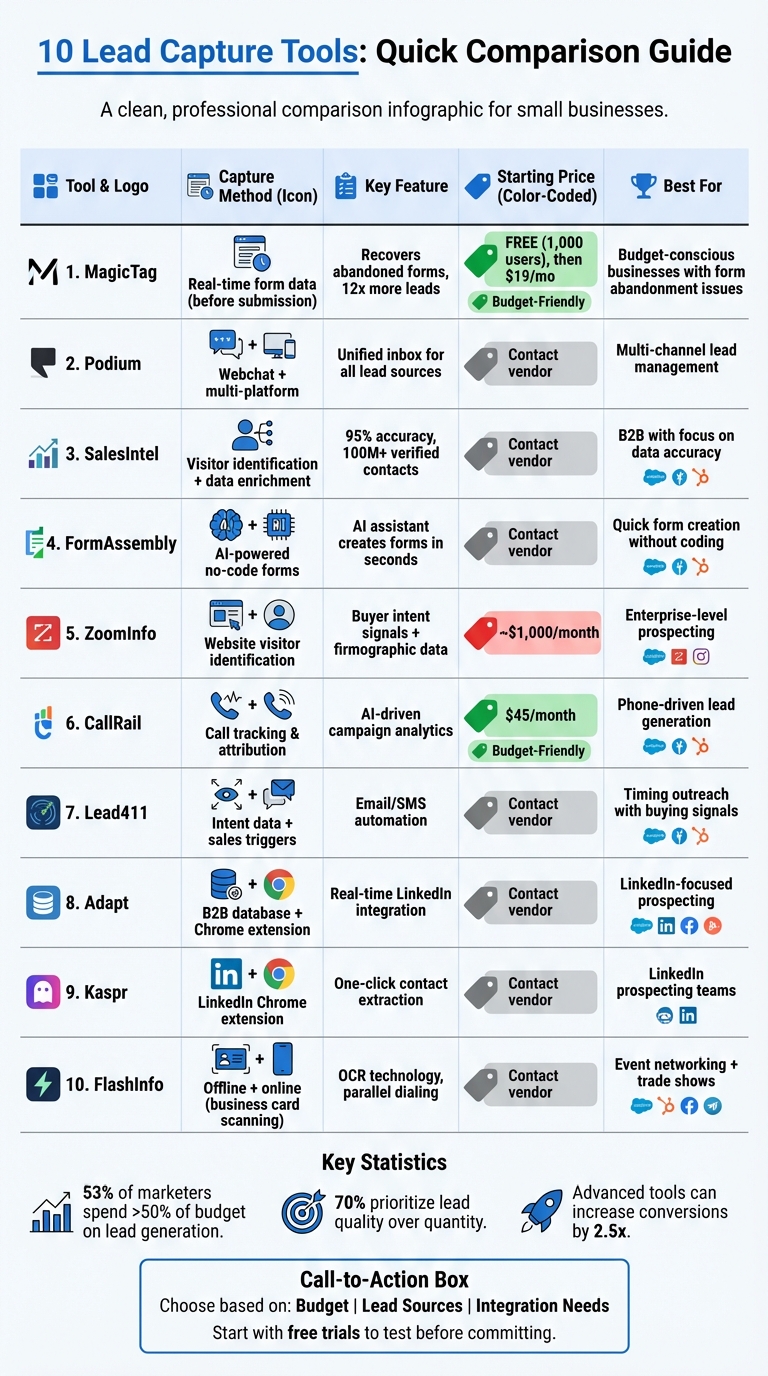
Lead Capture Tools Comparison: Features, Pricing & Best Use Cases for Small Businesses
Easy Ways to Collect and Manage Leads for Your Business
1. MagicTag
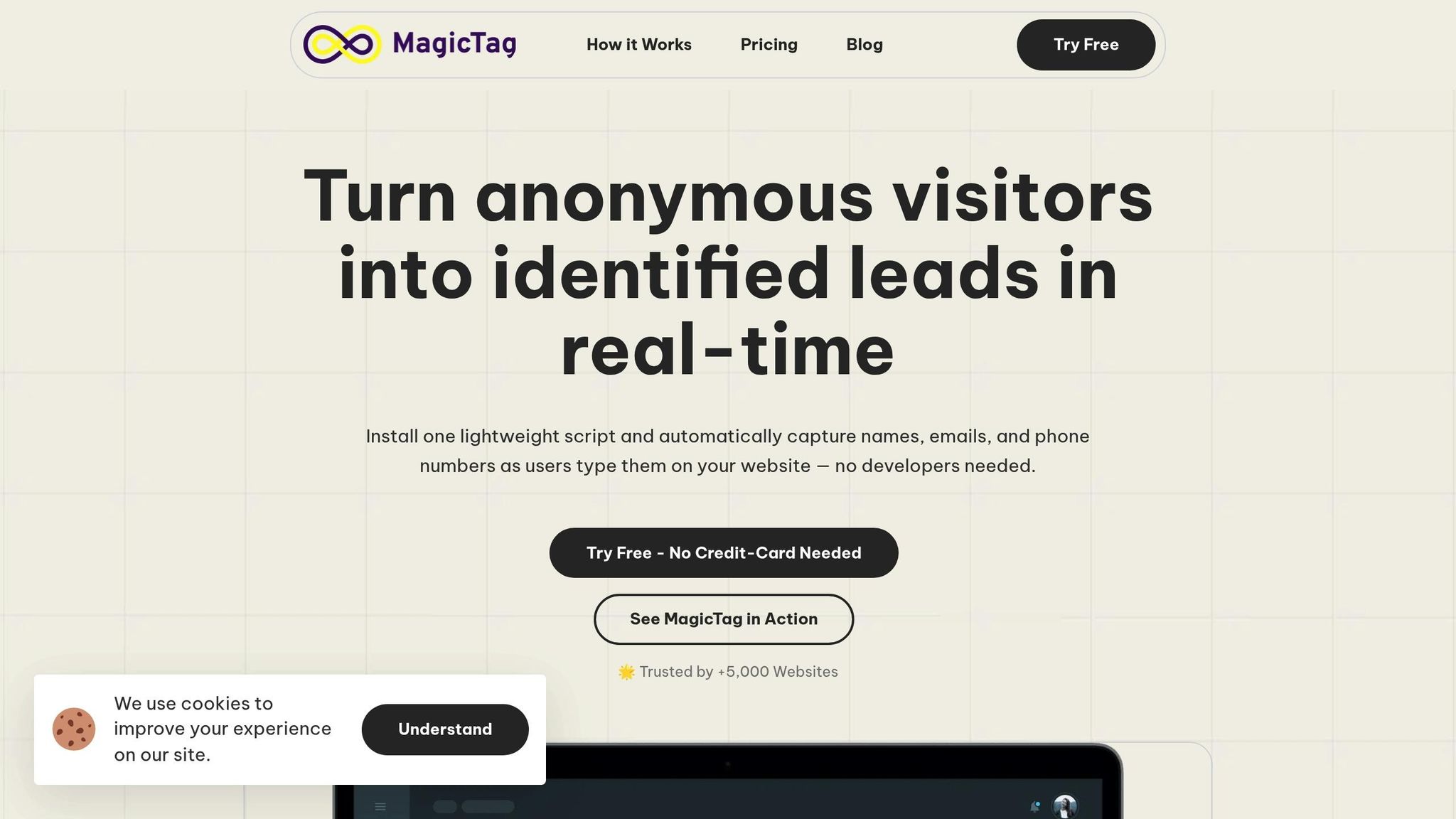
MagicTag changes the lead capture game by saving visitor information in real time as they type into form fields - even if they don’t hit “submit.” This means you can recover potential leads that might otherwise vanish when visitors abandon forms halfway through.
How It Works
MagicTag collects key user details (like name, email, and phone number) the moment a visitor begins typing, eliminating the need for form submission. Abandoned forms often mean missed opportunities, but MagicTag ensures you don’t lose out. Plus, it’s easy to set up - no developer required - and works on any website.
Boosting Lead Recovery
With MagicTag, websites can capture up to 12x more leads compared to those relying solely on completed forms. A real-time dashboard gives you instant access to captured leads, enabling quicker follow-ups. It also supports remarketing and automation workflows, so you can re-engage visitors who showed interest but didn’t convert.
Seamless Integrations
MagicTag integrates effortlessly with your CRM through webhooks and APIs, meaning all captured data flows directly into your sales pipeline - no manual input needed. It’s compatible with most CRM platforms and marketing tools, making it a breeze to slot into your existing setup. Plus, it’s GDPR and LGPD compliant, addressing privacy concerns when handling customer data.
Pricing Details
MagicTag offers four pricing tiers to fit different needs:
- Free Plan: Capture up to 1,000 users per month for $0/year.
- Starter: $19/month for up to 10,000 users.
- Business: $99/month for up to 50,000 users.
- Enterprise: $299/month for 50,000+ users, including dedicated infrastructure.
Up next, take a look at Podium for another smart solution in lead capture.
2. Podium

Podium brings all your potential leads into a single inbox, making it easier to manage inquiries from various sources. Its "Lead Drive" feature gathers information from platforms like Angie's, Thumbtack, Cargurus, your website, and social media channels. This ensures no lead goes unnoticed, giving you a streamlined way to connect with prospects in real time.
Primary Capture Method
The standout feature of Podium’s approach is its Webchat tool. When visitors arrive on your website, they can instantly start a conversation through live chat. Whether the inquiries come from your site, social media, or third-party platforms, Podium organizes them in one place to help you respond quickly.
Integration Capabilities
Podium makes managing leads even easier by syncing with your CRM. This integration automatically updates your sales pipeline, saving you the hassle of manual data entry while keeping everything organized and up to date.
Pricing in USD
Podium offers tailored pricing based on your business needs. To get an accurate quote, reach out to their sales team. Costs depend on factors like the features you need, the size of your business, and the number of locations you manage.
3. SalesIntel
SalesIntel provides small businesses with access to a massive database of over 100 million human-verified contacts, boasting an impressive 95% accuracy rate. This ensures you're reaching out to real, verified individuals, eliminating the frustration of outdated or incorrect data that can drain your time and resources.
How It Captures Leads
SalesIntel's VisitorIntel feature is a game-changer. It identifies anonymous visitors to your website and matches their browsing behavior with verified contact details, turning them into actionable leads - even if they didn't fill out a form. On top of that, FormsIntel takes the information from your web forms and enriches it, giving you a more complete picture of your leads. This streamlined process sets you up for quicker follow-ups and better lead qualification, making lead recovery far more efficient.
Lead Recovery Tools
With Intent Automation, SalesIntel re-engages prospects who become active again, ensuring no opportunity slips through the cracks. The platform also uses Technographics and Intent Data to identify accounts actively in the market, based on their technology usage and purchasing signals. This means you can time your outreach perfectly, targeting prospects when they're most likely to buy.
"SalesIntel provides businesses with access to accurate and up-to-date contact data, allowing them to personalize their marketing efforts and reach the right people at the right time." - SalesIntel Research
Seamless Integrations
SalesIntel integrates effortlessly with major CRM and marketing platforms like Salesforce, HubSpot, and Marketo. These integrations keep your sales pipeline updated automatically, eliminating the need for manual data entry and ensuring a smooth transition from lead capture to conversion.
Pricing in USD
SalesIntel offers flexible, custom pricing tailored to your business needs. To get a quote, reach out to their sales team and discuss your specific requirements, such as the features you need, the size of your business, and the volume of contacts you're targeting.
4. FormAssembly
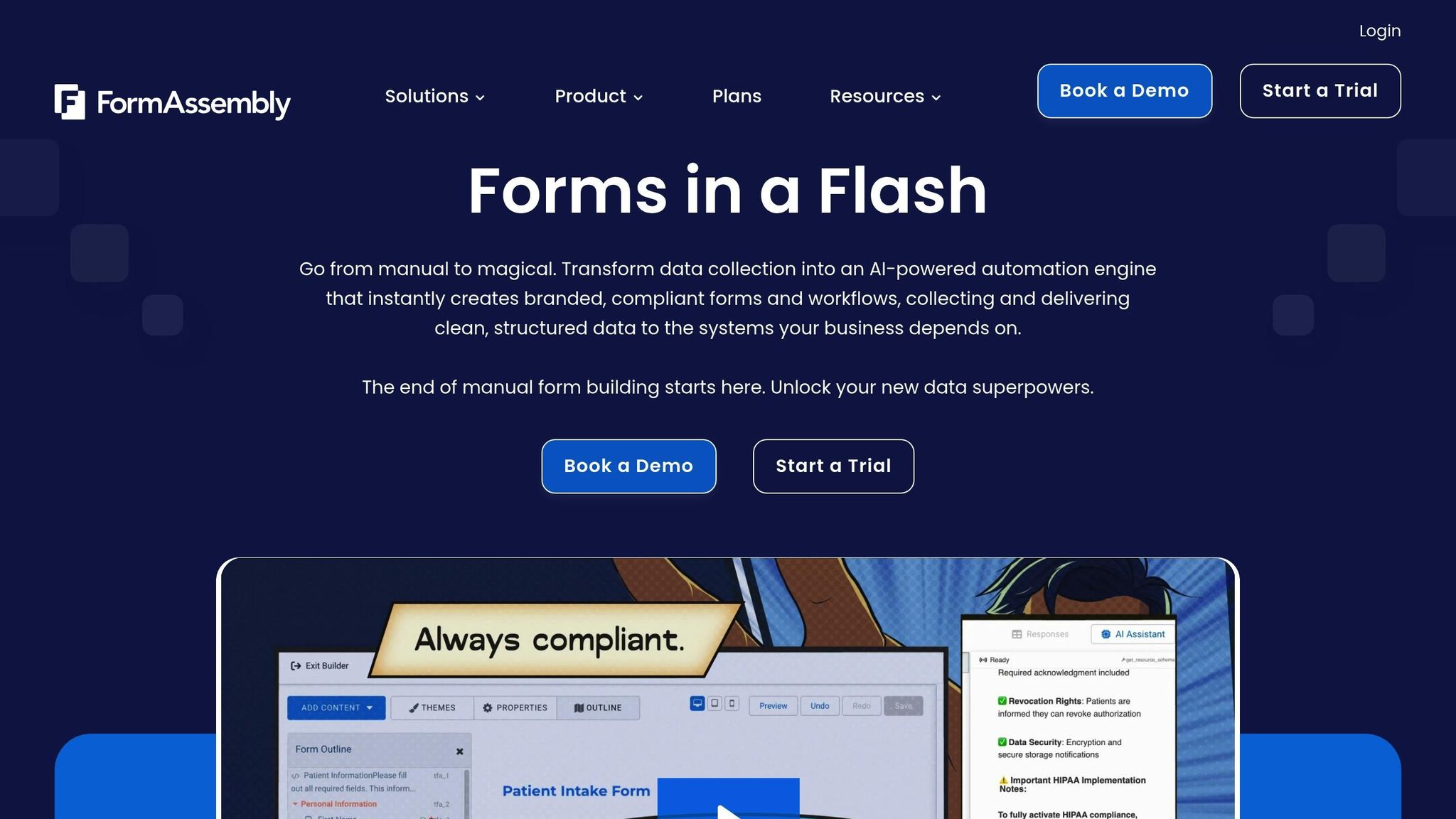
FormAssembly simplifies lead capture with its no-code online form builder, enabling you to design secure, branded web forms in just minutes - no technical skills required. For small businesses that need to gather customer information quickly but lack a development team, this tool removes the usual hurdles to professional lead collection.
Primary Capture Method
One of the platform's standout features is Fai, the AI assistant within FormAssembly Atlas. This smart tool can generate branded forms and workflows in seconds based on a simple text prompt. Alternatively, you can upload files like PDFs, images, or spreadsheets, and Fai will automatically transform them into functional forms. Just describe what you need in plain English, and you're ready to launch a fully operational form in no time.
Integration Capabilities
FormAssembly integrates directly with Salesforce and Google Sheets, ensuring that your lead data is transferred seamlessly into the tools you already rely on. By eliminating manual data entry, it frees up your team to focus on engaging with leads. Next, let’s dive into another tool that offers its own unique approach to lead capture.
5. ZoomInfo
ZoomInfo is a B2B database designed to provide detailed contact and company information for businesses aiming to prospect more effectively. Instead of relying on traditional lead capture forms, it grants access to a vast database of business contacts, making it easier to identify and connect with potential customers.
Primary Capture Method
ZoomInfo works by identifying anonymous visitors to your website and transforming unknown traffic into actionable leads. Even if a visitor doesn’t fill out a form, ZoomInfo can uncover their identity and contact details, helping you turn passive website traffic into qualified prospects.
Lead Recovery Features
One of ZoomInfo's standout features is its ability to re-engage inactive leads. It enriches contact records with firmographic and technographic data while monitoring buyer intent signals. This allows you to know when dormant accounts show new activity, helping you reach out at just the right time.
Integration Capabilities
ZoomInfo integrates effortlessly with major CRMs through APIs and AI tools, ensuring a smooth flow of data across your systems. With an aggregated user rating of 4.4 from 7,837 reviews, it’s clear that these integrations help businesses easily transition from capturing leads to converting them.
Pricing in USD
Pricing for ZoomInfo is based on custom quotes, with annual contracts and a significant minimum commitment. To get a tailored quote and learn about onboarding, you’ll need to contact their sales team directly.
6. CallRail
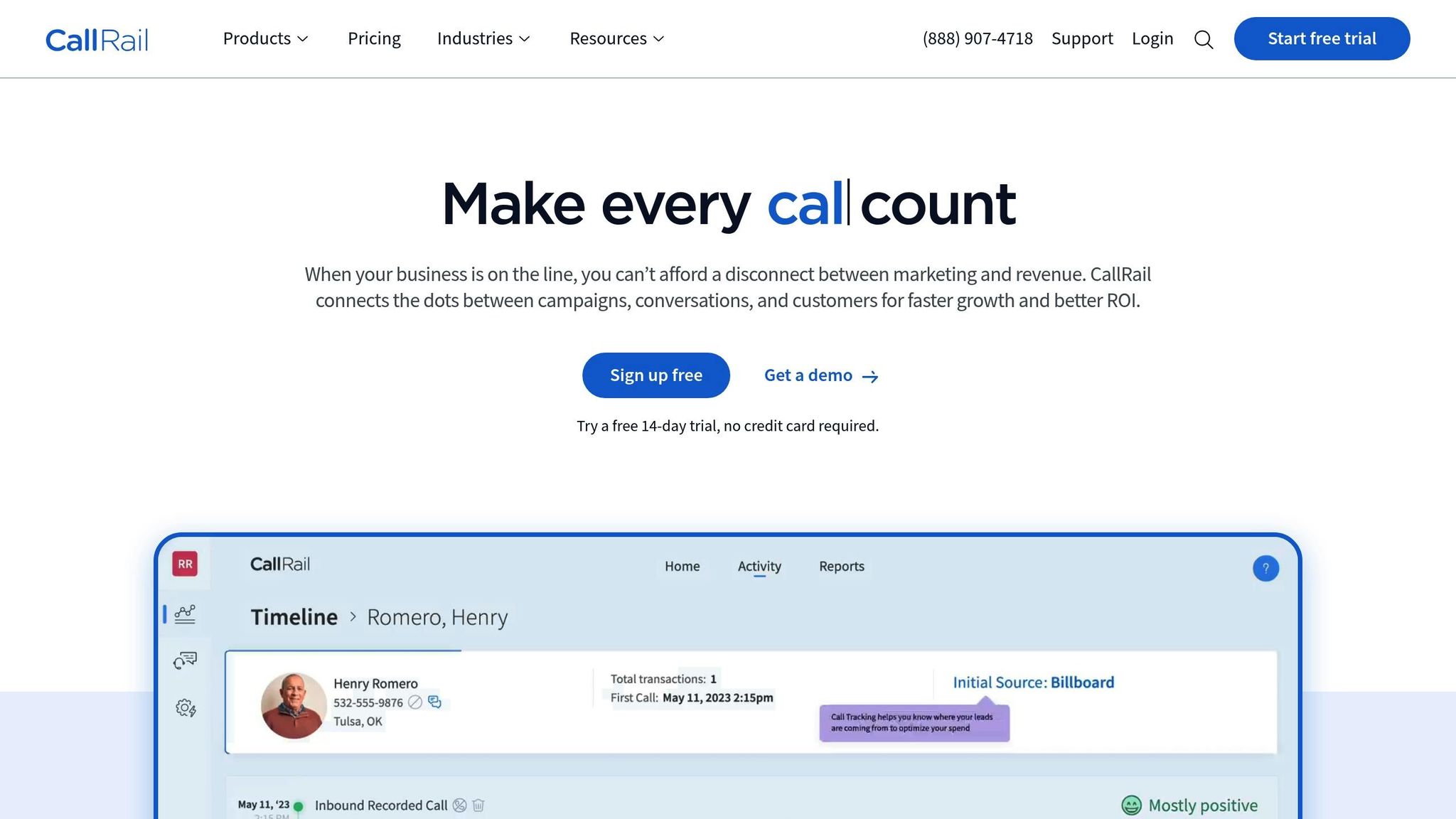
CallRail focuses on real-time call tracking to gather lead information from phone calls. This tool is particularly useful for small businesses aiming to pinpoint which marketing campaigns generate phone leads, making it an essential resource for businesses relying heavily on calls to connect with prospects.
Primary Capture Method
CallRail employs call attribution technology to track both online and offline campaigns. This allows businesses to identify the ads, keywords, or channels that lead to phone calls. The result? A clearer picture of how potential customers discover your business and what drives them to take action.
This detailed tracking data can also guide smarter marketing strategies by highlighting what works best.
Marketing Optimization
One of CallRail's standout features is its ability to improve future marketing efforts. With AI-driven analytics, it provides actionable insights to help you focus on the campaigns that deliver the most value.
Integration Capabilities
To make the most of these insights, CallRail seamlessly integrates with major marketing platforms. This ensures all your campaign performance data is in one place, making it easier to analyze and act on.
sbb-itb-77d5bc3
7. Lead411
Lead411 blends a robust contact database with actionable intent data, helping small businesses pinpoint and connect with prospects who are ready to make a purchase. It also incorporates automation tools to simplify outreach, making lead management more efficient. Here’s how Lead411 identifies and re-engages high-intent prospects.
Primary Capture Method
Lead411 leverages intent data and sales triggers - such as funding announcements or leadership changes - to zero in on leads showing active buying signals. This allows for well-timed outreach that aligns with a prospect's needs and interests.
Lead Recovery Features
The platform's Engagement Automation feature handles email and SMS outreach automatically, ensuring consistent communication without requiring constant manual effort. By using intent data, Lead411 can re-engage prospects when they’re actively exploring solutions. Additionally, sales triggers, like organizational changes, provide natural opportunities to re-establish contact and spark renewed interest.
Integration Capabilities
Lead411 integrates smoothly with a variety of sales tools, offering 26 connections to widely used CRM and sales engagement platforms like Salesforce, HubSpot CRM, Pipedrive, Zoho CRM, Microsoft Dynamics 365, and Outreach. These integrations ensure efficient data transfer, improving workflow. For those on higher-tier plans, additional CRM integrations and API access are available, including automatic updates to your CRM system.
8. Adapt
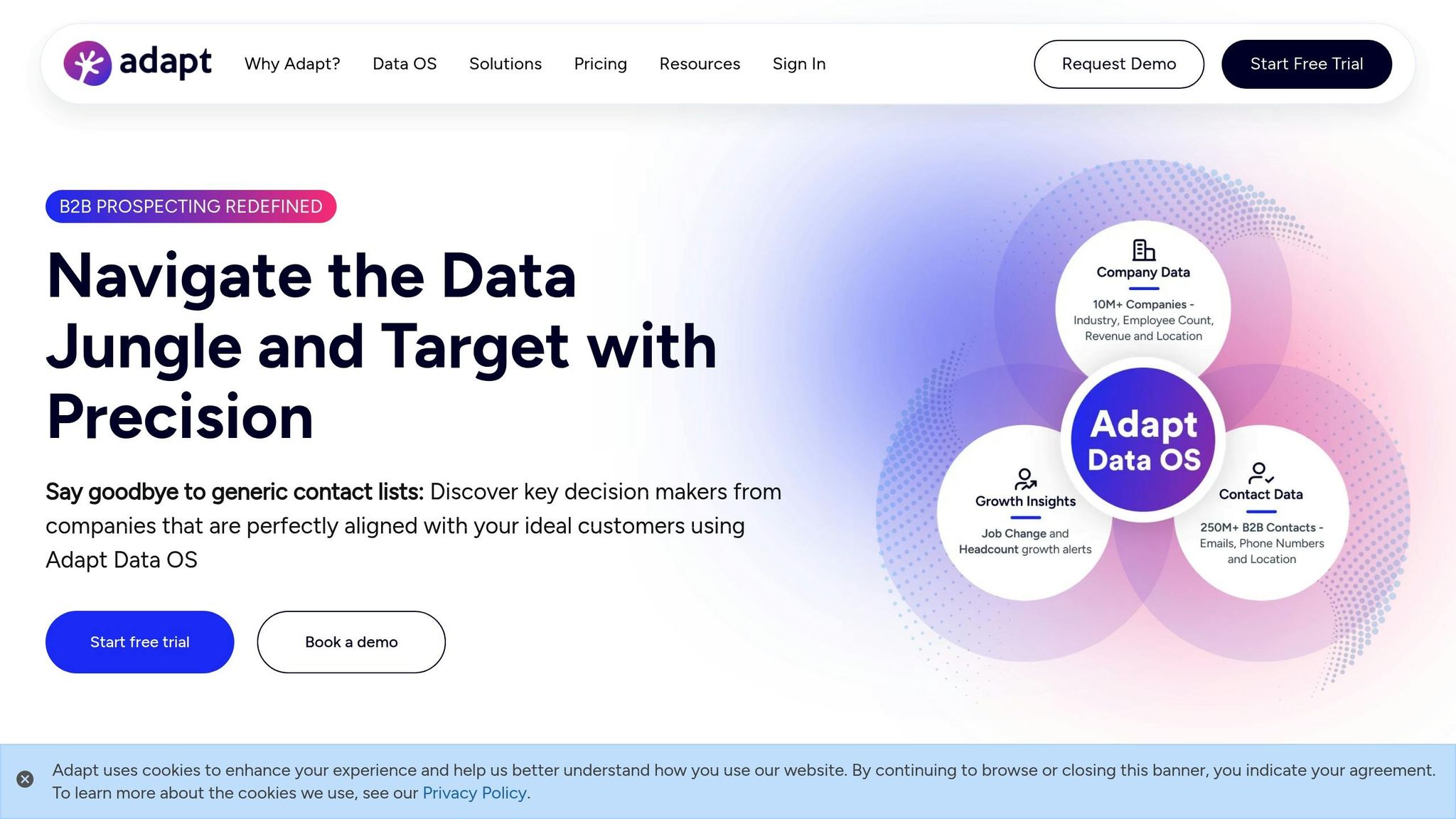
Adapt is a lead generation platform built around a dynamic contact database that updates in real-time. It helps small businesses zero in on potential customers using advanced filtering tools, ensuring sales and marketing teams always have access to up-to-date and accurate information.
How It Works
At its core, Adapt relies on a comprehensive B2B contact database paired with powerful filtering options. Real-time updates and refined search parameters make it easy to locate prospects based on specific needs. Plus, its Chrome extension allows users to instantly access contact details while browsing sites like LinkedIn and other professional platforms. This feature makes capturing leads quick and effortless, with seamless integration into broader systems.
Integration Options
Adapt offers direct CRM integrations and API access to keep your data aligned across platforms. These tools also enable custom workflow automation. Additionally, its LinkedIn integration simplifies professional outreach, ensuring your team can connect with prospects without unnecessary steps.
"AdaptCRM effortlessly connects with your favorite apps, ensuring smooth workflows and real-time insights. Need something unique? Our mature API lets you create custom integrations tailored to your business needs, connecting AdaptCRM to the systems driving your success." - AdaptCRM
Pricing Details
Adapt doesn’t publicly list its pricing or provide a free version. For specific pricing tailored to your business, you'll need to contact their sales team directly.
9. Kaspr
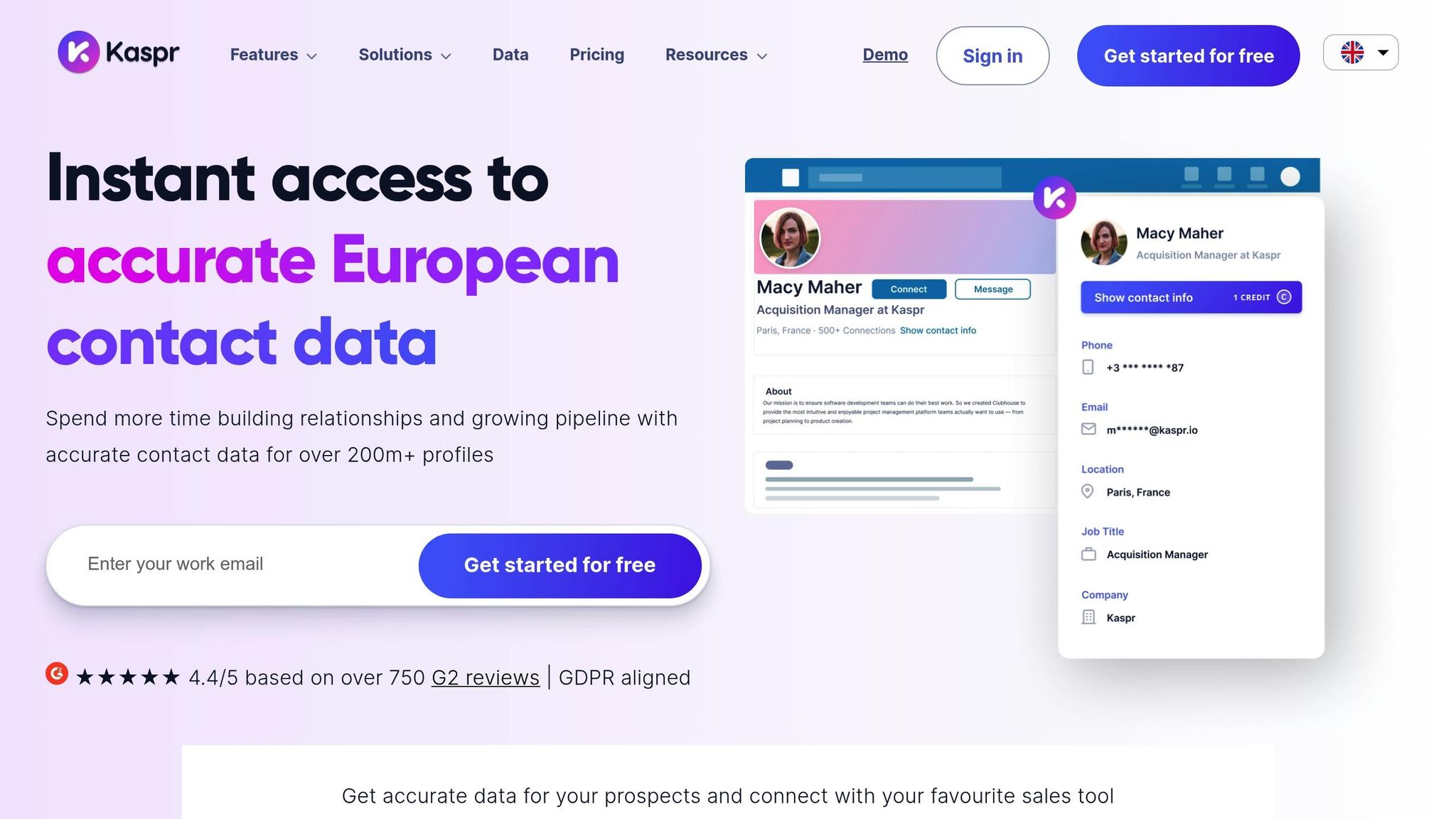
Kaspr is designed for LinkedIn prospecting, making it a handy tool for small businesses that depend on professional networks to reach potential clients. With its Chrome extension, Kaspr simplifies the process by pulling verified contact details straight from LinkedIn profiles with just one click. This eliminates the need for tedious manual data entry, helping you build prospect lists more efficiently.
How It Works
Kaspr operates directly within LinkedIn through its Chrome extension. As you browse profiles, you can instantly retrieve contact information, turning LinkedIn into a powerful lead generation tool. This setup keeps your workflow smooth - no switching between platforms or copying data manually. Everything stays streamlined, making prospecting quicker and easier.
Integration Features
Kaspr integrates directly with LinkedIn, giving you immediate access to prospect details without interrupting your browsing. It also offers a centralized dashboard where teams can manage outreach campaigns, share prospect lists, and collaborate effortlessly. Real-time updates ensure contact details remain accurate, so you're always working with the latest information.
Pricing in USD
Kaspr offers custom pricing. To get a quote tailored to your needs, reach out to their sales team directly.
10. FlashInfo
FlashInfo bridges the gap between offline and online lead capture, making it a handy tool for small businesses attending trade shows, conferences, or networking events. With the FlashRev Mobile App, you can instantly scan business cards and LinkedIn QR codes using OCR and AI technology - even when you're offline. This means no more manual data entry, as leads are captured on the spot.
But FlashInfo doesn’t stop there. It also offers a powerful online prospecting system to expand your reach beyond in-person events.
Primary Capture Method
FlashInfo provides access to a comprehensive B2B database designed to help businesses accelerate revenue. Through its Discover Tab, you can identify prospects using verified contact details, buying signals (like recent job changes), job titles, and department information. You can also refine your search by industry, location, or the technologies a company uses. These filters make it easier to target prospects that align with your ideal customer profile.
Lead Recovery Features
FlashInfo prioritizes efficient lead capture and precise targeting. Its standout feature, parallel dialing, boosts the efficiency of outbound calling campaigns by enabling multiple calls simultaneously. While it doesn’t include tools specifically for cold-lead recovery, advanced filters - such as social intent and company growth signals - help you connect with prospects at just the right time.
Integration Capabilities
FlashInfo integrates smoothly with HubSpot and Salesforce, ensuring real-time data synchronization to keep your CRM up to date. You can export contacts directly to these platforms or download them as CSV files, allowing your lead information to flow seamlessly into your existing workflows without requiring manual updates.
Pricing in USD
FlashInfo follows a custom pricing model based on your plan and the number of users. For a tailored quote, you'll need to reach out to their sales team directly.
Tool Comparison Table
Selecting the right lead capture tool involves evaluating its capture methods, recovery features, integrations, and pricing. A well-suited tool can significantly improve conversion rates, helping small businesses turn website visitors into paying customers. Below is a comparison table highlighting the key features and pricing of various tools to help you make an informed decision.
| Tool | Primary Capture Method | Key Recovery Features | Main Integrations | Starting Price (USD) |
|---|---|---|---|---|
| MagicTag | Real-time form field capture (before submission) | Captures partial form fills, recovers abandoned leads, identifies up to 12x more leads | CRM integration via webhook/API; works with any platform | Free (up to 1,000 users/month); paid plans from $19/month |
| Podium | Webchat tool | Lead Drive consolidates inquiries from multiple platforms | CRM sync | Contact vendor |
| SalesIntel | VisitorIntel and FormsIntel | Intent Automation, Technographics, and Intent Data | Salesforce, HubSpot, Marketo | Contact vendor |
| FormAssembly | No-code form builder with AI assistant (Fai) | – | Salesforce, Google Sheets | Contact vendor |
| ZoomInfo | Website visitor identification | Re-engages inactive leads using firmographic, technographic, and intent data | Multiple CRM and sales platforms via APIs | Custom pricing (typically $1,000-$2,000/month) |
| CallRail | Call tracking and attribution | AI-driven analytics for campaign optimization | Major marketing platforms | $45/month |
| Lead411 | Intent data and sales triggers | Engagement Automation for email and SMS outreach | Salesforce, HubSpot CRM, Pipedrive, Zoho CRM, Microsoft Dynamics 365, Outreach | Contact vendor |
| Adapt | B2B contact database with Chrome extension | – | CRM integrations, API access, LinkedIn integration | Contact vendor |
| Kaspr | LinkedIn Chrome extension | – | LinkedIn, centralized dashboard | Contact vendor |
| FlashInfo | B2B database with Discover Tab; mobile app for offline capture | Parallel dialing, advanced filters with social intent and growth signals | HubSpot, Salesforce | Contact vendor |
Among these tools, CallRail stands out with its transparent pricing of $45/month, which fits comfortably within the typical small business budget range of $25 to $75 per user per month. On the other hand, custom-priced tools like ZoomInfo often come with higher costs and added complexity, making them less suitable for smaller businesses looking for straightforward solutions.
Conclusion
When selecting a lead capture tool, make sure it aligns with your business goals, budget, and technical capabilities. This is particularly important when considering that 53% of marketers allocate more than half of their budgets to lead generation, and 70% rank it as a top priority.
Take a close look at your monthly budget. If resources are tight, opt for tools offering free or low-cost plans. Even basic tools can deliver results, with advanced solutions reportedly increasing conversion rates by up to 2.5x.
Focus on quality leads over sheer volume. Since 70% of businesses place a higher value on lead quality, prioritize tools with features like real-time data capture, partial form fill recovery, and seamless CRM integration. These capabilities help you connect with high-intent prospects right when they’re most engaged.
Consider your main lead sources. For example, if most leads come through website forms, a tool with real-time field capture might be ideal. If phone inquiries dominate, look for call tracking capabilities.
Finally, act fast. Choose tools that are easy to implement - ones that integrate within hours and don’t require extensive technical know-how. Start with a free trial or a basic plan, track your conversion rates over the next 30 days, and scale up based on the results.
FAQs
What should I look for when choosing a lead capture tool for my small business?
When choosing a lead capture tool, prioritize simplicity, how well it works with your existing systems, and whether it has the features your business actually needs. Depending on your lead generation approach, you might want tools that support website forms, popups, quizzes, or even social media integration.
It’s smart to consider tools that offer free trials or plans, giving you a chance to test them out before making a long-term commitment. Automation is another key feature to look for - it can help you manage leads more efficiently and save valuable time. And, of course, make sure the tool aligns with your budget while still offering great value for your business.
What are the main advantages of using a lead capture tool like MagicTag?
Using a tool like MagicTag can change the way small businesses gather and handle potential customer information. It boosts lead generation by capturing interest across multiple channels and improves lead qualification by filtering out less promising prospects.
MagicTag also makes lead management easier, helping you stay organized and keep track of potential customers, which can lead to better conversion rates. On top of that, it offers insights from the data it collects, enabling smarter decisions to fine-tune your marketing and sales efforts. By simplifying these tasks, MagicTag provides a budget-friendly solution to grow your business while improving the overall customer journey.
How can I make sure a lead capture tool works well with my current CRM?
When selecting a lead capture tool that works seamlessly with your CRM, prioritize options offering native integrations with well-known platforms like HubSpot or Salesforce. These integrations make it easier to connect the tool directly to your CRM without extra hassle. Also, tools that support standard APIs and enable simple data synchronization are worth considering. Before making a decision, double-check that the tool works with your CRM’s data import and export features.
It’s also smart to choose tools with customizable workflows and automation features. These can cut down on manual data entry and simplify the entire data transfer process, saving you time and keeping your leads well-organized and ready to act on.