Automating lead capture with a CRM can save time, reduce errors, and increase sales efficiency. Modern tools handle repetitive tasks like data entry, lead routing, and follow-ups, ensuring no potential customer is overlooked. Here’s a quick rundown of the most effective CRM features for streamlining lead workflows:
- Web Form Integration: Automatically collects and updates lead data from forms, even for partially completed submissions.
- Real-Time Data Sync: Instantly transfers and enriches lead information for faster response times.
- Automated Lead Routing: Assigns leads to the right sales reps based on criteria like location or lead score.
- Lead Scoring: Prioritizes high-value prospects based on demographics and behavior.
- Multi-Channel Workflows: Coordinates outreach through email, social media, phone, and more.
- Activity Tracking: Monitors lead interactions to trigger timely follow-ups or re-engagement campaigns.
- Security and Compliance: Protects sensitive data and ensures adherence to privacy regulations like GDPR and CCPA.
These features ensure faster responses, better lead management, and improved conversion rates. Tools like MagicTag even recover abandoned form data, helping businesses identify up to 12x more leads. By automating these processes, sales teams can focus on building relationships and closing deals.

7 Essential CRM Features for Automating Lead Capture
1. Web Form and Lead Capture Integration
Streamlines Automated Lead Capture
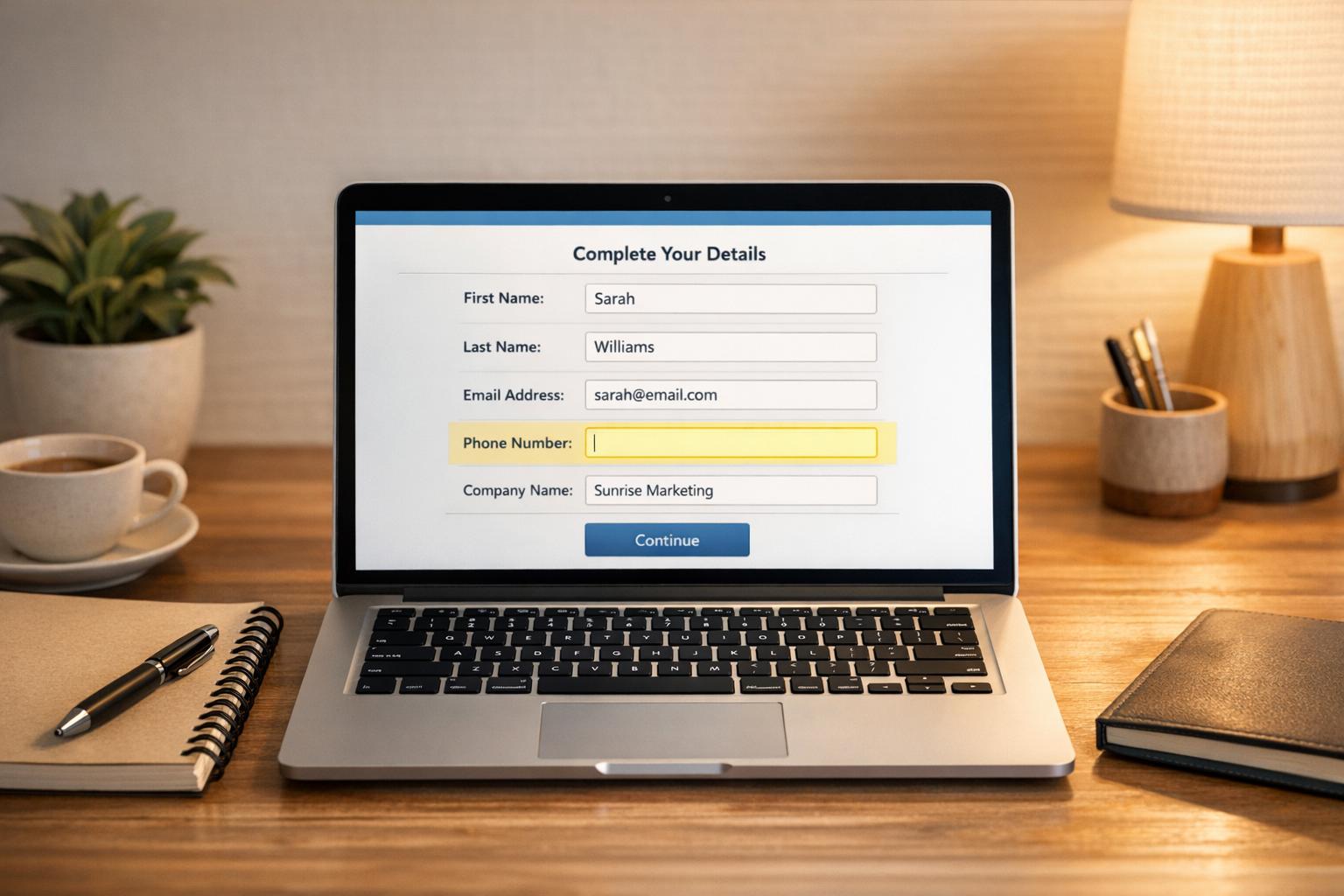
Web forms are your go-to tool for collecting prospect information, such as names, emails, job titles, and company details, straight from your website or landing pages. Once a visitor submits their details, the integration takes over, creating a new lead record in your CRM automatically - no manual input needed. This simple automation not only saves time but also reduces the risk of errors like typos or duplicate entries.
Take Nutshell CRM as an example. It captures lead information seamlessly, making new accounts instantly accessible. This kind of efficiency lays the groundwork for quicker follow-ups and better conversion opportunities.
Boosts Lead Recovery and Conversion Rates
When it comes to converting leads, timing is everything. Research shows that contacting a lead within five minutes can triple your chances of conversion compared to waiting just 30 minutes. Automated web form integration makes this speed achievable by instantly assigning leads to the appropriate sales rep and launching follow-up actions right away.
Traditional forms only collect data once submitted, but MagicTag takes it a step further. It captures user input in real time as visitors type - even if they abandon the form before hitting submit. This real-time data can then be sent to your CRM through webhooks or APIs, helping businesses identify up to 12 times more leads than standard forms. For high-traffic sites, this means recovering a much larger pool of potential customers who might otherwise be lost.
Connects Seamlessly with CRM and Marketing Tools
Web form integration doesn't just stop at collecting data; it extends your CRM's capabilities. For instance, when someone fills out a form on your Webflow site, tools like Zapier can immediately send that information to Zoho CRM, ensuring there's no delay between data capture and action.
But it doesn't end there. This integration can also initiate automated lead scoring, assign initial qualification scores, and launch nurture campaigns tailored to the collected data.
"Web forms are the easiest and most effective way to capture prospect or customer information."
– Mihaela Chiurtu, Marketing Content Writer, SugarCRM
Processes Real-Time Data and Automates Workflows
Real-time data handling changes the game for lead management. As new leads come in, the system scores and segments them instantly, assigning them to the right sales team member within seconds. Dynamic forms further enhance the experience by adapting to existing CRM data - if a visitor's email is already in your system, the form can ask more targeted questions to enrich their profile without being repetitive.
This constant flow of information ensures that lead profiles stay up-to-date as prospects engage with your content. Automated data enrichment tools can even pull in missing details from third-party databases, giving your sales team complete, qualified profiles that are ready for outreach.
How to automate your lead generation process with a CRM
2. Real-Time Data Sync and Enrichment
Real-time data sync takes web form integration to the next level by enabling instant lead enrichment and qualification. It eliminates the lag between a customer's interaction and when their information is entered into your CRM. Whether a visitor engages through a web form, chatbot, or ad, their data is immediately transferred into your CRM - no need for manual entry or batch uploads.
With AI-powered workflows, this process becomes even more efficient. These workflows automatically create lead records and enrich contact profiles as interactions happen. For example, if a visitor shares their email address during a live chat, the system instantly creates a lead record and enriches it with additional details.
Boosts Lead Recovery and Conversion Rates
Real-time enrichment turns basic contact details into actionable insights, helping you quickly identify high-priority leads. By instantly adding firmographic, technographic, and behavioral data to your CRM, the system can accurately score and qualify prospects as soon as they’re captured. This allows sales teams to focus on leads that align with your ideal customer profile and respond without delay.
Seamless Integration with CRM and Marketing Tools
Real-time sync ensures that your web forms, email platforms, chatbots, and advertising tools are directly connected to your CRM. Tools like MagicTag use webhooks or APIs to capture and log interactions, even if someone abandons a cart or partially fills out a form. This ensures no interaction goes unnoticed, giving your team the data they need to act immediately.
Enables Real-Time Workflow Management
Automated workflows driven by real-time data keep your lead management process efficient and responsive. As new data flows in, the system scores leads based on their behavior and demographics, routing high-value prospects to your sales team for immediate follow-up. This automation ensures every lead is handled promptly, streamlining the entire sales funnel.
3. Automated Lead Routing and Assignment
Automated lead routing builds on real-time sync and enrichment to ensure every qualified lead gets to the right sales rep without delay.
Once your CRM processes lead data, the next step is assigning leads to the most suitable sales representative. Automated lead routing uses predefined criteria - like lead score, location, industry, product interest, or rep availability - to distribute leads efficiently. This removes the delays of manual assignments and ensures leads get immediate attention. Tools like MagicTag can make this process even smoother.
Works Seamlessly with Lead Capture Systems
Automated routing integrates directly with lead capture tools, instantly creating or updating lead records as data comes in from web forms, chatbots, or social media. For instance, when someone fills out a form on your website, the system evaluates the lead's details and assigns it to the best-suited representative right away. This real-time connection ensures no lead slips through the cracks.
Boosts Lead Recovery and Conversion Rates
Speed is everything when it comes to lead management. Research shows that contacting a lead within five minutes increases conversion rates by three times compared to waiting 30 minutes. Automated routing ensures leads are addressed almost instantly. If the assigned rep doesn’t respond within a set timeframe, the system automatically reassigns the lead, keeping prospects engaged and preventing missed opportunities.
"Speed wins - respond to leads in seconds, not hours: automated systems capture and respond to prospects instantly, dramatically improving conversion rates compared to manual follow-up." - Sean O'Connor, monday.com
Enables Real-Time Data and Workflow Automation
With real-time updates, automated workflows trigger immediate actions like sending personalized emails, assigning tasks, or notifying reps. This ensures fast and efficient follow-ups. Businesses that automate these workflows report a 40% reduction in customer acquisition costs and a 25% improvement in sales cycle time.
4. Lead Scoring and Qualification
Lead scoring takes the data captured in real time and turns it into actionable insights. By assigning numeric values to leads based on factors like demographic fit and behavioral cues - think actions like downloading content or requesting demos - it helps identify which prospects deserve immediate attention. This step bridges the gap between gathering data and executing automated workflows.
Works Seamlessly with Automated Lead Capture
Lead scoring teams up with automated lead capture tools to evaluate prospects as soon as they engage with your website. Whether it's through web forms, visitor tracking, or other channels, every interaction is automatically scored based on engagement and demographic details . Tools like MagicTag feed this data straight into your CRM, even capturing partial form submissions to build out detailed lead profiles. This instant scoring ensures your team can act quickly and focus on the most promising leads.
Boosts Lead Recovery and Conversion Rates
By prioritizing high-value prospects, lead scoring helps your team focus on leads most likely to convert. It enables targeted nurturing, delivering the right content and personalized offers at the perfect time. This tailored engagement not only increases the chances of conversion but also keeps leads engaged throughout their buying journey, reducing the risk of losing them along the way.
Syncs with CRM and Marketing Platforms
When integrated with your CRM and marketing tools, lead scoring becomes part of a unified system that updates prospect scores in real time. It evaluates explicit factors like job title and company size, as well as behavioral signals from various touchpoints. This integration supports automated workflows, instantly routing qualified leads to sales reps, triggering personalized email campaigns, and adjusting nurturing strategies as scores evolve. The result? A streamlined process where up-to-date lead intelligence is always accessible, minimizing the chances of outdated data disrupting your sales efforts.
sbb-itb-77d5bc3
5. Multi-Channel Follow-Up Workflows
Once you’ve captured leads and enriched their data, the next step is to ensure they’re effectively engaged across multiple platforms. Multi-channel follow-up workflows coordinate outreach efforts through email, social media, phone calls, and even direct mail. This approach not only boosts response rates but also ensures your messaging stays consistent across all touchpoints. In fact, SaaS companies using automated, multi-channel outreach report a 60% higher response rate compared to those relying solely on manual, single-channel efforts.
Seamless Integration with Automated Lead Capture
These workflows seamlessly connect with automated lead capture tools, pulling data from web forms, ad platforms like Meta and LinkedIn, and specialized tools like MagicTag, which captures partial form submissions in real time. The moment a lead enters your system, the workflow springs into action, acknowledging the lead and routing it to the appropriate channel - sometimes in mere seconds. That speed matters: leads contacted within five minutes are three times more likely to convert compared to those who experience a 30-minute delay. This rapid response sets the tone for ongoing engagement across all channels.
Boosting Lead Recovery and Conversions
Automation ensures no lead slips through the cracks. Multi-channel workflows not only engage new leads but also identify inactive ones, launching re-engagement campaigns to bring them back into the fold. By delivering timely, personalized content across different platforms, these workflows help guide prospects through the buying process. Companies that automate their lead generation efforts see a 40% drop in customer acquisition costs and a 25% faster sales cycle.
Smart Integration with CRM and Marketing Tools
By integrating with CRM platforms, these workflows manage everything from timing to branching logic, ensuring smooth coordination across channels . CRM tools continuously update lead profiles with data like company name, industry, and interaction history, enabling highly personalized messaging. For example, if a prospect engages with your content, the system can immediately pause redundant outreach, ensuring your communication stays relevant and avoids overloading the lead.
Real-Time Data for Immediate Action
Real-time data integration takes multi-channel workflows to the next level. When lead information flows directly into your CRM, it triggers instant, tailored follow-ups across email, CRM entries, and other communication channels . This automation not only speeds up response times but also allows your team to focus on closing deals rather than managing repetitive tasks . The result? Faster responses, happier prospects, and higher conversion rates - all powered by workflows that act the moment a lead enters your system.
6. Activity Tracking and Analytics
Activity tracking and analytics play a key role in keeping the momentum going after automated lead capture is in place.
Supports Automated Lead Capture
With activity tracking, every interaction a prospect has - like visiting your website, opening an email, clicking a link, or engaging on social media - is recorded. This data powers lead capture tools such as exit-intent forms or chatbots. For example, if a prospect keeps revisiting your pricing page or spends significant time reading case studies, the system identifies these high-intent actions and triggers lead capture mechanisms. This kind of precise tracking ensures no opportunity slips through the cracks.
Improves Lead Recovery and Conversion Rates
One of the standout benefits of activity tracking is its ability to identify dormant leads. If a prospect hasn't interacted with your emails for 30 days or visited your site in 45 days, the system flags them and initiates re-engagement campaigns. At the same time, the system continuously updates lead scores based on behavior, helping your sales team zero in on the most promising prospects. This approach not only revives stalled leads but also keeps your contact database accurate and actionable.
Integrates with CRM and Marketing Tools
When linked to your CRM, activity tracking creates a complete picture of each lead’s journey. Every website visit, email click, or content download is logged in one place, making it easier to tailor communications. This centralized data helps refine automation strategies and supports A/B testing to fine-tune your campaigns. The result? A seamless workflow that ensures your team has all the insights they need to connect with leads effectively.
Manages Real-Time Data and Workflow Automation
Real-time alerts and analytics dashboards give your team instant insights into how leads are moving through the funnel. For instance, if a high-value prospect revisits your site, the system immediately notifies your sales team so they can follow up while the lead is still engaged. Operating around the clock, the system handles large volumes without human error or delays, ensuring consistent performance. This real-time capability empowers your team to act quickly and decisively.
7. Security and Compliance Management
Protects Sensitive Data During Automated Lead Capture
When your CRM automates lead capture, it’s constantly handling sensitive information like names, emails, and phone numbers. To keep this data secure, encryption protocols such as AES-256 and secure data vaults are used to safeguard it throughout its lifecycle. Automated workflows transfer this information without manual intervention, ensuring both efficiency and security.
Ensures Secure Integration with CRM and Marketing Tools
Protecting data doesn’t stop at capturing it - it needs to extend across all connected systems. When integrating lead capture tools with your CRM, it’s crucial to choose platforms that maintain compliance standards and work seamlessly together. Role-based access controls play a key role here, restricting data access to authorized team members only. This not only protects sensitive information but also adds clear accountability across your marketing and sales tools.
Additionally, some CRMs use AI-driven monitoring to detect unusual access patterns. When something seems off, these systems can automatically trigger extra security measures to protect your data.
Maintains Compliance in Real-Time Workflows
Real-time lead capture introduces unique challenges, particularly when it comes to privacy regulations. Your CRM must comply with laws like GDPR, HIPAA, and CCPA while processing data instantly. Features like cookie consent management allow users to control their preferences for functional and advertising cookies, ensuring transparency and regulatory compliance.
Take MagicTag, for example. This tool captures user data in real time while adhering to strict GDPR standards, proving that you can protect sensitive information without disrupting your lead capture process. Combining strong security measures with compliance ensures your CRM operates smoothly and responsibly, completing the cycle of automated workflows.
Conclusion
CRM automation not only saves time but also ensures you don't miss out on valuable opportunities. With integrated CRM features, you get instant responses, smarter lead qualification, and consistent follow-ups. These tools have been shown to increase revenue per salesperson by 41%, shorten sales cycles by 25%, and cut acquisition costs by 40%.
Manual follow-ups simply can't compete with the speed and precision of automation. Quick responses and immediate engagement significantly improve conversion rates and help secure those all-important first-contact wins. Tools like MagicTag take it a step further by capturing real-time data - even without requiring form submissions - making it easier to recover leads that might otherwise slip through the cracks. This combination of automation and real-time data ensures CRM systems can eliminate data silos and reduce manual errors.
Choosing a CRM solution that integrates seamlessly with real-time data capture tools and automated workflows is crucial for ensuring every lead gets the attention it deserves. As Kyle Dorman from Ray White shared:
"There's probably about a 70% increase in efficiency in regards to the admin tasks that were removed and automated, which is a huge win for us".
FAQs
What are the benefits of real-time data syncing for lead capture in CRM systems?
Real-time data syncing keeps your CRM and connected tools instantly updated with lead information. This means your team can act on immediate follow-ups, reduce data entry mistakes, and ensure everyone works with the most accurate details.
With up-to-the-minute customer data, businesses can improve teamwork, simplify processes, and offer a smoother experience to potential customers. The result? Greater efficiency and a better shot at turning leads into long-term clients.
How does automated lead routing benefit sales teams?
Automated lead routing simplifies the way leads are assigned to sales representatives, making sure they reach the right person quickly. This means faster follow-ups and more meaningful interactions with potential customers. By focusing on high-priority prospects and keeping leads organized, sales teams can concentrate on what they do best - closing deals.
In addition to saving time, automation enhances data accuracy, ensures leads are distributed evenly, and builds stronger connections with prospects. The outcome? Sales teams become more efficient and see better conversion rates.
How do CRM tools protect sensitive data and ensure compliance during lead capture?
CRM tools play a crucial role in protecting sensitive data and ensuring compliance. They use encryption to safeguard information, enforce strict access controls to limit who can access data, and conduct regular security audits to identify and address vulnerabilities. Many also comply with important regulations like GDPR and HIPAA, ensuring that data is managed responsibly and ethically.
Beyond these safeguards, many CRMs offer real-time system monitoring to quickly detect and respond to any unusual activity. They also prioritize user training, helping teams understand best practices and reducing the risk of human error. Together, these features not only enhance security but also help businesses earn trust by keeping lead data safe and compliant.