CRM triggers simplify lead nurturing by automating responses to specific actions, such as email opens, pricing page visits, or form submissions. These triggers help businesses engage leads instantly, improve efficiency, and drive sales. Key benefits include:
- Form Submissions: Automate welcome emails, assign leads, and start nurture sequences.
- Email Engagement: Track opens, clicks, and replies to send personalized follow-ups.
- Pricing Page Visits: Identify high-intent leads and notify sales teams for timely outreach.
- Form Abandonment: Recover incomplete forms with tools like MagicTag.
- Lead Scoring: Prioritize efforts based on real-time score changes.
- Content Downloads: Deliver topic-specific follow-ups to maintain engagement.
- Appointment Scheduling: Automate confirmations and reminders to reduce no-shows.
- Payment Updates: Manage renewals and failed transactions seamlessly.
- Project Completion: Encourage repeat business with follow-ups and surveys.
CRM triggers save time by automating repetitive tasks and ensure leads move smoothly through the sales funnel, increasing conversion rates and revenue potential.
1. Form Submissions
Trigger Type
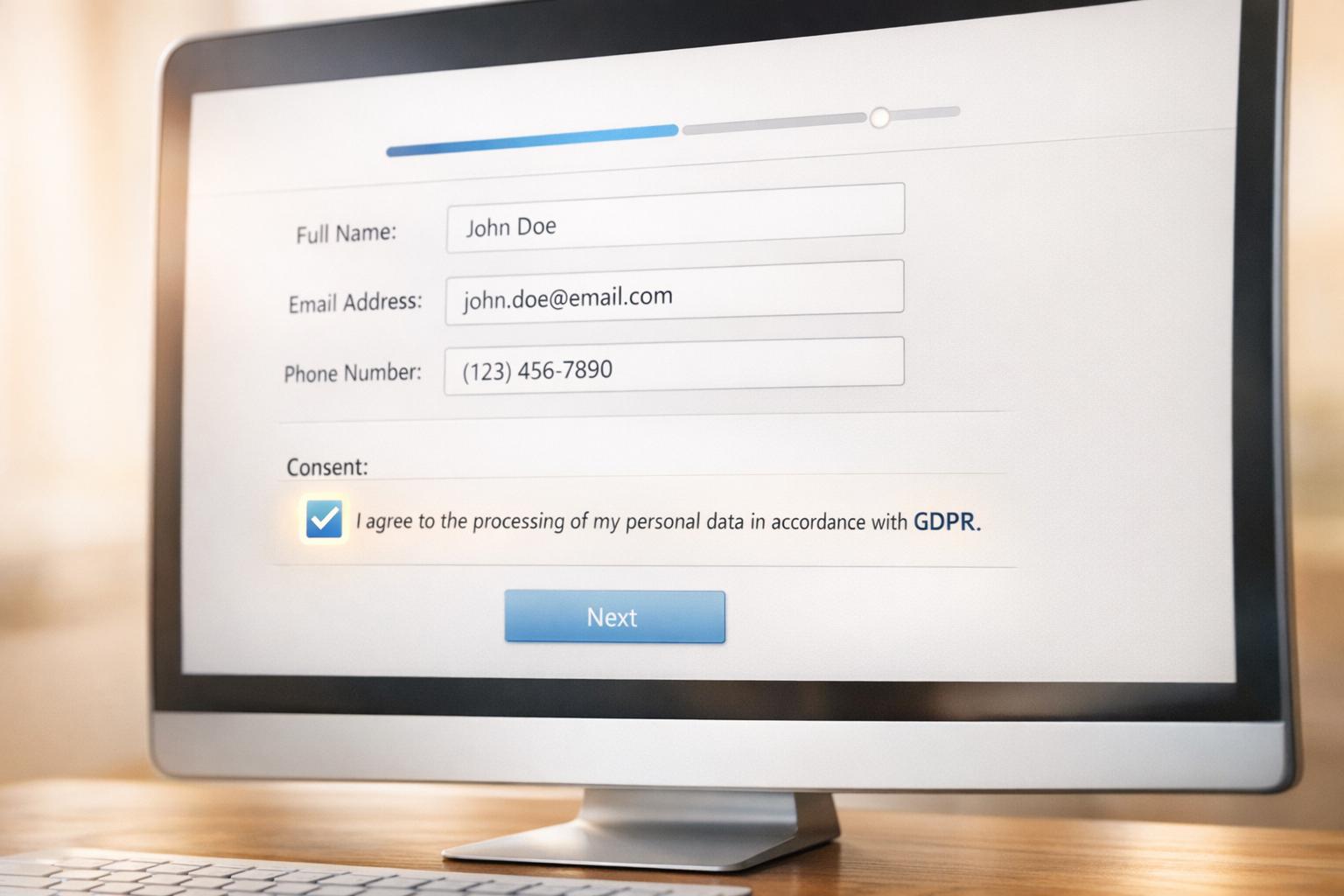
Behavioral trigger. When someone submits a form on your site - whether it’s for a contact inquiry, demo request, or newsletter signup - your CRM can instantly kick off an automated response.
Example Action
Imagine this: your CRM creates a new contact record the moment a visitor submits their information. It enriches the record with additional data, assigns the lead to the right sales rep, and starts a personalized email sequence. For example, at an Acme conference, attendees entered their details on a tablet for a giveaway. The system immediately enrolled them in a welcome program, sending tailored messages based on their interests and behaviors. This kind of immediate response not only simplifies workflows but also delivers tangible results.
Business Impact
Quick follow-ups - sometimes within minutes - significantly increase your chances of engaging active leads. According to industry stats, nurture campaigns can produce 50% more sales-ready leads while cutting costs by 33%. Automation takes care of repetitive tasks like sending welcome emails, creating contact records, and segmenting lists, freeing up your team to focus on meaningful conversations.
But here’s the catch: many visitors abandon forms before completing them. That’s where MagicTag comes in. This tool captures user data in real time as they type, even if they don’t hit “submit.” It then integrates this information into your CRM via webhook or API, turning incomplete entries into actionable leads. By leveraging tools like MagicTag, you ensure no potential lead slips through the cracks.
2. Email Opens
Trigger Type
Behavioral trigger. When a lead opens an email from your nurture campaign, your CRM instantly records that engagement. This simple action signals that the lead is actively interested in your content, giving you a clear direction for your next move.
Example Action
Imagine a subscriber opens an email titled "The Introductory Guide to Facebook Ads" and clicks through to read the article. Your CRM picks up on this activity and automatically sends a follow-up email featuring an advanced guide on Facebook Ads. This not only confirms their interest but also encourages deeper engagement with your content. The system further segments your audience based on who opened specific emails and who didn’t, ensuring each recipient gets content tailored to their interests. This precise segmentation sets the stage for highly targeted follow-ups.
Business Impact
Triggered campaigns account for over 75% of email revenue, and personalized emails based on engagement data result in 2.5 times higher click-through rates and a 5.7 times boost in revenue on average. Automated email flows that utilize behavioral data can generate up to 30 times more revenue per recipient compared to one-time email blasts.
"Knowing what your subscriber has or hasn't read is a great indicator of what to send them going forward." - Wishpond
3. Email Clicks and Replies
Trigger Type
Email clicks and replies are powerful signals. A click indicates curiosity, while a reply suggests a readiness to engage in a conversation. These actions provide clear insights into your lead's interests, making it easier to plan your next move. They lay the groundwork for more focused and meaningful follow-ups.
Example Action
Imagine a subscriber clicks on a link about a specific product feature. Your CRM can automatically send follow-up content that dives deeper into that topic. For instance, if the lead clicks to view a case study, the system might create a task for a sales rep to reach out quickly - keeping the momentum alive. On the other hand, if a lead replies to an email, the campaign pauses, allowing your sales team to step in with a tailored response, ensuring no mixed messages.
Business Impact
These interactions do more than just guide follow-ups - they improve lead qualification by updating lead scores in real time and notifying your sales team when a lead is primed for personal attention. This automation cuts out unnecessary delays. Plus, analyzing click and reply patterns helps fine-tune email subject lines, timing, and overall strategy, leading to stronger engagement and more meaningful conversations with potential customers.
4. Pricing Page Visits
Trigger Type
When someone checks out your pricing page, it's a strong signal they’re seriously considering a purchase. At this point, they’ve moved into the decision stage, and their interest is crystal clear. This is the perfect moment for your CRM to step in and take action, ensuring you don’t miss out on this high-intent lead.
Example Action
Your CRM should act fast when a lead visits your pricing page. Take this example from Wishpond: "IF a lead (someone with a current lead score of less than 10, meaning they're new) visits our pricing page twice in two days… THEN their lead score is set to 342." This sharp increase in score indicates strong intent and flags the lead for immediate attention.
What happens next? Send an automated email packed with content that helps them make a decision - think case studies, buyer guides, or even a demo offer. At the same time, notify your sales team through tools like Slack or CRM tasks so they can jump on the opportunity without delay.
Business Impact
Reaching out to leads at this critical decision-making moment can make a huge difference. Research shows that nurtured leads are 50% more likely to make a purchase and tend to spend 33% more. Acting quickly on pricing page visits can also trim the sales cycle by 23%. The result? More meaningful conversations, faster deal closures, and a smarter use of your sales team’s time and effort.
5. Form Abandonment
Trigger Type
Form abandonment occurs when a user starts filling out a form or adds items to a shopping cart but leaves without completing the process. Unlike completed submissions, which provide full data, this trigger focuses on recovering incomplete actions. Your CRM can track these behaviors by monitoring patterns like items lingering in a cart or repeated visits to a pricing page without a purchase. When such activity is detected, the system can automatically launch a follow-up sequence, ensuring potential leads don’t slip through the cracks.
Example Action
E-commerce platforms often use this trigger to win back lost opportunities. For example, if a shopper abandons their cart, they might receive a follow-up email - one sent an hour after they leave and another two days later, perhaps offering a discount or free shipping. Similarly, if someone repeatedly visits a pricing page without taking action, an automated email offering a discount or a free consultation can help re-engage them.
MagicTag takes this a step further by capturing user data in real time, even from abandoned forms, and syncing it directly with your CRM through webhooks or APIs. This allows businesses to recover leads that might otherwise be lost.
Business Impact
Recovering abandoned forms can significantly impact revenue. For instance, top-performing nurture campaigns generate 50% more sales-ready leads while cutting costs by 33%. Personalized follow-up emails can increase click-through rates by 2.5 times and drive revenue growth by up to 5.7 times. On top of that, deals with nurtured leads often have a 47% higher order value. Considering that 80% of new leads typically fail to convert into sales, addressing form abandonment is crucial to minimizing revenue loss.
6. Lead Score Changes
Trigger Type
Lead score changes activate automated workflows when a prospect's score hits a specific threshold. Your CRM keeps tabs on these scores, updating them based on both static factors (like job title or industry) and dynamic behaviors (such as website activity or email engagement). Once a lead's score crosses the set level, the system kicks off workflows designed to match their buying intent.
Example Action
Here’s a practical example: A small, three-person agency set up a scoring system that gave extra points to leads visiting their pricing and integration pages. When a lead’s score reached the sales-ready threshold, the CRM automatically placed them into a fast-track nurture sequence with a booking link. High-intent leads, identified through scored replies, were moved straight to the "Qualified" stage. This strategy boosted their meeting volume by 33% in just two months while keeping their pipeline organized and efficient.
On the flip side, if a lead’s score drops, it can trigger a shift back into a quarterly nurture campaign.
This approach shows how real-time score updates can fine-tune engagement and ensure leads are handled with precision.
Business Impact
Lead scoring allows sales teams to focus their efforts where it matters most - on prospects with the highest likelihood of converting. Considering that 80% of new leads typically don’t turn into sales, prioritizing based on score changes becomes essential for driving revenue. By implementing lead scoring, businesses can allocate resources more effectively, improve conversion rates, and keep their sales pipeline clean and organized.
7. Content Downloads
Trigger Type
Content downloads serve as a clear indicator of a lead's interest in a specific topic. Much like form submissions or email interactions, these downloads provide valuable insights that can sharpen your lead nurturing strategy. When someone downloads an ebook, whitepaper, guide, or template, they’re essentially telling you what they care about. Plus, these downloads often come with the added bonus of capturing essential contact details, helping you segment leads based on their interests.
Your CRM can take this data to the next level by enriching lead profiles and routing qualified leads to the right sales or marketing channels. This process kicks off a series of personalized nurturing actions, ensuring that every follow-up feels relevant and timely.
Example Action
Picture this: a user downloads an ebook on social media marketing. Immediately, they receive a series of automated emails packed with related tips, insights, or resources. This approach not only keeps your brand top-of-mind but also continues to deliver value, nurturing the lead along the way. Content upgrades embedded in blog posts and lead scoring systems can also signal when a lead is ready for a sales conversation. For instance, if a marketing director downloads a whitepaper, you could quickly follow up with industry-specific case studies to reinforce their interest.
Business Impact
Automating follow-ups tied to content downloads eliminates repetitive tasks while ensuring high-intent leads stay engaged. These personalized sequences don’t just nurture leads - they drive real results.
"If the content is engaging and insightful, leads will likely return to your company's site and blog and move down the sales funnel."
The secret lies in aligning the right content with the buyer’s journey. Every download should bring leads one step closer to making a purchase.
sbb-itb-77d5bc3
8. Appointment Scheduling
Trigger Type
Appointment scheduling serves as a behavioral trigger that activates when a lead takes the step of booking a meeting, demo, or consultation. This action reflects clear intent, as the lead is committing to something tangible. Your CRM can capture this moment and initiate workflows that not only prepare your team but also engage the lead effectively. It’s an opportunity to streamline scheduling while signaling the lead’s readiness to move forward.
Example Action
Imagine a lead books a demo through your calendar integration. The CRM immediately springs into action: it assigns an account owner, generates a pre-call checklist, and sends out confirmations. When a deal transitions from "Quote Sent" to "Job Booked", the system notifies relevant teams, updates the lead’s status, and sends customer confirmations. These steps have been shown to increase booked jobs by 17% while saving over 12 hours of administrative work weekly. Additional features include sending meeting agendas, scheduling reminder texts, and even triggering arrival alerts on the day of service.
Business Impact
Automating appointment-related workflows can significantly reduce no-shows and eliminate repetitive communication tasks. Studies indicate that automating follow-ups for bookings can cut no-show rates by up to 29%, while service-based businesses can reclaim over 10 hours each week by automating confirmations and reminders. This streamlined approach frees up your sales team to focus on preparing for meaningful client interactions, ultimately helping to speed up deal closures.
9. Payment Updates
Trigger Type
Payment updates act as both behavioral and time-based triggers within your CRM. These triggers activate during key payment-related events such as successful transactions, failed payments, subscription renewals, or plan upgrades. Your CRM tracks these activities and initiates workflows designed to keep customers engaged well beyond the initial purchase.
Example Action
When a payment is successful, your CRM can automatically send a thank-you email, update the customer’s status to "Active Subscriber", and kick off an onboarding process. If a payment fails, it might trigger a notification to the customer and assign a follow-up task to your support team. As a renewal date approaches, your system could send out reminders or post-purchase surveys. These targeted actions ensure smoother customer interactions and set the stage for better financial outcomes.
Business Impact
Automating payment-related tasks can directly enhance your revenue. Statistics show that repeat customers have a 60–70% likelihood of making another purchase. By leveraging purchase history, you can automatically suggest personalized upsell or cross-sell offers, which not only strengthens retention but also helps minimize churn.
10. Project Completion or Service Reminders
Trigger Type
Project completion and service reminders are hybrid triggers - designed to activate when a customer reaches the end of a project milestone, completes a service period, or approaches key intervals like contract expirations. Your CRM tracks these moments and automatically launches workflows aimed at encouraging repeat business.
Example Action
When a project wraps up, your CRM can send follow-up emails and schedule check-ins to gauge customer satisfaction and address any concerns. For service-based customers, automated onboarding workflows with follow-ups can ensure they get the most value out of the service. As contracts approach expiration, the system sends renewal reminders to prevent missed opportunities for continued business. Additionally, if a customer makes a purchase through your app, a push notification the next day can highlight related products, directing them straight to the product page. These timely, automated steps help strengthen customer loyalty and drive recurring revenue.
Business Impact
Consistent follow-ups not only improve retention but also open doors for upselling and cross-selling. Repeat customers are far more likely to buy again, with a 60–70% chance of repurchasing. Plus, keeping current customers engaged is far more cost-effective than acquiring new ones. Automated check-ins also help identify and resolve potential issues early, reducing churn and fostering stronger relationships. The result? Steady, predictable revenue from loyal customers.
How Lead Nurturing Works (Automate!)
How MagicTag Works with CRM Triggers

Every business faces the frustration of potential leads abandoning forms halfway through. MagicTag tackles this issue by capturing user data - like name, email, and phone number - in real time as visitors type into your form fields. Even if they don’t click “submit,” their input is instantly sent to your CRM via webhook or API.
MagicTag takes real-time engagement to the next level. Every keystroke becomes an opportunity, ensuring no lead slips through the cracks. By turning incomplete form entries into actionable CRM triggers, MagicTag empowers businesses to send personalized follow-up emails - whether it’s an offer of assistance or a timely incentive. Fun fact: lead nurturing emails can get response rates 4 to 10 times higher than generic email blasts.
With its webhook integration, MagicTag seamlessly pushes captured data into your CRM, activating workflows like nurture sequences, lead scoring, or sales alerts. It’s easy to set up, works on any website, and complies with GDPR and LGPD regulations. Plus, there’s a free plan for up to 1,000 identified users each month.
Timing is everything, and MagicTag delivers. Instead of waiting for a form to be completed, you can engage prospects while their interest is fresh. This proactive approach connects you with leads when they’re actively thinking about your solution. By identifying up to 12x more leads compared to traditional forms, MagicTag turns what could’ve been lost opportunities into a steady stream of qualified leads.
CRM Triggers Comparison Table

10 CRM Triggers for Lead Nurturing: Actions and Business Results
Fine-tuning your lead nurturing strategy starts with understanding how CRM triggers automate actions at different stages of the sales funnel. Below, you'll find a breakdown of 10 essential triggers, the automated tasks they initiate, and the business outcomes they can drive.
From simple email follow-ups to advanced lead scoring adjustments, these triggers are powerful tools. Consider this: nurtured leads are 50% more likely to make a purchase and tend to spend 33% more on average. On top of that, sales reps who automate tasks devote 21% more time to selling, which translates to a 14% boost in meeting sales quotas. Clearly, pairing the right trigger with the right action can make a noticeable difference to your bottom line.
Here’s a quick reference table outlining each trigger, its automated response, and the potential business impact:
| CRM Trigger | Automated Action | Business Result |
|---|---|---|
| Form Submissions | Send welcome email, assign to sales rep, add to nurture sequence | Engage new leads immediately, shorten response times |
| Email Opens | Track engagement, adjust lead score, trigger follow-up sequence | Highlight interested prospects, prioritize high-potential leads |
| Email Clicks and Replies | Notify sales team, update lead status, send tailored content | Capture ready-to-convert leads and initiate meaningful dialogue |
| Pricing Page Visits | Alert sales rep, send pricing info, schedule demo invitation | Engage leads with clear buying intent |
| Form Abandonment | Send reminder email, offer help, provide incentive | Recover up to 12x more leads that might otherwise slip away |
| Lead Score Changes | Reassign nurture track, notify account executive, trigger alert | Concentrate efforts on highly qualified prospects |
| Content Downloads | Deliver resource, add to topic-specific sequence, tag interests | Build trust, segment leads by their specific interests |
| Appointment Scheduling | Send confirmation, add to calendar, trigger pre-meeting sequence | Minimize no-shows, set the stage for productive meetings |
| Payment Updates | Send renewal reminder, update billing status, start retention campaign | Maintain recurring revenue, reduce churn risk |
| Project Completion | Request feedback, send survey, offer upsell/cross-sell options | Boost customer lifetime value and encourage referrals |
This table highlights how each trigger can streamline processes, improve lead engagement, and ultimately drive better results for your business.
Conclusion
CRM triggers take lead nurturing to the next level by turning a once manual, time-intensive process into an automated system that runs 24/7. These triggers respond to specific actions - like filling out a form, visiting a pricing page, or downloading content - ensuring your leads receive timely, tailored communication exactly when they need it.
By automating repetitive tasks, your sales team can focus on more strategic efforts, ultimately driving better conversion rates and a stronger return on investment. These triggers are the cornerstone of an effective lead nurturing strategy.
To make the most of this, configure your CRM to respond instantly to key lead behaviors. For example, if you're losing potential leads at the form stage, prioritize form abandonment triggers. Tools like MagicTag can even capture data from visitors who don’t hit “submit.” For tracking engagement, set up triggers for email opens and clicks to identify your most interested prospects. Evaluate your CRM’s automation capabilities, align triggers with each stage of your customer journey, and fine-tune them for maximum impact. This streamlined approach not only boosts sales efficiency but also enhances overall business results.
FAQs
How do CRM triggers improve lead nurturing?
CRM triggers simplify lead nurturing by automating timely, personalized actions based on what users do - like submitting a form, opening an email, or visiting your website. This removes the need for manual follow-ups, ensures consistent communication, and keeps your leads engaged.
By reacting immediately to important actions, CRM triggers help streamline workflows, boost productivity, and uncover more sales opportunities. They also make it easier to keep interactions relevant and tailored, helping to speed up the sales process while aligning with each lead's unique journey.
How does lead scoring help sales teams focus on the right prospects?
Lead scoring assigns a numerical value to potential customers based on factors like their demographics, website behavior, email interactions, and form activity. This system helps sales teams pinpoint which leads are most likely to turn into customers, allowing them to focus their energy where it counts the most.
With tools like MagicTag, businesses can track user data in real time - even when a form isn’t completed - and send it straight into their CRM. This ensures lead scores are updated immediately, triggering the right actions, such as personalized emails or sales notifications. The outcome? A smoother workflow that prioritizes top opportunities and keeps the sales pipeline running efficiently.
How does MagicTag help recover leads from incomplete form submissions?
MagicTag collects user details - like name, email, and phone number - in real-time as visitors type into form fields, even if they don’t hit "submit." This means businesses can retain valuable lead data that might otherwise slip through the cracks.
With seamless integration into your CRM using webhooks or APIs, MagicTag automatically saves this data, making it readily available for remarketing campaigns. This streamlines lead nurturing efforts and helps improve conversion rates. It’s simple to set up, compatible with any website, and fully adheres to GDPR and LGPD standards.