Email retargeting helps businesses recover lost sales by re-engaging visitors who didn’t complete their purchase. It works by sending personalized emails to users who abandoned carts, browsed products, or interacted with your site but didn’t convert. This approach is cost-effective and boosts revenue by targeting users already familiar with your brand.
Key Benefits of Email Retargeting:
- Re-engage visitors who abandoned carts or browsed products.
- Increase sales with personalized emails based on user behavior.
- Use real-time data to send timely, relevant messages.
- Improve customer lifetime value with cross-selling and upselling.
How to Get Started:
- Install Tools Like MagicTag: Capture user data in real-time, even if they don’t complete forms.
- Segment Your Audience: Group users based on actions like cart abandonment or browsing history.
- Create Targeted Emails: Use dynamic content to tailor messages to individual users.
- Automate Campaigns: Set up workflows triggered by user behavior to save time and boost efficiency.
- Track Performance: Measure metrics like open rates, click-through rates, and conversions to optimize campaigns.
With tools like MagicTag, you can identify up to 12x more leads and create campaigns that recover lost revenue. The key is to act quickly and personalize your approach based on user behavior.
Targeting Website Visitors With Emails: How to Use Email Retargeting
Getting Started with MagicTag
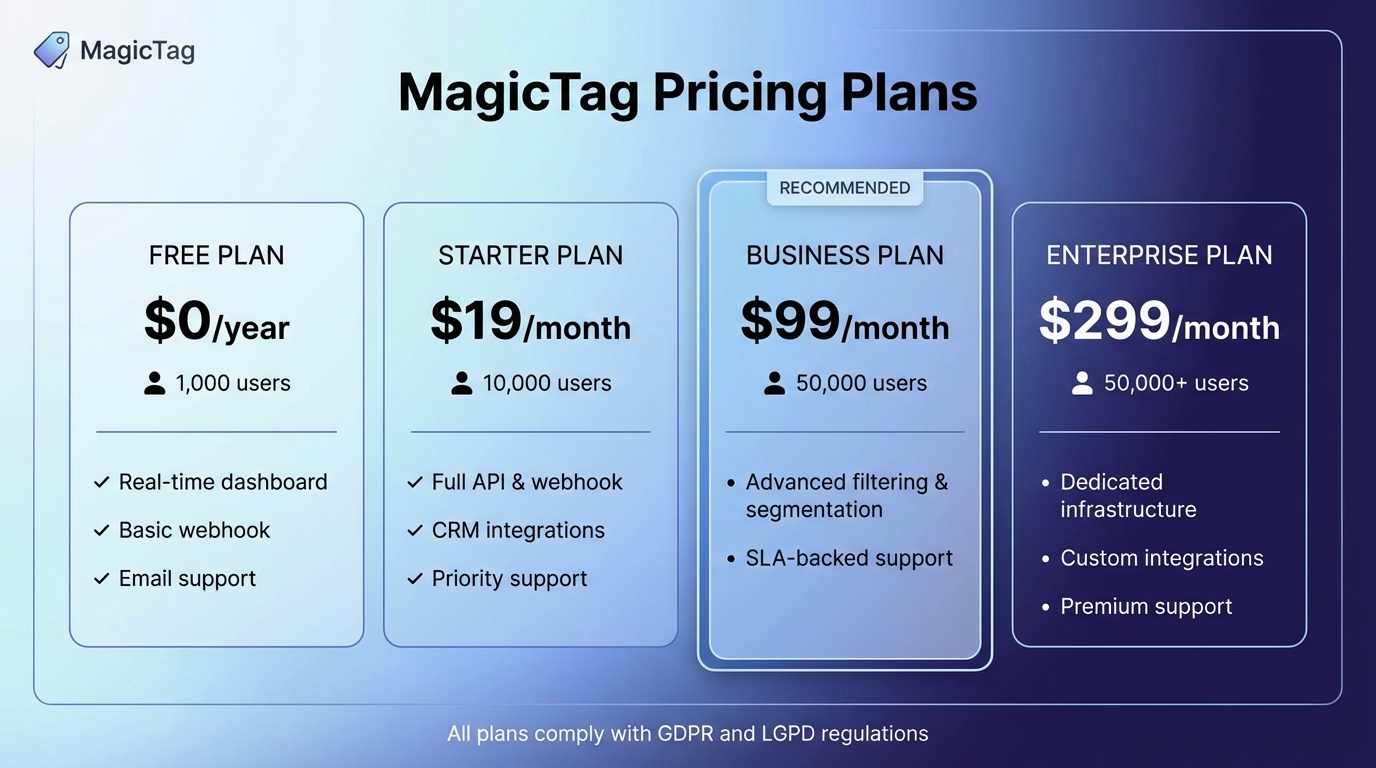
MagicTag Pricing Plans Comparison: Features and User Limits
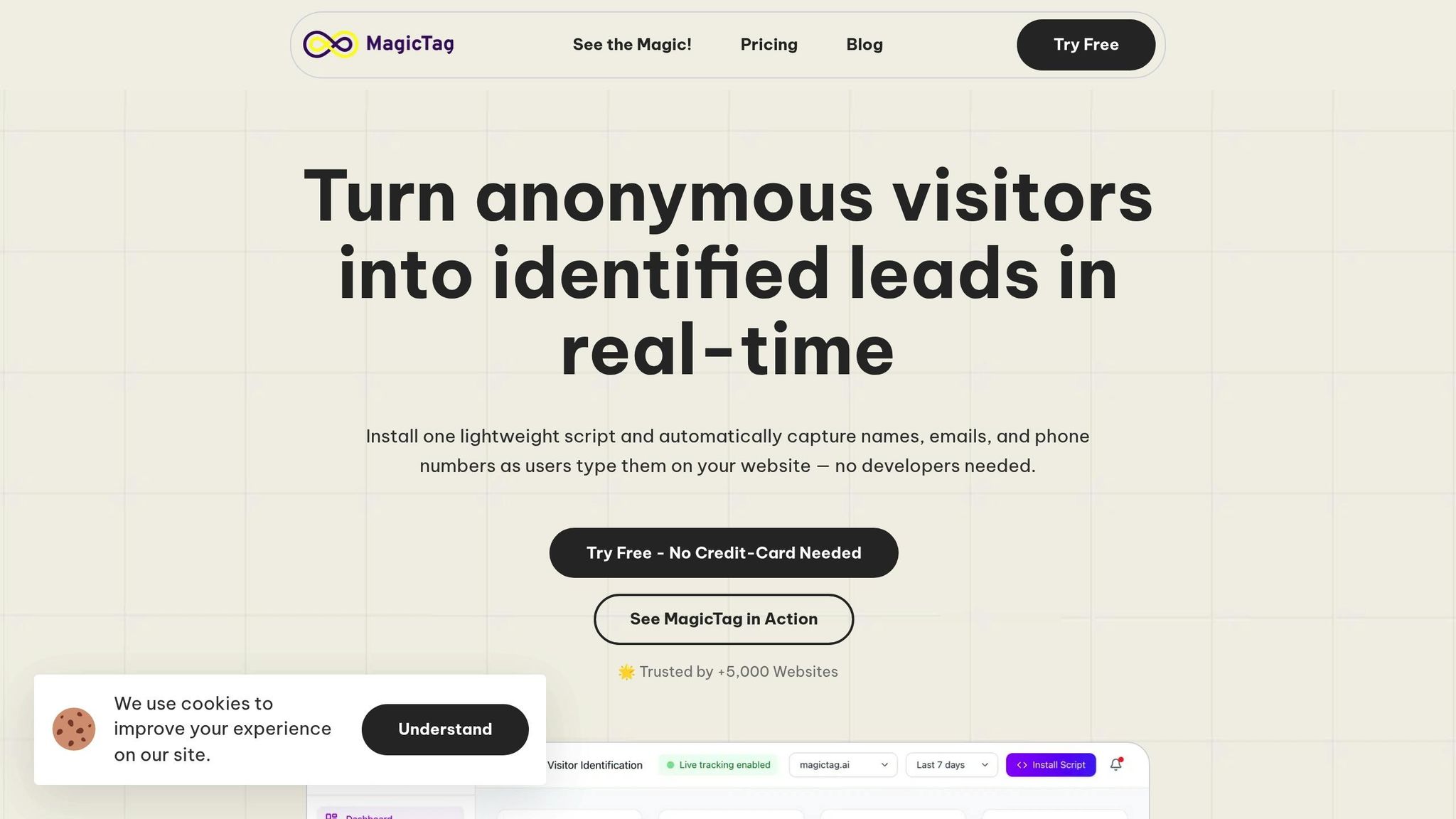
MagicTag is designed to capture vital visitor information - like names, emails, and phone numbers - in real time, even if forms are incomplete or carts are abandoned. This can increase lead identification by up to 12x, giving you the tools to create more focused and effective retargeting campaigns.
The system starts gathering data as soon as a visitor begins typing, so even if they leave without completing a form, you still gain valuable insights.
Installing MagicTag on Your Website
You can set up MagicTag quickly, no developer required. Start by signing up at magictag.ai. The Free plan lets you identify up to 1,000 users per month, making it perfect for testing what MagicTag can do.
Once you're registered, add the tracking code to your website using its custom code options - whether you're using WordPress, Shopify, Wix, or another platform. Within minutes, MagicTag will begin tracking user interactions in real time. It also syncs leads directly to your CRM through a webhook or API. After installation, simply select the plan that matches your website's traffic volume.
MagicTag Pricing Plans
MagicTag offers four pricing tiers to meet different business needs:
| Plan | Monthly Price | User Limit | Key Features |
|---|---|---|---|
| Free | $0/year | 1,000 users | Real-time dashboard, basic webhook, email support |
| Starter | $19/month | 10,000 users | Full API & webhook, CRM integrations, priority support |
| Business | $99/month | 50,000 users | Advanced filtering & segmentation, SLA-backed support |
| Enterprise | $299/month | 50,000+ users | Dedicated infrastructure, custom integrations, premium support |
All plans comply with GDPR and LGPD regulations, ensuring that data collection is handled legally and responsibly, no matter where your business operates.
Segmenting Leads for Targeted Campaigns
Not all leads are created equal. Someone who leaves behind a high-value cart isn’t the same as someone casually browsing your site. Treating them the same wastes your retargeting budget. That’s where segmentation comes in - it allows you to group leads based on their actions, making your retargeting efforts much more effective. If you’re using the Business or Enterprise plans, you already have access to advanced filtering and segmentation tools to simplify this process. Let’s break down how to segment leads based on their behavior and value.
"Separate users by their journey. Someone who abandoned checkout is not the same as someone who only browsed." - Andrew Dyuzhov, Marketing Director, Selzy
Behavior-Based Segmentation
Behavioral triggers are key to understanding and targeting your audience effectively. Tools like MagicTag can track specific actions, such as when users add items to their cart but don’t check out or when they start filling out a form but leave before submitting it. This data is then sent directly to your CRM via webhook or API, giving you actionable insights.
Once you segment leads by behavior, you can tailor your approach. For example:
- Cart Abandoners: Send product-focused emails with clear calls to action, reminding them of what they left behind.
- Form Abandoners: Share helpful content or offer incentives to encourage them to complete the process.
Timing is everything. For cart abandonment, emails sent within one to two hours of the event tend to perform best.
"They wanted to buy. Something stopped them - distraction, second thoughts, unclear terms. A follow-up reminder email can fix that. You already paid for that traffic. Letting it go is just [a] waste." - Andrew Dyuzhov, Marketing Director, Selzy
Using RFM Analysis for Segmentation
Recency, Frequency, and Monetary (RFM) analysis is another powerful tool for prioritizing leads. MagicTag can identify users based on how recently they visited your site (Recency), how often they return (Frequency), and the value of their activity (Monetary).
This approach helps you focus on high-priority leads. For instance:
- A user who recently abandoned a high-value cart deserves a personalized follow-up.
- Casual browsers, on the other hand, might require a softer, more general approach.
Crafting Effective Retargeting Emails
Once you've segmented your leads, the next step is creating emails that inspire action. Retargeting emails should feel personal, arrive at the right time, and resonate with the recipient's interests. The secret to success lies in using dynamic content and sending emails at the optimal moment. Let’s dive into how dynamic personalization can make your emails more relevant.
Personalization with Dynamic Content
Personalization goes beyond simply adding a recipient's first name to the subject line. Dynamic content changes key elements of an email - like images, product suggestions, and offers - based on a subscriber's behavior on your site. Why does this matter? Personalized emails can generate six times more revenue than generic ones, with revenue increasing by up to 5.7 times in some cases.
Tools like MagicTag help track user behavior, enabling you to tailor emails to what customers are already interested in. For instance, Brooklinen includes images of products a customer recently browsed but didn’t buy, paired with a strong call-to-action and a free shipping offer. Nordstrom takes a similar approach by adding product recommendations to the bottom of order confirmation emails, based on items the customer viewed but didn’t purchase.
You can even customize visuals based on your audience. Adidas, for example, dynamically adjusted the products featured in their Originals series emails by gender, ensuring every recipient saw items that matched their preferences. This approach works - changing images to reflect a subscriber's location has been shown to boost click-through rates by 29%.
For a more advanced level of personalization, consider incorporating real-time factors. If a subscriber’s local weather is cold, highlight winter gear. Pond Planet took personalization to the next level by integrating live social feeds, device-specific calls-to-action, and countdown timers. The result? A 61% increase in click-through rates and a 14.5% jump in conversions. Similarly, icelolly.com showcased abandoned deals in real time, leading to a 35% higher open rate, a 201% rise in click-throughs, and a 45% boost in conversions.
While personalization grabs attention, timing ensures your message lands when it matters most.
Timing Strategies for Retargeting Emails
When it comes to retargeting, timing is everything. The key is to act while the customer’s intent is still fresh.
For abandoned carts, send the first email within 30 minutes for the best chance at conversions. If that feels too quick, aim for two to four hours instead - emails sent within three hours typically see a 40% open rate and a 20% click-through rate. Follow up with a second email 24 hours later, and, if needed, send a final reminder with a discount after 48 to 72 hours.
"Cart abandonment? First email in [one to two] hours. Browsed but didn't buy? Wait a day or two. Someone who adds to cart is 'hot' - they're close to buying, so you follow up fast. Someone who just looked around needs more time."
– Andrew Dyuzhov, Marketing Director, Selzy
For browse abandonment, give users a bit more breathing room. Send the first email within a few hours to gently remind them of your brand, or wait a day or two to avoid coming across as too pushy. A good sequence might start with a simple reminder, followed by product suggestions, and end with a personalized email that creates urgency.
Re-engagement campaigns for inactive users require a different approach. Trigger these emails after 30, 60, or 90 days of inactivity. For free trial users, set up a sequence over several days - Day 1, Day 3, Day 5 - to guide them toward converting. However, sending emails too frequently can backfire. Daily emails often lead to recipient fatigue, hurting both engagement and deliverability rates.
sbb-itb-77d5bc3
Automating Retargeting Campaigns with MagicTag
Automation takes the personalization and segmentation groundwork you’ve laid and turns it into timely, efficient engagements that help win back lost leads. Instead of manually chasing down every abandoned cart or inactive user, automation steps in to handle follow-ups at just the right moment. For example, workflows can be triggered by specific actions - like someone leaving items in their cart or losing interest in your site. MagicTag simplifies this process with its real-time data capture and seamless CRM integration, allowing you to create campaigns that practically run themselves while staying relevant to each recipient.
Building Trigger-Based Workflows
Trigger-based workflows are all about responding to specific user actions, whether it’s browsing a product, abandoning a cart, or going inactive for a while. MagicTag captures user data in real time - even when visitors only type into form fields without hitting submit. This data is then sent directly to your CRM using webhooks or APIs, making it easy to create automated sequences that respond instantly to user behavior.
For abandoned carts, a simple three-step workflow works wonders: send an immediate follow-up, another email after 24 hours, and a final reminder 48 to 72 hours later. For browse abandonment or re-engagement campaigns, timing strategies discussed earlier can help maximize engagement.
Once a user converts, the workflow stops automatically. MagicTag’s integration with your CRM ensures these updates happen seamlessly without manual intervention.
With your workflows in place, let’s dive into some best practices to keep your automation effective and engaging.
Best Practices for Automation
Setting up automated workflows is just the beginning - how you manage them makes all the difference. Poorly executed automation can overwhelm your audience, leading to higher unsubscribe rates and lower engagement. For instance, sending too many emails, especially daily ones, can cause email fatigue and hurt your deliverability rates. Start small with a few workflows and expand as you learn what works best for your audience.
It’s also helpful to map out workflows visually. This prevents overlapping messages, like a user receiving both cart abandonment emails and re-engagement emails at the same time. Keep a close eye on metrics like open rates and click-through rates - if these numbers drop suddenly, it might be a sign you’re overloading your audience. Fun fact: businesses using automation software tend to generate twice as many leads as those that don’t.
Finally, implement a sunsetting policy for disengaged users. If someone hasn’t opened an email in three months, it might be time to remove them from your list or offer them the option to adjust how often they hear from you. This approach not only protects your sender reputation but also ensures your focus remains on users who are actively engaged.
Measuring and Optimizing Campaign Performance
Once your workflows are set, the next step is to dive into the numbers. Tracking the right metrics can uncover what’s working and what isn’t. For example, retargeting emails boast an impressive 39.07% open rate and a 23.33% click-through rate. MagicTag’s dashboard offers real-time insights into these figures, making it easier to identify underperforming campaigns. Let’s break down the key metrics and testing strategies that can fine-tune your campaign performance.
Tracking Key Performance Metrics
MagicTag’s dashboard is your go-to tool for keeping tabs on campaign performance. Focus on metrics like open rates, click-through rates (CTR), conversion rates, and revenue per email. To give you an idea of benchmarks, abandoned cart emails typically see a 53.57% open rate, 6.25% click rate, 3.31% conversion rate, and generate $3.45 per recipient. Browse abandonment emails, on the other hand, average 57.41% open rate, 5.26% click rate, 0.81% conversion rate, and bring in $0.86 per recipient. If your numbers are falling short of these averages, it’s time to dig into the data and adjust your strategy.
Take Blinkit, for instance. In October 2025, they used real-time segmentation to roll out personalized campaigns across email, push notifications, and SMS, which led to a noticeable boost in repeat purchases. Similarly, 24me saw a 6% increase in tutorial viewership by targeting users who visited the tutorial page but didn’t watch the video.
Don’t overlook unsubscribe and spam complaint rates either. A sudden increase in these metrics might signal that your content isn’t resonating or that you’re over-sending. MagicTag’s segmentation tools can help pinpoint where engagement is dropping off, so you can make timely adjustments to keep your audience engaged.
A/B Testing for Continuous Improvement
Once you’ve nailed down your key metrics, A/B testing becomes essential for refining your campaigns. Test one variable at a time - whether it’s subject lines, email content, CTA placement, or send times - to understand what resonates most with your audience. For example, subject lines that include the recipient’s name can lead to 50% higher open rates in re-engagement campaigns compared to generic ones.
A great example of A/B testing in action comes from Peak Design. In December 2023, they optimized their abandoned cart emails by testing timing and content. Their first email, sent 30 minutes after cart abandonment, achieved a 66% open rate and a 14% click-through rate, recovering 59% of the revenue. A second email, sent 30 hours later with a small discount, saw a 59% open rate and an 18% click-through rate, recovering the remaining 41%. By testing and refining their approach, they turned abandoned carts into recovered revenue and built a data-driven playbook for future campaigns.
Conclusion
Email retargeting isn’t about flooding inboxes - it’s about sending the right message to the right audience at the right time. With MagicTag’s real-time data capabilities, you can identify up to 12 times more leads, which is especially crucial when only 2% of shoppers convert on their first visit.
The numbers speak for themselves: retargeted emails boast a 57% open rate, far outpacing the 21% of traditional campaigns, and personalized emails can drive six times more revenue. By leveraging MagicTag’s segmentation tools alongside trigger-based automation, you’re not guessing what your audience wants - you’re delivering messages that align with their actual behaviors.
This approach turns missed opportunities into revenue. Considering that cart abandonment rates hover around 70.19% globally, there’s a goldmine of potential sitting in your data. Start small - an abandoned cart sequence is a great first step - and build from there. Monitor your metrics, experiment with A/B testing, and adjust your strategy based on the results. The businesses that succeed aren’t necessarily running the most elaborate campaigns but are the ones committed to testing, learning, and improving.
MagicTag equips you with the tools to make this happen. Whether you’re on the Free plan managing up to 1,000 users monthly or scaling to the Enterprise plan for high-volume campaigns, the key is to keep refining your strategy and maximizing your recovered revenue.
FAQs
How can email retargeting help increase sales conversions?
Email retargeting is a smart way to increase sales by sending customized, well-timed messages that reconnect with potential customers. These emails serve as gentle nudges - reminding shoppers about items they left in their cart, products they browsed, or forms they didn’t finish filling out - all aimed at encouraging them to follow through.
By aligning the message with the recipient’s specific actions or interests, like offering a discount or emphasizing a product's perks, email retargeting helps transform curiosity into a completed purchase. When executed effectively, it’s a highly effective method for reclaiming lost opportunities and boosting revenue.
How can I effectively segment leads for email retargeting?
To make your email retargeting campaigns more effective, start by segmenting your leads. Consider factors like user behavior, purchase history, engagement level, and where they are in the customer journey. This way, your emails will feel more personalized and relevant to each recipient.
For instance, you could create groups for users who left items in their cart, subscribers who haven’t engaged in a while, or visitors who recently browsed your website. By crafting messages that speak directly to each group’s needs or actions, you can drive higher engagement, encourage more conversions, and strengthen your connection with your audience.
How does MagicTag help improve email retargeting campaigns?
MagicTag streamlines your email retargeting efforts by leveraging automation and personalized messaging to reconnect with your audience. It enables you to segment users based on specific actions - like abandoning a cart or leaving forms incomplete - and send them customized emails at just the right moment to encourage conversions.
Beyond that, MagicTag provides in-depth performance metrics, helping you fine-tune your strategy for better outcomes. By sending timely, relevant emails, you can reclaim lost leads and significantly enhance customer engagement.