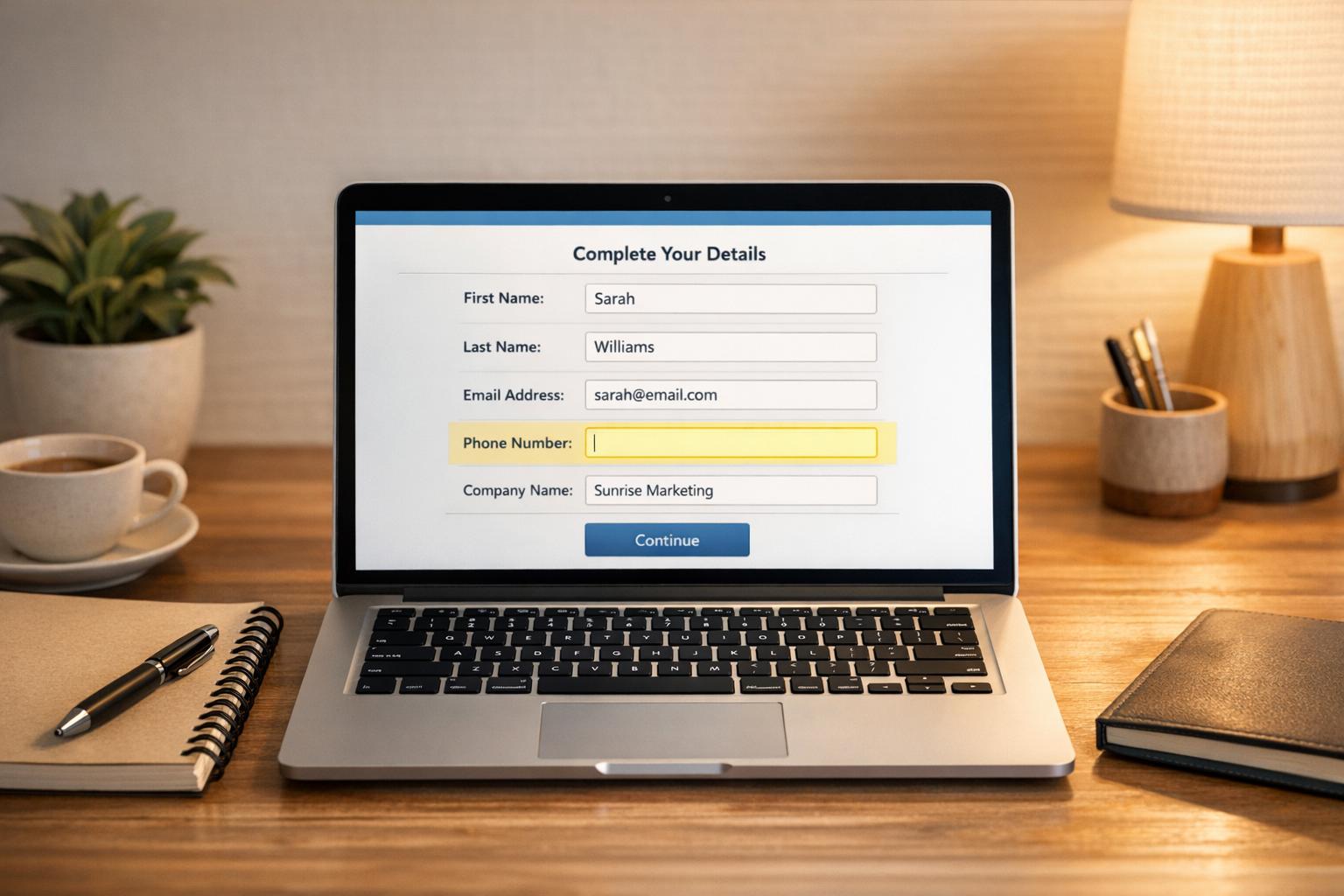
Tired of losing potential leads to abandoned forms? MagicTag solves this problem by collecting user data - like names, emails, and phone numbers - as it’s typed into forms. Even if the form isn’t submitted, this data is sent to your CRM, giving you a chance to follow up with interested prospects.
Here’s what you need to know:
- How It Works: MagicTag tracks input in real-time using a lightweight script, ensuring no lead goes unnoticed.
- Setup: Install in minutes via Google Tag Manager or by adding a script to your site.
- CRM Integration: Connects with tools like HubSpot and ActiveCampaign for instant lead syncing.
- Results: Businesses report up to 12x more leads and a 39% boost in conversion rates.
- Compliance: Fully GDPR and LGPD compliant when paired with consent tools.
For B2B teams, recovering abandoned leads can mean more deals closed and revenue gained. MagicTag makes this process simple and effective, ensuring your sales funnel stays active.
How MagicTag Captures and Recovers Leads in Real Time
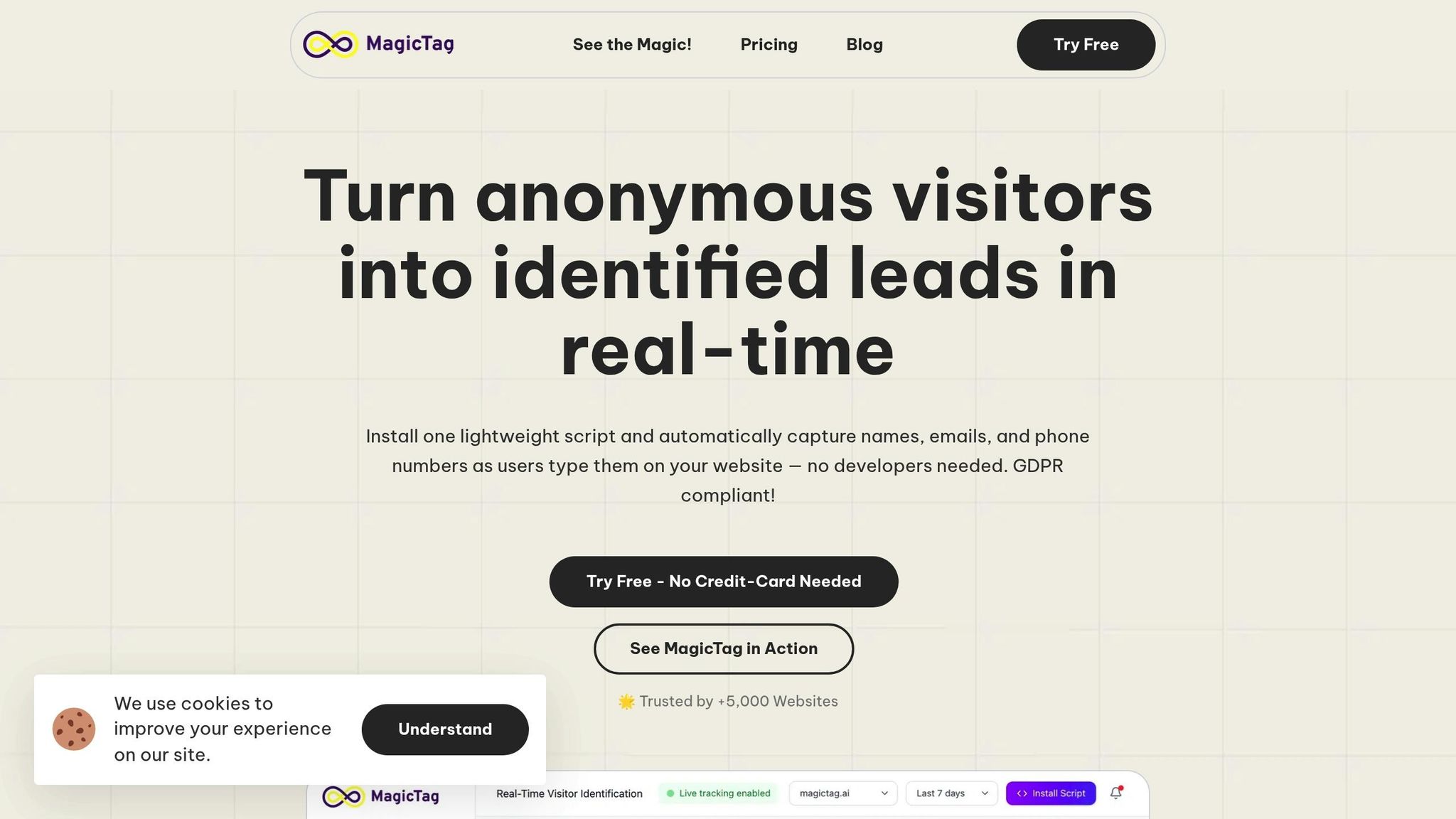
Capturing Form Data
MagicTag keeps a close eye on form fields using a lightweight HTML/JS snippet that tracks user input as they interact with your site. Here's how it works: the tool employs an on-blur mechanism, capturing data the moment a visitor types into a field and moves their focus elsewhere. That data is instantly synced to your dashboard or CRM via webhooks or APIs. This means your sales team gains immediate access to potential leads - even if the form is abandoned halfway through. All of this happens quietly in the background, ensuring the browsing experience remains smooth and uninterrupted.
"Magical! Installed through Google Tag Manager in seconds, and it immediately started tracking names, emails, and phone numbers in real time. I was shocked by how many users type their details and abandon the site." - Emily Davis, Entrepreneur
Setting up MagicTag is quick and hassle-free. You can paste the script directly into your website’s code, or for an even easier approach, use Google Tag Manager. Once live, MagicTag starts working right away. Users have reported capturing up to 12 times more leads compared to standard form submissions. Even better, conversion rates have increased by 39% through remarketing efforts targeting those abandoned leads. MagicTag is compatible with virtually any platform, including WordPress, Shopify, Webflow, or custom-built landing pages, making it a versatile solution for B2B teams looking to recover lost contact details from potential customers.
GDPR and LGPD Compliance
MagicTag ensures compliance with GDPR and LGPD by only tracking data that visitors willingly provide. Thanks to its on-blur mechanism, the tool records information only after visitors actively type it into a form field - avoiding passive data collection methods.
When used with Google Tag Manager, MagicTag can be configured to work alongside Consent Managers, ensuring that the tracking script activates only after a visitor gives their consent. This setup helps businesses maintain transparency and adhere to regulations while also respecting individuals’ rights to access or delete their personal information.
The stakes for non-compliance are high: GDPR violations can lead to fines of up to €20 million or 4% of annual global revenue. Similarly, under LGPD, penalties can reach 2% of a company’s revenue in Brazil, capped at 50 million BRL per violation. To stay on the safe side, regularly audit the data captured by MagicTag. Ensure you're only collecting the necessary information, aligning with data minimization best practices to reduce risk and maintain trust.
Form Abandonment Tracking with GTM (Google Tag Manager)
Installing MagicTag on Your B2B Website
Getting MagicTag up and running on your website is fast and hassle-free - it takes just 2 minutes and doesn't require any coding knowledge. Whether your site runs on platforms like WordPress, Shopify, Webflow, or even a custom-built landing page, MagicTag is compatible. The only thing you need is a site with form fields, such as name, email, or phone number, for the script to track.
There are two simple ways to install MagicTag:
- No-code option: Use Google Tag Manager to deploy the script.
- Manual method: Insert the HTML/JS snippet directly into your site's HTML.
Both approaches are straightforward and work seamlessly with any website that has standard form fields. Just grab your unique script from the MagicTag dashboard and apply it across your site - it’s that simple.
Once installed, MagicTag starts logging data instantly using an on-blur mechanism. This means that whenever a visitor types into a form field and clicks away, their input is recorded - even if they don’t submit the form. To confirm everything is set up correctly, open your site in a new browser window. Enter a test email into any form field, click outside the field, and check your MagicTag dashboard. You’ll see the entry appear in real time.
Finally, set up your webhook or API connection to ensure all the captured leads are automatically sent to your CRM.
Connecting MagicTag to Your CRM
Once you've installed MagicTag, the next step is to link it to your CRM. This integration ensures that every lead you capture - yes, even those who abandon forms - flows directly into your sales pipeline in real time via webhooks and APIs.
MagicTag works seamlessly with popular CRMs and automation platforms like HubSpot, ActiveCampaign, Mailchimp, and RD Station. Setting it up is straightforward and doesn’t require coding. All you need to do is input your CRM’s webhook URL or API credentials into the MagicTag dashboard.
Configuring APIs and Webhooks
To set up the connection, navigate to the Integrations section in your MagicTag dashboard. Here’s how it works:
- Webhooks: Copy your CRM's webhook URL and paste it into the designated field in MagicTag.
- APIs: Use your CRM's API key and endpoint details, which you can find in your CRM’s settings.
MagicTag captures standard fields like name, email, and phone number in real time. You can map these fields to your CRM’s custom fields to fit your lead structure. This ensures every lead is organized and ready for immediate follow-up.
Want to test the connection? Enter a test email on your site, click outside the field, and check if the lead appears in your CRM within seconds. If it doesn’t, double-check your webhook URL or API credentials. Also, ensure your MagicTag plan includes API access, which starts with the Starter plan at $19/month.
Improving CRM Performance with MagicTag Data
MagicTag doesn’t just capture leads - it gives your CRM valuable context for each one. By collecting data in real time as visitors type, MagicTag enables you to segment leads based on behavior. For instance, you can identify which forms were partially completed or which pages were abandoned, allowing for precise, behavior-based outreach.
Imagine this: A visitor begins entering their email on your pricing page but doesn’t submit the form. With MagicTag, your CRM can automatically send a follow-up email offering a demo or answering common pricing questions. You can also set up triggers to notify your sales team in real time when high-value leads are active on your site, ensuring timely and relevant engagement.
"Webhook/API lets you enrich leads instantly before they drop off." – MagicTag.ai
This kind of automation and segmentation transforms your CRM into a dynamic sales tool. Instead of just storing data, your CRM helps your team prioritize leads, personalize outreach, and close deals faster.
sbb-itb-77d5bc3
Improving Your B2B Sales Funnel with MagicTag
MagicTag takes CRM integration to the next level by turning passive user data into actionable follow-ups, helping you patch the leaks in your sales funnel. Think about it - how many leads slip away when visitors abandon forms or browse your pricing page without taking the next step? MagicTag steps in to capture these interactions before they vanish, converting incomplete actions into leads you can actually work with.
Businesses using MagicTag have reported a 39% increase in conversion rates, thanks to its ability to supercharge remarketing efforts and automate CRM workflows. By identifying far more users than standard form tracking, MagicTag ensures no lead is left behind. Let’s explore how its tools and strategies can make your lead tracking and re-engagement efforts seamless.
Tracking and Segmenting Leads with Dashboards
MagicTag’s real-time dashboards give you an instant view of where leads drop off. You can filter incomplete forms by page, type of interaction, or even the exact point where users decided to stop. This level of insight allows you to segment prospects effectively - whether it’s based on the pages they visited, the forms they interacted with, or how far they got before leaving.
"Watching user data appear in real time is mind-blowing. MagicTag gave us immediate visibility we never had before." – Sarah Thompson, Web Developer
If your team deals with high traffic, the Business plan ($99/month) offers advanced filtering and segmentation tools, making it easier to focus on high-value opportunities.
Re-Engaging Abandoned Leads
Once you’ve captured the data, MagicTag makes re-engaging those leads a breeze. By syncing data directly with your CRM through webhooks and APIs, you can create automated workflows that respond instantly. For example, if a visitor enters their email but doesn’t hit submit, your CRM can trigger a personalized follow-up right away.
"MagicTag showed us how many hidden leads we were losing. One quick install and we started capturing emails and phones from visitors who never submit forms." – James Carter, Marketing Director
You can also set up behavior-based triggers to notify your sales team when high-intent leads are active. Imagine someone enters their phone number on your enterprise pricing page - your team can reach out immediately, engaging the prospect while they’re still considering your product. This kind of timely follow-up transforms what would’ve been a lost lead into a real sales opportunity.
Selecting the Right MagicTag Plan for Your Team
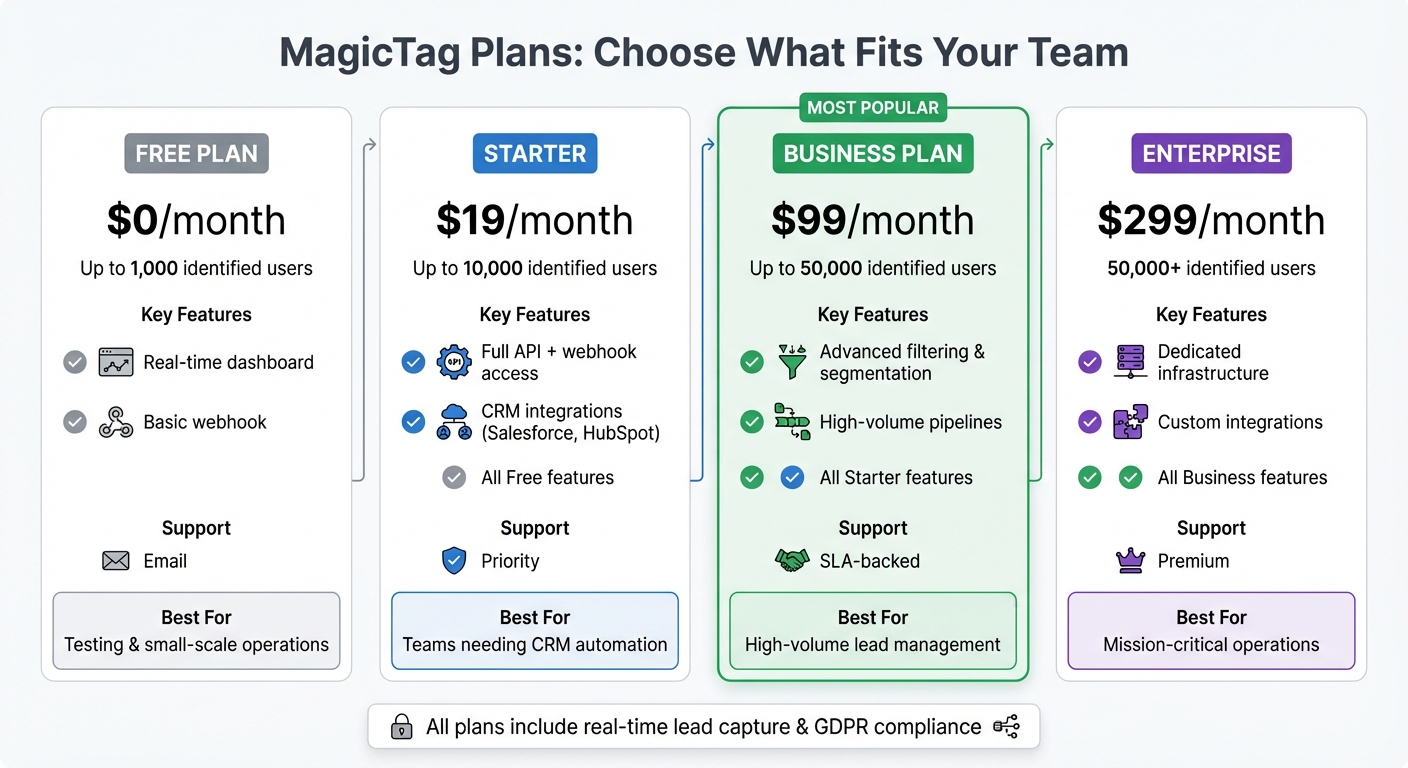
MagicTag Pricing Plans Comparison for B2B Sales Teams
Once you've optimized your sales funnel with MagicTag, picking the right plan ensures you get the most out of every lead you capture.
Your choice of MagicTag plan depends on how many users you need to track each month and how much automation your team requires. For those just starting out or working on a smaller scale, the Free plan is a solid option. It allows you to identify up to 1,000 users per month at no cost, giving you a chance to test the waters before committing financially. However, if you need CRM integration or are handling more than 1,000 users, it's time to consider an upgrade.
The Starter plan, priced at $19/month, expands your limit to 10,000 users. It also unlocks full API access and connects seamlessly with popular CRM platforms like Salesforce and HubSpot. This means user data flows directly into your CRM as soon as it's captured - even if the form isn't fully submitted.
For teams managing higher volumes, the Business plan at $99/month covers up to 50,000 users. It includes advanced filtering and segmentation tools, so you can focus on high-priority leads. Plus, you get SLA-backed support to minimize downtime and ensure smooth lead capture. If your team exceeds 50,000 users or needs custom integrations for proprietary systems, the Enterprise plan at $299/month offers dedicated infrastructure and premium support.
"MagicTag has become one of our highest-ROI tools. We now convert visitors who would've vanished forever." – Chris Caveiras, Founder
This tiered system ensures that MagicTag grows with your team’s needs, scaling effortlessly as your lead volume increases.
MagicTag Plan Comparison
| Plan | Monthly Price | Identified Users | Key Features | Support Level |
|---|---|---|---|---|
| Free | $0 | Up to 1,000 | Real-time dashboard, Basic webhook | |
| Starter | $19 | Up to 10,000 | Full API + webhook, CRM integrations | Priority |
| Business | $99 | Up to 50,000 | Advanced filtering/segmentation, High-volume pipelines | SLA Support |
| Enterprise | $299 | 50,000+ | Dedicated infrastructure, Custom integrations | Premium |
Keep an eye on your dashboard during high-traffic campaigns. If you’re consistently hitting your user limit, it’s a clear sign to upgrade. The Free plan works well for testing or small-scale operations, but teams relying on automated CRM workflows or handling daily user tracking will find the Starter plan essential. For those needing precise lead management, the Business plan is a game-changer, while the Enterprise plan is tailored for organizations where uninterrupted lead capture is critical.
Calculating ROI from MagicTag
To determine your ROI with MagicTag, divide the extra revenue gained from recovered leads by the cost of your MagicTag plan. Start by identifying your current lead capture baseline. MagicTag excels at recovering leads from abandoned forms, effectively widening your sales funnel. Even a small boost in conversion rates from these recovered leads can yield a solid return. This improved lead capture doesn't just increase volume - it also provides measurable performance data to assess conversion growth.
Monitoring Conversion Rate Changes
MagicTag’s dashboard makes it easy to spot the gap between identified users and completed form submissions. This gap represents leads that can potentially be recovered. By integrating conversion tracking into your CRM and tagging leads sourced through MagicTag, you can follow their journey through your sales process. Regularly reviewing this data helps you identify where prospects drop off, so you can adjust your follow-up strategies accordingly.
Examples and Performance Metrics
Teams that adopt MagicTag often report better lead recovery and a stronger sales pipeline. By using insights from conversion tracking, you can monitor key metrics like identified users, recovered leads, meetings scheduled, and deals closed. Comparing these numbers over time against your initial performance baseline allows you to refine your re-engagement strategies. These metrics highlight MagicTag’s ability to turn abandoned leads into real sales opportunities, driving measurable ROI growth.
Conclusion
MagicTag addresses a key problem in B2B sales: reclaiming potential leads lost to abandoned forms. By capturing data as visitors interact with your site, it ensures that prospects who might have vanished are reintroduced into your sales funnel. This process not only recovers lost opportunities but also strengthens your overall sales strategy.
With seamless CRM integration, MagicTag ensures that recovered leads flow directly into your existing systems, allowing your sales team to respond without delay. Its compatibility with various tools makes it an easy addition to your current B2B sales setup.
But MagicTag doesn’t stop at lead recovery. It also delivers real-time insights into your sales funnel. The dashboard pinpoints exactly where prospects drop off, helping your team refine follow-up strategies based on actual behavior rather than assumptions. This visibility allows you to focus on high-intent leads and tailor your messaging to address specific challenges, improving your chances of conversion.
For B2B teams navigating long sales cycles and multiple decision-makers, MagicTag provides an effective way to stay engaged with hesitant prospects. Personalized outreach to re-engage these leads keeps your pipeline active while reducing acquisition costs. And with plans starting at $0, businesses of any size can experiment with its impact on their conversion rates before making a larger investment.
Easy to set up and offering measurable results, MagicTag is a valuable tool for sales teams aiming for consistent growth. By transforming abandoned forms into actionable opportunities, it supports a more efficient, data-driven approach to managing your sales cycle.
FAQs
How does MagicTag comply with GDPR and LGPD regulations?
MagicTag is built around privacy-by-design principles, aligning with regulations like the EU’s GDPR and Brazil’s LGPD. It only gathers data that visitors willingly provide - such as names, email addresses, or phone numbers - and ensures this is done through clear consent mechanisms, maintaining both transparency and compliance.
The platform stores all collected data in a structured, export-ready format, simplifying processes for businesses to handle requests for access, updates, or deletion of personal information. By adhering to strict data minimization practices and embedding safeguards for lawful data handling, MagicTag helps businesses stay compliant while prioritizing user privacy.
What are the main advantages of connecting MagicTag with your CRM system?
Integrating MagicTag with your CRM brings a range of advantages tailored for B2B sales teams. One standout feature is its ability to recover abandoned form leads by automatically capturing and syncing prospect data in real time. This eliminates the hassle of manual data entry and ensures your team always has accurate, up-to-date information ready to use.
By simplifying lead management, MagicTag enables quicker follow-ups, precise lead scoring, and seamless routing to the right team members. These efficiencies not only save valuable time but also improve conversion rates, making it easier to close deals and drive results.
How does MagicTag help B2B sales teams increase lead conversions?
MagicTag gives B2B sales teams a powerful edge by capturing form data in real time - even when a prospect doesn’t click “Submit.” It automatically records crucial information like names, email addresses, and phone numbers as they’re being typed. This allows sales teams to respond within minutes, reaching out when interest is at its highest. The result? A potential 10–15% boost in conversion rates and the recovery of up to 12x more leads.
What’s more, MagicTag integrates effortlessly with popular CRMs like HubSpot and Salesforce. This enables automated, personalized follow-ups - whether through email or SMS - shortly after a form is abandoned. These well-timed messages often deliver impressive open and conversion rates, transforming lukewarm leads into qualified sales opportunities. On top of that, MagicTag offers detailed analytics on how users interact with forms, helping teams pinpoint where prospects drop off and make improvements to optimize their sales funnel.