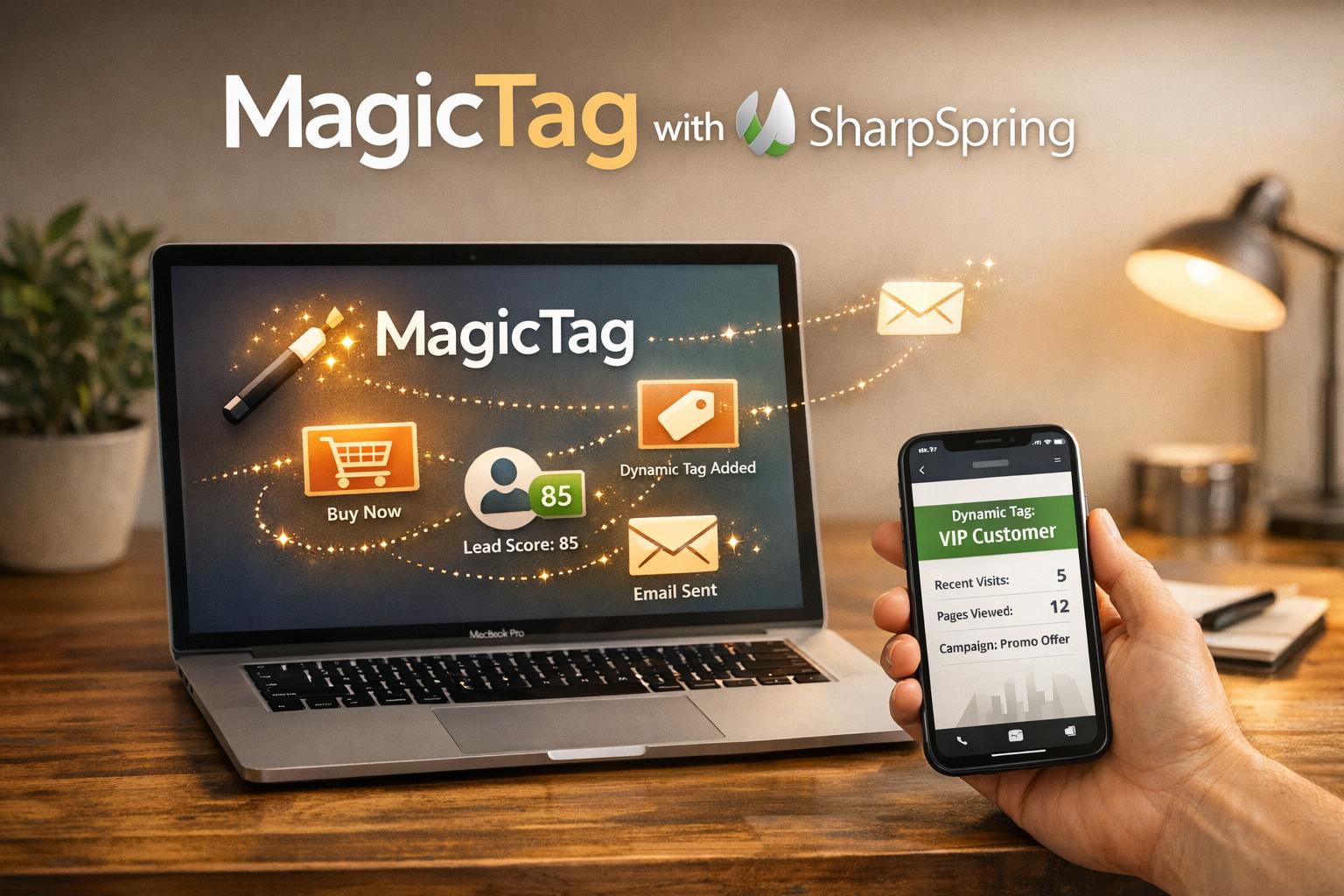
WebEngage and MagicTag tackle the problem of losing potential leads who abandon forms before submission but in different ways:
- WebEngage: Tracks users from their first interaction, creating anonymous profiles. It merges data once users identify themselves and offers multi-channel engagement (email, SMS, WhatsApp, push notifications). Best for businesses focused on long-term customer engagement and detailed user profiling.
- MagicTag: Records contact details in real time as users type into form fields, even if they don’t submit. Its quick setup and focus on recovering leads make it ideal for businesses prioritizing immediate lead recovery.
Quick Comparison
| Feature | WebEngage | MagicTag |
|---|---|---|
| Tracking Method | Anonymous ID via SDK | Real-time field data recording |
| Installation | SDK, REST API, Google Tag Manager | Google Tag Manager or direct script |
| Data Captured | Behavioral, system, and custom attributes | Name, email, phone number |
| Integration | Multi-channel (email, SMS, WhatsApp, push) | CRM tools, APIs, Webhooks |
| Compliance | GDPR, HIPAA | GDPR, LGPD |
| Pricing | Custom pricing | Free plan available, paid plans from $19/mo |
If you want to recover leads quickly and easily, MagicTag is a great choice. For businesses needing a robust, multi-channel engagement platform, WebEngage is better suited.
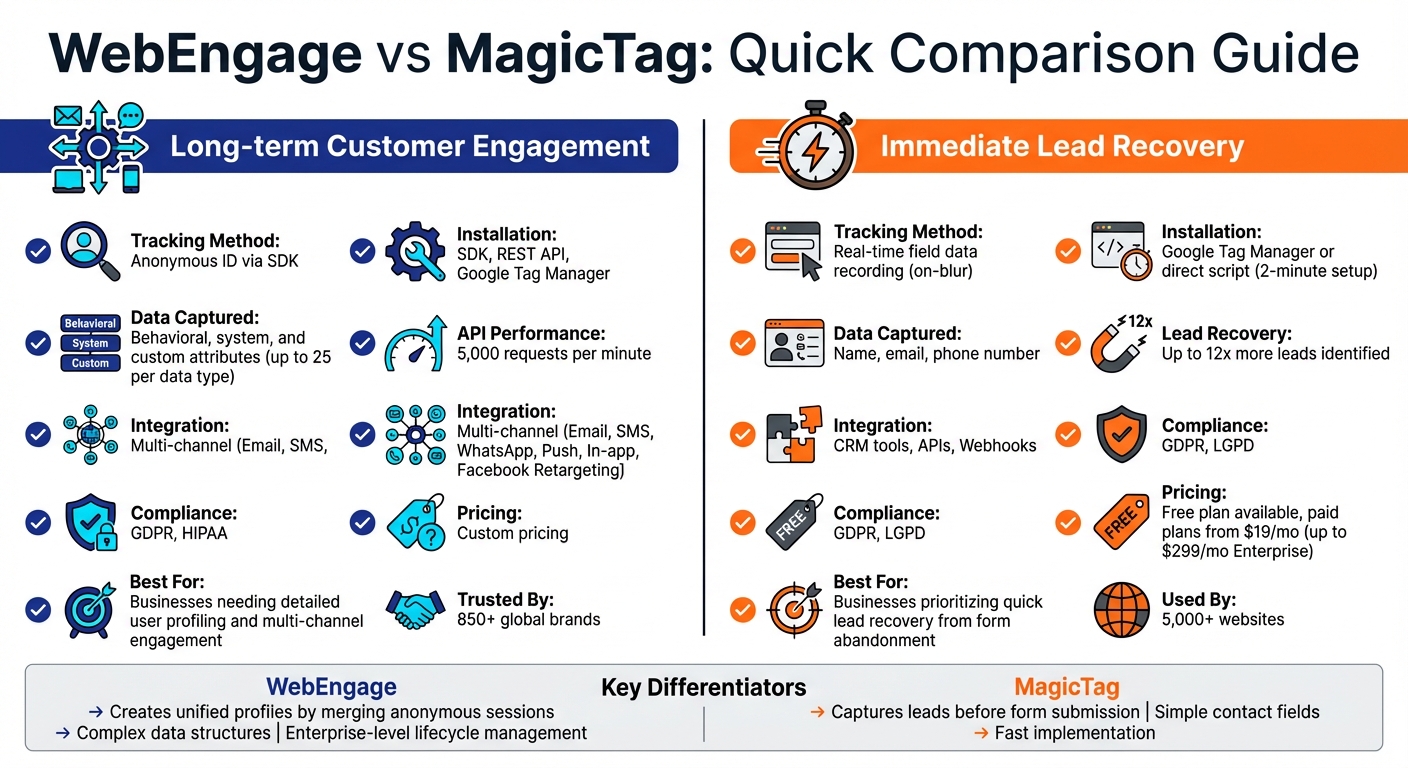
WebEngage vs MagicTag Feature Comparison Chart
Form Abandonment Tracking with GTM (Google Tag Manager)
WebEngage's User Identification Features
WebEngage begins tracking users from their very first interaction by assigning a Local Unique ID (LUID) or Anonymous ID. This happens automatically as soon as someone visits your website or app. At this point, an anonymous profile is created, and behavioral data - like page views, session starts, or specific actions such as "Added to Cart" - gets recorded even before any direct interaction.
What sets this apart is the automatic data collection. WebEngage instantly captures system attributes like location, browser type, operating system, and device ID the moment a visitor interacts with your platform. Even for anonymous users, the system builds a persona by tracking preferences, device details, and other technological attributes, giving you valuable insights before they officially identify themselves.
Behavioral Tracking and Session Recording
WebEngage logs both system events and custom events for each anonymous profile. System events include activities like session_started and session_ended, while custom events allow you to track specific, high-value actions like "Viewed Pricing" or "Downloaded Whitepaper." By using event-based tracking, the platform records user actions with precise timestamps.
When a user eventually identifies themselves - whether by logging in or filling out a form - WebEngage assigns them a Customer Unique ID (CUID). At this point, the system merges all previous anonymous sessions into a single, unified profile. For example, if someone visits your site on Monday (Anonymous Profile 1), returns on Wednesday (Anonymous Profile 2), and finally signs up on Friday, all three interactions are consolidated into one complete user history.
These events are seamlessly integrated into your existing systems, providing a smooth data flow for further analysis and action.
Data Collection and Integration
WebEngage leverages real-time behavioral insights and integrates with your systems through several methods: SDKs for platforms like web, Android, iOS, and React Native; Google Tag Manager for easy deployment; Segment.com for businesses using it as a central data hub; and a REST API for server-side updates. The REST API supports up to 5,000 requests per minute, making it ideal for syncing large volumes of data from CRMs or backend databases.
The platform differentiates between system attributes (automatically tracked) and custom attributes (manually defined). It allows up to 25 custom user attributes per data type - String, Number, Boolean, or Date. For companies focused on privacy, WebEngage offers support for we_hashed_email and we_hashed_phone, enabling encrypted contact details that are only decrypted at the time of message delivery. One key detail to note: WhatsApp opt-in is disabled by default, unlike email and SMS, which are typically opted-in automatically when contact information is provided.
MagicTag's Real-Time Lead Capture Capabilities
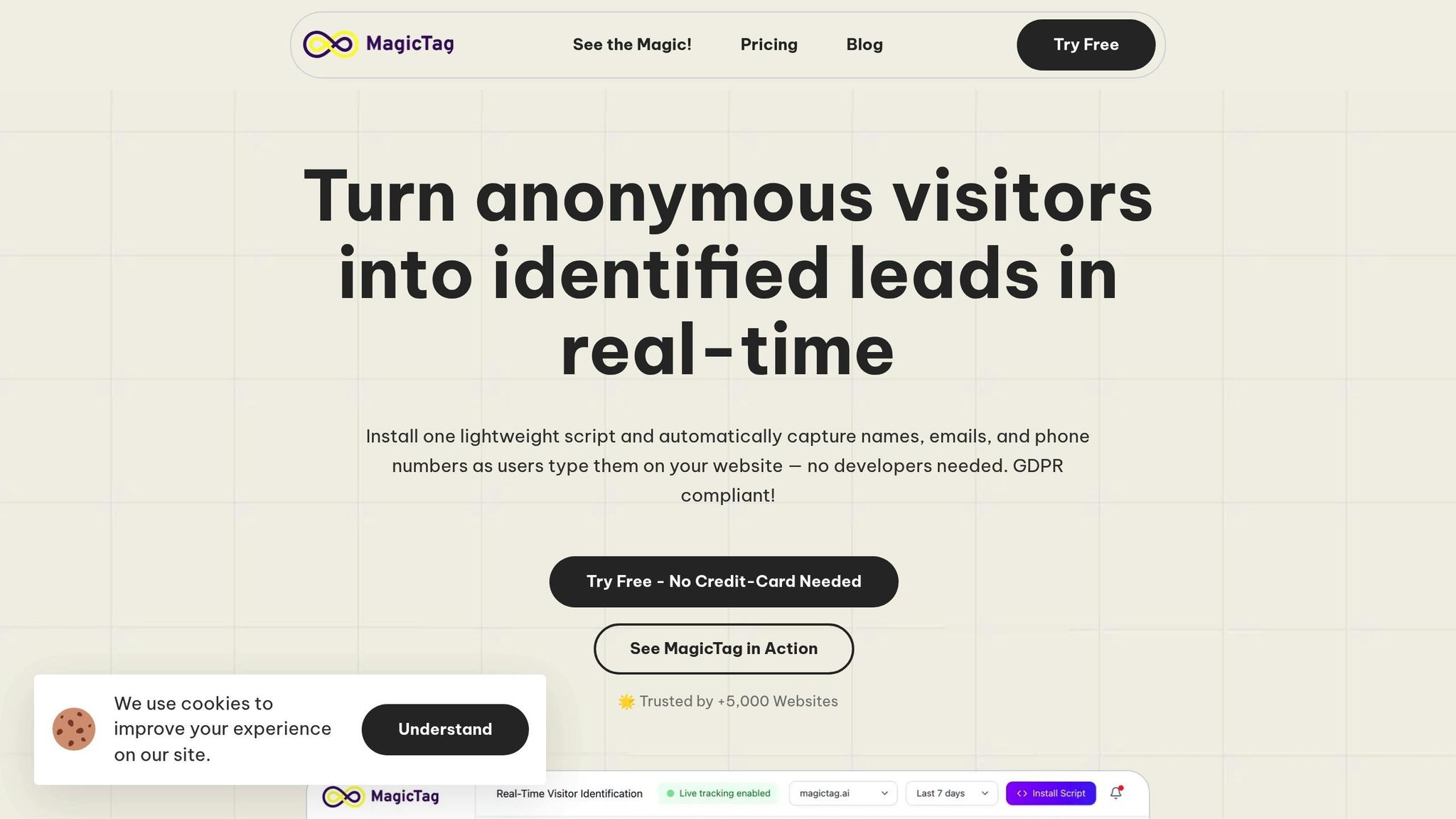
MagicTag grabs user details as soon as they start typing - no need for form submissions. Using an "on-blur" mechanism, it records data whenever someone enters information like a name, email, or phone number and then clicks or moves elsewhere. This happens seamlessly, without altering the user experience. By capturing leads instantly, MagicTag ensures you don’t lose potential customers who leave before completing a form.
Real-Time Data Capture
Thanks to its smart data collection method, MagicTag significantly increases the number of leads you can recover. Many users have reported a noticeable improvement in conversions, as it allows for remarketing to visitors who abandon forms midway.
"MagicTag showed us how many hidden leads we were losing. One quick install and we started capturing emails and phones from visitors who never submit forms. Absolute game changer!" - James Carter, Marketing Director
The platform is compatible with virtually any website - whether you’re running WordPress, Shopify, Webflow, or a custom-built landing page. Over 5,000 websites already rely on MagicTag. Once captured, the data is sent directly to your CRM or marketing tools through Webhooks or APIs, allowing you to act quickly with lead recovery and remarketing campaigns. While its aggressive approach to lead capture maximizes results, MagicTag is built with strict data security measures in place.
GDPR/LGPD Compliance and Data Security
MagicTag’s rapid data collection is balanced by its commitment to data privacy. It complies fully with GDPR and LGPD regulations by capturing information only from fields where users voluntarily input their details, such as name, email, or phone fields. This ensures that no unauthorized data scraping occurs.
"GDPR + LGPD friendly: Tracking is done only on fields intentionally typed by the user." - MagicTag.ai
The "on-blur" trigger activates only when users move away from a filled field, rather than through passive background tracking. All data is securely transmitted via Webhooks or APIs, maintaining high standards of data integrity throughout the process.
Integration with CRM and Marketing Tools
MagicTag doesn’t just capture leads - it immediately integrates them into your sales and marketing systems. With support for Webhooks, a REST API, and tools like Google Tag Manager, you can go live in minutes - no need to alter your website’s source code.
"Magical! Installed through Google Tag Manager in seconds, and it immediately started tracking names, emails, and phone numbers in real time." - Emily Davis, Entrepreneur
Once connected, sales teams can automatically launch email or SMS campaigns to re-engage high-intent users who abandon forms. Real-time syncing with your CRM ensures leads are enriched and recovery workflows can begin before potential customers leave your site. MagicTag’s ability to capture and process leads so quickly makes it a powerful addition to any lead recovery strategy.
sbb-itb-77d5bc3
Feature Comparison: WebEngage vs MagicTag
Key Features and Performance Comparison
Let’s dig into how WebEngage and MagicTag stack up when it comes to lead recovery and user identification. Both tools take different approaches, offering unique strengths to optimize your lead recovery strategy.
WebEngage assigns an Anonymous ID (LUID) to every visitor during their first interaction. Once a user identifies themselves, WebEngage consolidates their past anonymous activity into a unified "Known User Profile." This gives you a detailed look at their customer journey. On the other hand, MagicTag takes a more immediate approach, capturing contact details in real time as users type into form fields, enabling faster lead recovery.
| Feature | WebEngage | MagicTag |
|---|---|---|
| Tracking Method | Automatic assignment of an anonymous ID via SDK | Real-time capture from form fields |
| Installation | SDK integration (Web, Mobile), REST API, and Google Tag Manager | Simple installation via Google Tag Manager or direct script |
| API Rate Limit | 5,000 requests per minute | - |
| Data Types | String, Number, Boolean, Date, Array, Object | Name, email, phone number |
| Custom Attributes | Up to 25 per data type | Standard contact fields only |
| Integration Channels | Push, In-app, SMS, Email, WhatsApp, Facebook Retargeting | Webhooks, REST API, and CRM tools |
| Compliance | Supports hashed email/phone for privacy | GDPR/LGPD compliant |
WebEngage’s REST API is built for high-performance environments, handling up to 5,000 calls per minute. It supports complex data structures, which are great for personalization but less useful for segmentation. MagicTag, meanwhile, shines in its simplicity, directly sending captured contact data to your CRM or marketing tools via webhooks or APIs.
These differences highlight how each tool serves specific business needs, setting the stage for evaluating factors like pricing and scalability.
Pros and Cons of Each Tool
| Tool | Pros | Cons |
|---|---|---|
| WebEngage | • Provides a complete view of user interactions • Automatically merges profiles for seamless identity resolution • Supports up to 25 custom attributes per data type • Enables multi-channel engagement (Email, SMS, WhatsApp, Push) • High API throughput (5,000 calls per minute) |
• Users remain anonymous until a CUID is provided • Limits user IDs to 100 characters • Primarily designed for B2C businesses |
| MagicTag | • Captures leads without waiting for form submission • Easy installation via Google Tag Manager or direct script • Compatible with any website • Free plan available for up to 1,000 identified users per month • Can identify up to 12x more leads |
• Limited to basic contact fields (name, email, phone) • No behavioral tracking or session recording • Focused solely on lead capture, not full marketing automation • Requires users to actively input information |
WebEngage is ideal for businesses looking to build detailed user profiles and engage customers across multiple channels. MagicTag, on the other hand, is perfect for those who want a straightforward way to capture leads quickly, without diving into behavioral tracking or complex integrations. Each tool brings something different to the table, depending on your priorities.
Pricing and Scalability Analysis
Pricing Comparison
MagicTag offers a straightforward pricing structure that starts at $0/month for its Free plan. From there, it scales up to $19/month for the Starter plan, $99/month for the Business plan, and $299/month for the Enterprise plan, depending on the number of users you need to manage.
On the other hand, WebEngage uses a custom pricing model through its Master Subscription Agreement. This means businesses must directly contact the company to get a tailored quote, especially if they have specific compliance or operational requirements. These distinct pricing strategies highlight how each platform caters to different business needs.
Here’s a quick breakdown of their pricing and scalability features:
| Feature | MagicTag | WebEngage |
|---|---|---|
| Starting Price | $0 (Free Plan) | Custom (Master Subscription) |
| User Limit | 1,000 to 50,000+ per month | Not publicly specified |
| Setup Time | ~2 minutes | Not specified |
| Compliance | GDPR & LGPD friendly | HIPAA, GDPR (DPA), regional MSAs |
| Support Tiers | Email, Priority, SLA, Premium | Governed by Service Level Agreement (SLA) |
For small businesses, MagicTag’s Free plan is a great way to jump into lead recovery without any upfront costs. As their user base expands, upgrading to the Starter plan unlocks additional features and access to priority support. Mid-sized companies managing over 50,000 users per month can benefit from the more advanced Business plan.
Meanwhile, enterprises with more intricate compliance requirements may find WebEngage’s custom pricing and multi-channel solutions better suited to their needs. Its focus on HIPAA and regional agreements makes it a strong option for businesses operating in highly regulated industries.
Conclusion: Choosing the Right Tool for Your Business
The right tool depends on what your business needs most. MagicTag is perfect for tackling form abandonment. It grabs leads in real time as visitors type - even if they don’t hit submit. Setup is quick, taking just 2 minutes.
"MagicTag has become one of our highest-ROI tools. We now convert visitors who would've vanished forever."
– Chris Caveiras, Founder
For businesses focused on long-term customer engagement, WebEngage is a strong choice. It provides enterprise-level lifecycle management and multi-channel engagement, trusted by over 850 global brands for retention and growth.
FAQs
How does MagicTag protect user privacy while capturing leads in real time?
MagicTag gathers lead details in real-time as visitors type, thanks to a lightweight JavaScript snippet that operates directly in the browser. This ensures that only the information users actively provide is collected, steering clear of unnecessary data collection and avoiding any need for server-side modifications.
MagicTag is fully GDPR-compliant, ensuring personal data is handled securely and only under legally allowed circumstances. Users have the option to request their data be deleted or anonymized whenever they choose. Plus, MagicTag integrates seamlessly with popular CRMs like HubSpot and Salesforce, making real-time lead recovery both efficient and privacy-focused.
How does MagicTag track users compared to WebEngage?
WebEngage keeps track of users across your entire site by assigning an anonymous ID (LUID) as soon as a page loads. When a user signs up, logs in, or is otherwise identified, this ID is updated to a known ID (CUID). All their activity is then merged into a single, unified profile in real time. This seamless process is powered by WebEngage's SDK, APIs, or integrations with tools like GTM and Segment.
MagicTag, on the other hand, zeroes in on real-time form-level tracking. Its lightweight JavaScript snippet records every keystroke, pause, and even partial form entries from anonymous visitors. This information is instantly synced to your CRM, making it easier to recover lost leads and re-engage potential customers. While WebEngage excels at building detailed user profiles, MagicTag shines when it comes to salvaging incomplete form submissions and boosting lead capture.
Is MagicTag suitable for businesses with strict compliance requirements?
MagicTag stands out as a great option for businesses that must meet strict compliance standards. Its data collection methods are built to be GDPR-compliant, ensuring both user privacy and adherence to regulatory guidelines. This makes it especially useful for industries like finance and healthcare, where data protection is a top priority.
By focusing on compliance and safeguarding user privacy, MagicTag allows businesses to stay secure while enhancing their lead recovery strategies.