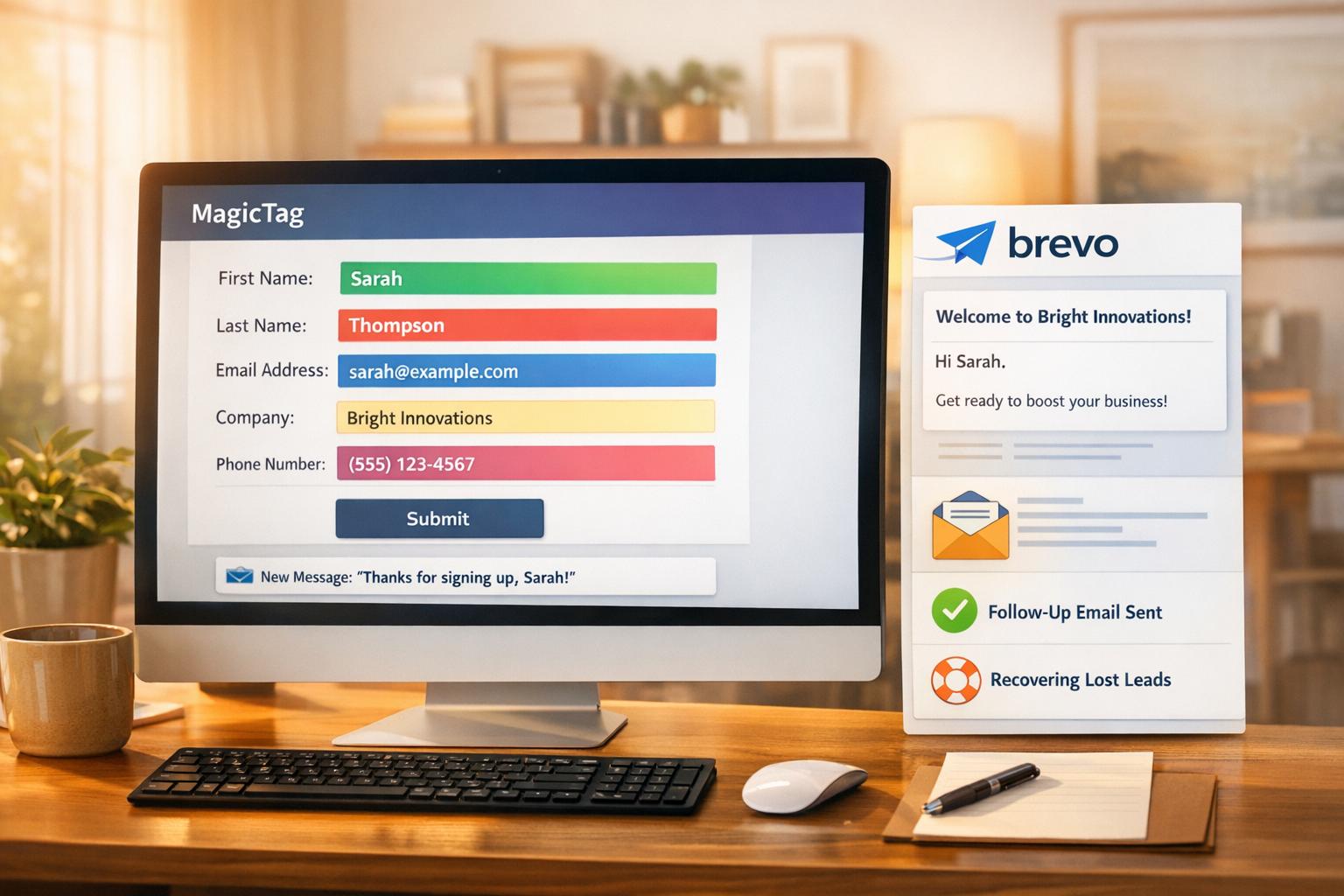
MagicTag is a tool designed to help SaaS companies recover potential leads lost due to form abandonment. Here's how it works and why it matters:
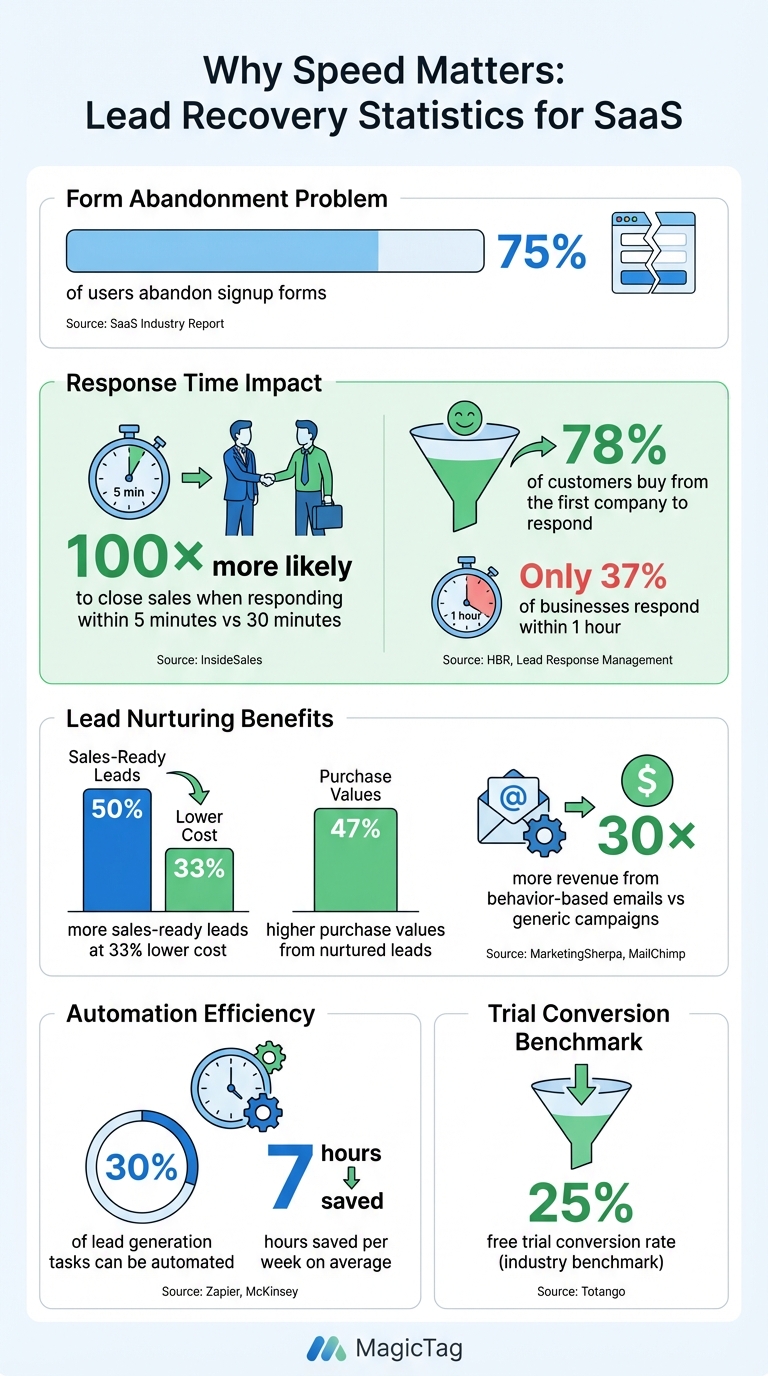
- Problem: Up to 75% of users abandon signup forms, resulting in lost leads and revenue.
- Solution: MagicTag logs user data (like emails) as soon as it's entered, even if the form isn't submitted, enabling follow-ups.
- Key Benefits: Automates follow-ups, integrates with CRMs, and provides insights to optimize forms and reduce friction.
- Impact: SaaS companies can recover lost leads, improve response times, and boost conversions, directly affecting growth and revenue.
MagicTag helps SaaS businesses act fast, stay relevant, and make the most of their marketing efforts.
MagicTag Lead Recovery Statistics: Response Time Impact on SaaS Conversions
MagicTag Features for Lead Recovery

MagicTag stands out with three key features designed to recover abandoned form leads in real time, ensuring no opportunity slips through the cracks.
Real-Time Data Capture
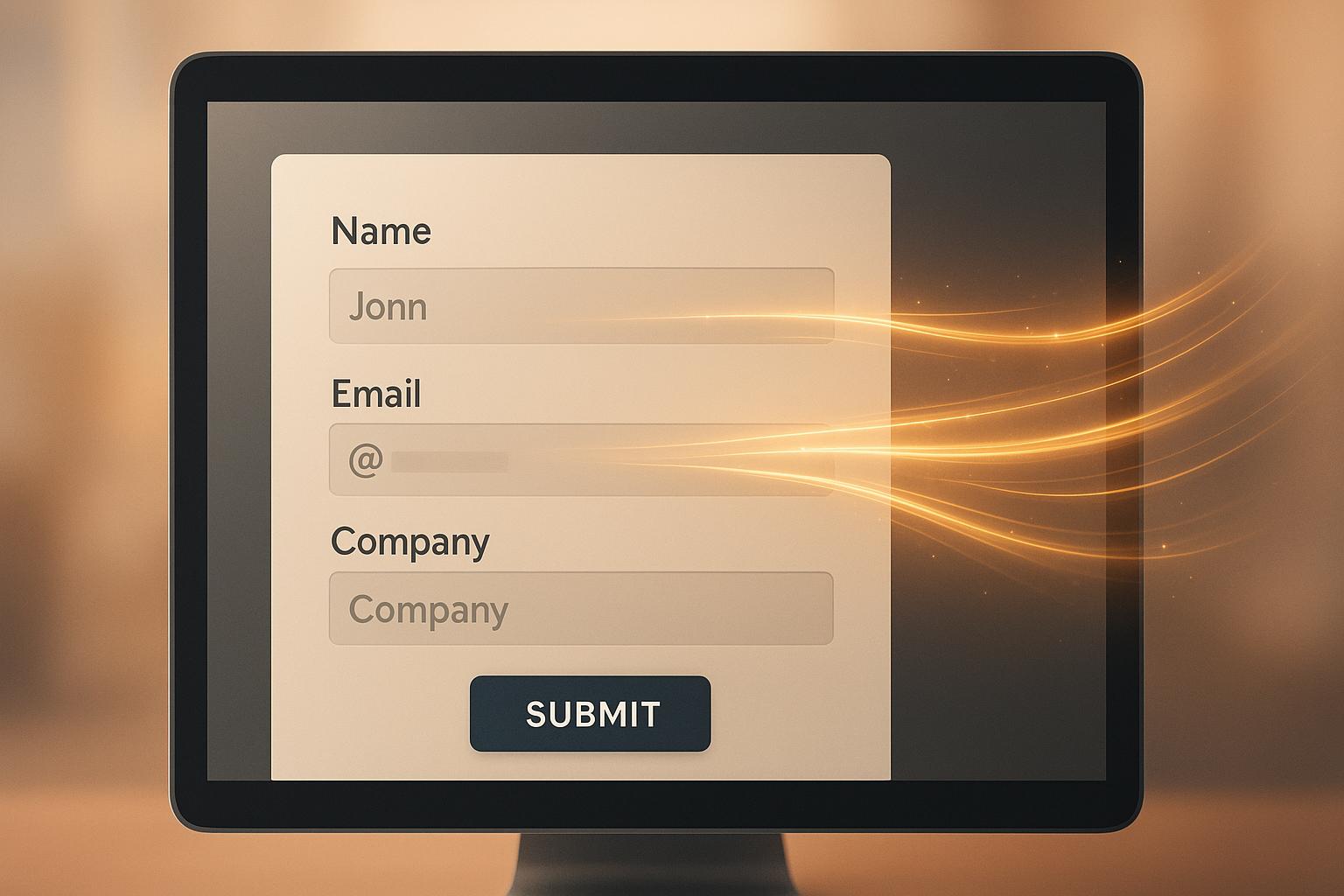
MagicTag starts working the moment a user begins typing into a form. Whether it's an email address, phone number, or company name, the tool instantly logs the input - even if the form isn’t completed. Using Contextual AI, it identifies and organizes fields like "Customer Name", "Ticket Number", or "Invoice Number", making the data structured and actionable. This feature is particularly useful for SaaS companies during trial signups or demo requests, where potential leads often abandon forms midway.
What’s more, MagicTag is a lightweight Chrome extension that integrates effortlessly with any website. No complicated setup is required, and it complies with GDPR and LGPD standards, ensuring data privacy. This instant capture capability allows businesses to act quickly, setting the foundation for timely follow-ups.
Automated Follow-Up Actions
After capturing partial form data, MagicTag springs into action with automated follow-up sequences. It uses customizable message templates to reach out to leads within the critical five-minute window - a response time that increases the likelihood of conversion by nine times. These templates are pre-filled with details like the prospect’s name, company, and the exact point where they left the form, ensuring personalized outreach.
MagicTag also supports multi-channel follow-ups across platforms like email, LinkedIn, Zendesk, and Intercom.
"Magical saves me unbelievable amounts of time. I can write a customized email in 10 seconds." – Lee Marcus, Enterprise Account Executive
For SaaS businesses, this means you can create specific templates for different scenarios: a friendly "Warm Welcome" for new trial users, a "Quick Follow-Up" after a demo request, or a "Check-In" for leads who haven’t responded. These automated workflows integrate seamlessly with your CRM, streamlining your lead recovery process.
CRM and Marketing Tool Integrations
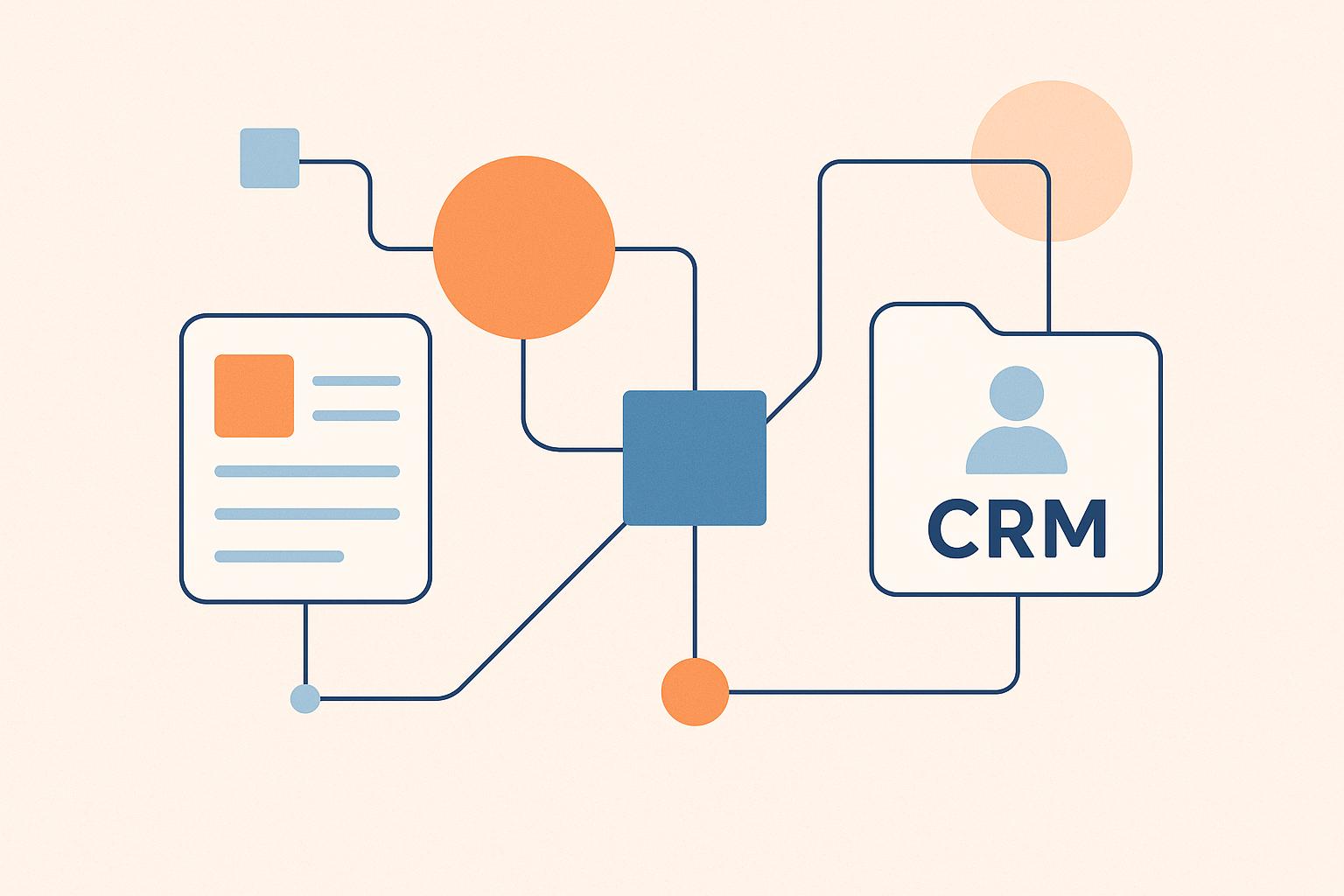
MagicTag connects effortlessly with popular CRM platforms like Salesforce, HubSpot, and Zoho CRM, as well as marketing tools like ActiveCampaign, Mailchimp, and Customer.io. This integration ensures that recovered leads are instantly transferred to your CRM, saving you from the hassle of manual data entry.
You can also assign custom labels for SaaS-specific data points, such as trial start dates or subscription plans, providing full context for each lead. Operating at the UI level, MagicTag works smoothly across countless apps and websites, unaffected by backend API changes. On average, users save seven hours per week by automating these repetitive tasks. For SaaS teams managing hundreds of trial signups and demo requests each month, this time savings means more opportunities to engage with qualified leads and fewer missed chances.
SaaS Use Cases for MagicTag
Recovering Free Trial and Demo Signups
Free trial and demo forms are often a bottleneck where SaaS companies lose potential leads. A visitor might start filling out their information but get distracted by a Slack ping or begin to question whether they need another tool. MagicTag steps in by capturing key details - like email, company name, and job title - right as the user starts typing.
Timing is everything here. Did you know responding to a lead within five minutes can increase sales conversions by a staggering 100×? Plus, 78% of customers are likely to buy from the first company that responds to their inquiry. With MagicTag's automated follow-up templates, you can respond almost instantly. Shortcut commands like "//" let you drop in prospect details on the fly.
Want to re-engage leads who abandoned their trial signup? Set up a "Dead Lead Reviver" sequence to check in 30 days later. A simple email asking if they’re still facing the same challenges can work wonders. To keep your follow-ups relevant, make sure these abandoned leads are tagged correctly in your CRM (e.g., "closed lost - timing").
MagicTag doesn’t stop at early-stage interactions. It also helps optimize touchpoints further down the funnel.
Reducing Abandoned Upgrade and Payment Forms
When users land on your upgrade or payment page, they’re already highly interested. Yet, many SaaS companies see a significant number of users drop off before completing their purchase. MagicTag captures incomplete billing form data, making it possible to send behavior-driven emails as soon as someone adds a plan to their cart but doesn’t check out.
Behavior-based triggers are game-changers. For example, you can set triggers to identify when a user stalls on the payment page and launch a recovery sequence immediately. These timely, personalized emails can generate up to 30 times more revenue than generic campaigns.
For situations like failed payments, automated dunning management steps in, prompting users to update their payment details. This feature helps reduce churn and recover lost revenue. Considering that a 25% free trial conversion rate is the benchmark for SaaS companies, MagicTag helps ensure you’re not leaving money on the table when prospects are ready to commit.
Aligning Marketing and Sales Teams
MagicTag goes beyond just recovering leads - it bridges the gap between marketing and sales. By unifying data, both teams can collaborate using the same real-time, validated contact and firmographic information. For example, if a decision-maker from a target company interacts with a demo form but doesn’t submit it, MagicTag instantly alerts your account executive.
Here’s a stat to consider: 82% of buyers are open to meeting with sellers who reach out proactively. And personalized email subject lines? They boost open rates by 50%. MagicTag enriches your data with details like LinkedIn profiles and work history, enabling sales teams to scale personalized outreach effortlessly.
"Lead Magic shows me the company that has visited my website AND the individual (with their contact details!) and it happens in real-time. This allows us to very accurately and economically retarget them through our advertising." – Terry Wilson
sbb-itb-77d5bc3
How to Set Up and Scale MagicTag
Installing MagicTag on Your Website
Getting MagicTag up and running on your SaaS website is a breeze - no developers or complicated API integrations needed. As a no-code solution, it’s designed for simplicity. Start by placing lead capture forms at key points like trial signups, demo requests, and contact pages.
Once installed, MagicTag works behind the scenes to capture prospect data in real time, even if users abandon the form midway. This makes it a powerful tool for recovering leads that might otherwise slip through the cracks. To streamline your workflow, connect MagicTag via webhook for instant CRM updates. This eliminates the hassle of manual data entry and ensures you always have a complete view of customer interactions.
After installation, the next step is to expand MagicTag’s reach across your sales funnel for maximum impact.
Expanding MagicTag Across Your Funnel
Once MagicTag is live, don’t stop at the basics. Extend its use beyond core conversion points to optimize every stage of your sales funnel. For example:
- At the top of the funnel, capture prospect data and sync it to your CRM automatically.
- In the middle, set up automated follow-ups for free trial signups and demo requests.
- At the bottom, use MagicTag to send personalized reminders for incomplete payment forms.
Research shows that about 30% of lead generation tasks can be automated with minimal effort, and businesses that prioritize lead nurturing see 50% more sales-ready leads at a 33% lower cost. To avoid overwhelming your team, start by automating repetitive tasks and scale up gradually, one stage at a time. You can also create a library of message templates to maintain a consistent brand voice across both marketing and sales efforts.
Selecting the Right MagicTag Plan
MagicTag offers four pricing tiers, so you can choose the one that best fits your business. Here’s a quick breakdown:
- Free Plan: Capture up to 1,000 identified users at no cost - a great way to test the waters.
- Starter Plan: For $19/month, manage up to 10,000 users with full API access and CRM integrations, making it ideal for growing SaaS companies.
- Business and Enterprise Plans: Designed for higher-volume needs, these plans include advanced filtering, segmentation, and dedicated support.
Selecting the right plan is key to optimizing your lead recovery efforts, ensuring you get the most out of MagicTag while aligning with your business goals.
Conclusion
For SaaS businesses, every abandoned form isn't just a missed opportunity - it’s potential revenue slipping away. That’s where MagicTag steps in, capturing lead data in real time, even before forms are completed by tracking abandoned forms. It’s a game-changer for critical touchpoints like free trial signups, demo requests, and payment forms.
Here’s why speed matters: Companies that respond to leads within five minutes are 100 times more likely to close a sale compared to those who wait 30 minutes. Yet, only 37% of businesses manage to respond within an hour. MagicTag bridges this gap by triggering instant alerts the moment a high-value prospect abandons a form, giving your sales team the edge they need to act fast.
Getting started is simple. Start with the Free Plan, which supports up to 1,000 identified users per month. Before diving in, define your Ideal Customer Profile (ICP) and set up lead scoring criteria. Once ready, integrate MagicTag with your CRM to centralize all the captured data, ensuring no lead goes unnoticed.
As you scale, automation becomes your best friend. Research shows that 30% of lead generation tasks can be automated with little effort. Use behavioral triggers to send personalized follow-ups - nurtured leads, after all, generate 47% higher purchase values.
Don’t forget: 78% of customers buy from the first company to respond to their inquiry. With MagicTag, you’re not just recovering lost leads - you’re positioning your SaaS business to be the first to respond, every single time.
FAQs
How does MagicTag protect user data and comply with privacy regulations like GDPR?
MagicTag puts privacy and security at the forefront, ensuring user data remains protected every step of the way. All data is encrypted and processed in secure, isolated environments, keeping it safe and ensuring it’s never used to train AI models. The platform meets rigorous standards with SOC 2 Type II and HIPAA certifications, backed by robust measures like encryption, strict access controls, and regular audits.
To align with GDPR requirements, MagicTag adheres to key principles such as data minimization and purpose limitation. It only collects the information necessary for lead recovery and processes it exclusively for that purpose. The platform also offers tools to manage user consent and supports rights like data access, correction, and deletion. These features allow SaaS businesses to use MagicTag with confidence, all while staying compliant with global privacy regulations.
How does integrating MagicTag with my CRM and marketing tools benefit my business?
Integrating MagicTag with your CRM and marketing tools takes the hassle out of lead management by automatically syncing form data into platforms like Salesforce or HubSpot. This means no more manual data entry, fewer mistakes, and instant access to accurate, actionable insights for your team.
With all your lead information in one place, you can easily enhance processes like lead scoring, automated follow-ups, and tailored email campaigns. MagicTag also works seamlessly with tools like Google Sheets, making performance tracking and reporting more straightforward. The result? Your team saves time, sharpens targeting efforts, and increases conversion rates.
By automating lead capture, keeping data updated, and supporting scalable workflows, MagicTag helps your SaaS business grow effectively while keeping your tools and processes aligned.
How does MagicTag help SaaS businesses recover leads from abandoned forms and improve conversions?
MagicTag is a smart tool designed to help SaaS businesses recover lost leads and improve conversions. Here's how it works: When users start filling out a form but leave before hitting "submit", MagicTag captures the partial data in real time. Instead of letting those potential leads slip away, the tool securely stores the information and sends it directly to your CRM - whether that's HubSpot, Salesforce, or another system. From there, you can trigger personalized follow-ups, like emails or in-app messages, to re-engage prospects while their interest is still fresh.
But MagicTag doesn't stop at just recovering leads. It also gives you valuable insights into user behavior. You can see exactly where users abandon forms, identify fields that cause the most friction, and understand which campaigns are driving recovered leads. With this data, SaaS teams can fine-tune forms using A/B testing or other tweaks to reduce drop-off rates. By recapturing even a fraction of the 70% of leads typically lost, MagicTag can help boost sign-ups, demo requests, and recurring revenue - all without piling extra work onto your sales team.