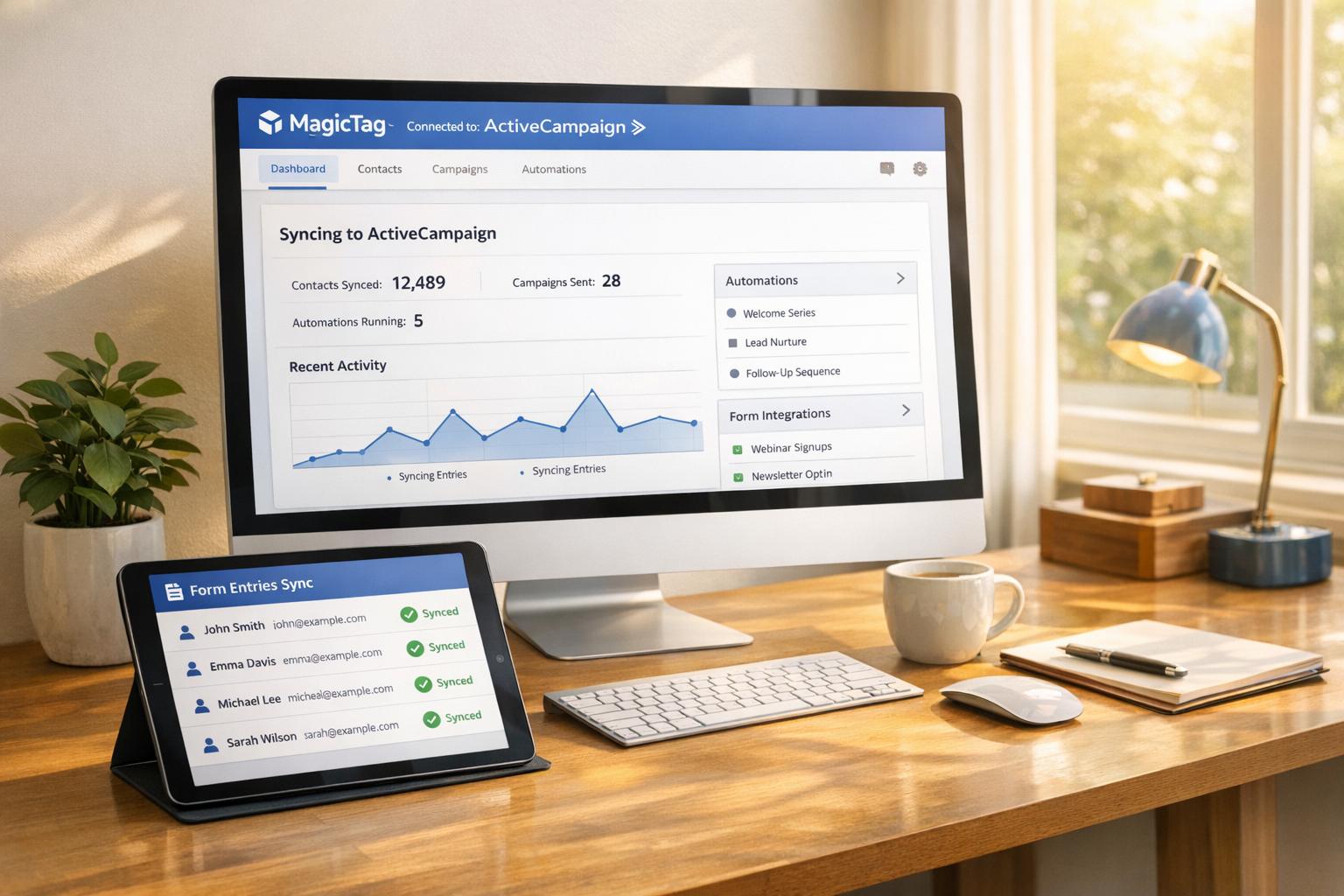
MagicTag and Pipedrive together solve a common problem: lost leads from abandoned forms. MagicTag collects user data as visitors type into form fields, even if they don’t hit "submit." This data is then automatically sent to Pipedrive, a CRM tool that organizes leads, tracks deals, and automates follow-ups.
Why it matters:
- Recover leads from incomplete forms.
- Save time with automated data entry.
- Improve sales by syncing leads directly into Pipedrive.
Key benefits:
- Real-time lead recovery.
- No coding required for integration.
- Boost sales efficiency by automating workflows.
To get started, install MagicTag on your website, connect it to Pipedrive via API or webhooks, and set up workflows for seamless lead management. MagicTag’s free plan tracks up to 1,000 visitors per month, while Pipedrive plans start at $14/user/month.
Auto respond to new web leads with Pipedrive
Setting Up the MagicTag and Pipedrive Integration
You can integrate MagicTag with Pipedrive in just a few steps - no coding required.
Prerequisites for Integration
Before you begin, make sure you have active accounts on both MagicTag and Pipedrive. You'll also need "deals admin" rights in Pipedrive to enable web forms and lead generation features. Planning to use webhooks for instant notifications? Keep in mind that Pipedrive allows a maximum of 100 active webhooks per company account.
If you're working on custom integrations, you'll need your Pipedrive API token. You can find it by navigating to Settings > Personal preferences > API token. This token is essential for authenticating your API requests.
Once you've checked off these prerequisites, you're ready to install MagicTag on your website.
Installing MagicTag on Your Website
To get started, grab the MagicTag tracking script from your dashboard. Paste this script into your website's header or just before the closing </body> tag. As soon as it's installed, the script will start capturing form data, which you can monitor on your MagicTag dashboard. If you're on the free plan, note that it supports tracking up to 1,000 visitors per month.
With MagicTag in place, the next step is to connect it to Pipedrive for automated data syncing.
Connecting MagicTag to Pipedrive
Head over to your MagicTag dashboard and create a webhook. Enter your Pipedrive URL with /v1 added at the end (e.g., https://yourcompany.pipedrive.com/v1), and authorize it using your API token. After setting up the webhook, map your form fields - like "Email" or "Phone Number" - to the corresponding fields in Pipedrive. This ensures that all lead data is accurately matched.
Once the connection is live, MagicTag will automatically push new leads into Pipedrive as contacts or deals whenever someone interacts with your forms. This real-time sync makes it easier to follow up quickly and efficiently.
Automating Lead Recovery and Management in Pipedrive
Once MagicTag transfers leads to Pipedrive, you can streamline your workflow by setting up automated processes to handle repetitive tasks. These automations follow an "if-then" logic - when MagicTag captures a new lead, Pipedrive can automatically create deals, schedule follow-ups, or notify your sales team.
Creating Workflows with MagicTag Data
You can design workflows that activate whenever MagicTag records a new lead. Head to Pipedrive's automation settings and set up triggers like "Lead added" or "Person added". From there, configure actions such as notifying a sales rep, creating a deal, or scheduling a follow-up.
Take Quru, a digital analytics platform from Finland, as an example. In 2021, they integrated MagicTag with Pipedrive to automate the flow of visitor data into their CRM. This led to a 34% boost in lead volume over six months and improved their ability to measure their sales funnel.
For more advanced workflows, use "wait until" conditions to nurture leads effectively. For instance, you can create a sequence that waits for a lead to open a follow-up email before triggering the next step. Alternatively, apply if/else logic to assign leads to specific team members based on geographic location or company size, as captured by MagicTag.
"If you often repeat the same administrative tasks in Pipedrive – like scheduling an activity when a deal moves to a specific stage – it may be worth automating them, so you can focus on the important things that make your business thrive."
– Yssel Salas, Knowledge Base Specialist, Pipedrive
Once your workflows are running smoothly, you can take it a step further by segmenting and prioritizing your leads.
Segmenting and Prioritizing Leads
Map the data collected by MagicTag - like form names, submission dates, and industries - to custom fields in Pipedrive. This allows you to create filtered views to focus on your most promising prospects first.
To rank leads by their likelihood to convert, consider using a lead scoring framework like BANT (Budget, Authority, Need, Timeframe) or MEDDIC. With Pipedrive's automatic assignment feature, high-scoring leads can be routed to your most skilled reps, while lower-priority leads can be assigned to newer team members.
For example, TrekkSoft used segmented data to tailor their outreach efforts, resulting in a twofold increase in sign-ups. Granular segmentation like this enables more effective follow-ups.
You can also enhance the data MagicTag provides by using Pipedrive's "Smart Contact Data" feature. With a single click, this tool retrieves public information such as LinkedIn profiles and company details, cutting down research time and allowing your team to personalize their outreach. For leads that have been unresponsive for three to six months, set up automated re-engagement workflows to bring them back into the fold.
sbb-itb-77d5bc3
Monitoring and Optimizing Lead Capture Performance
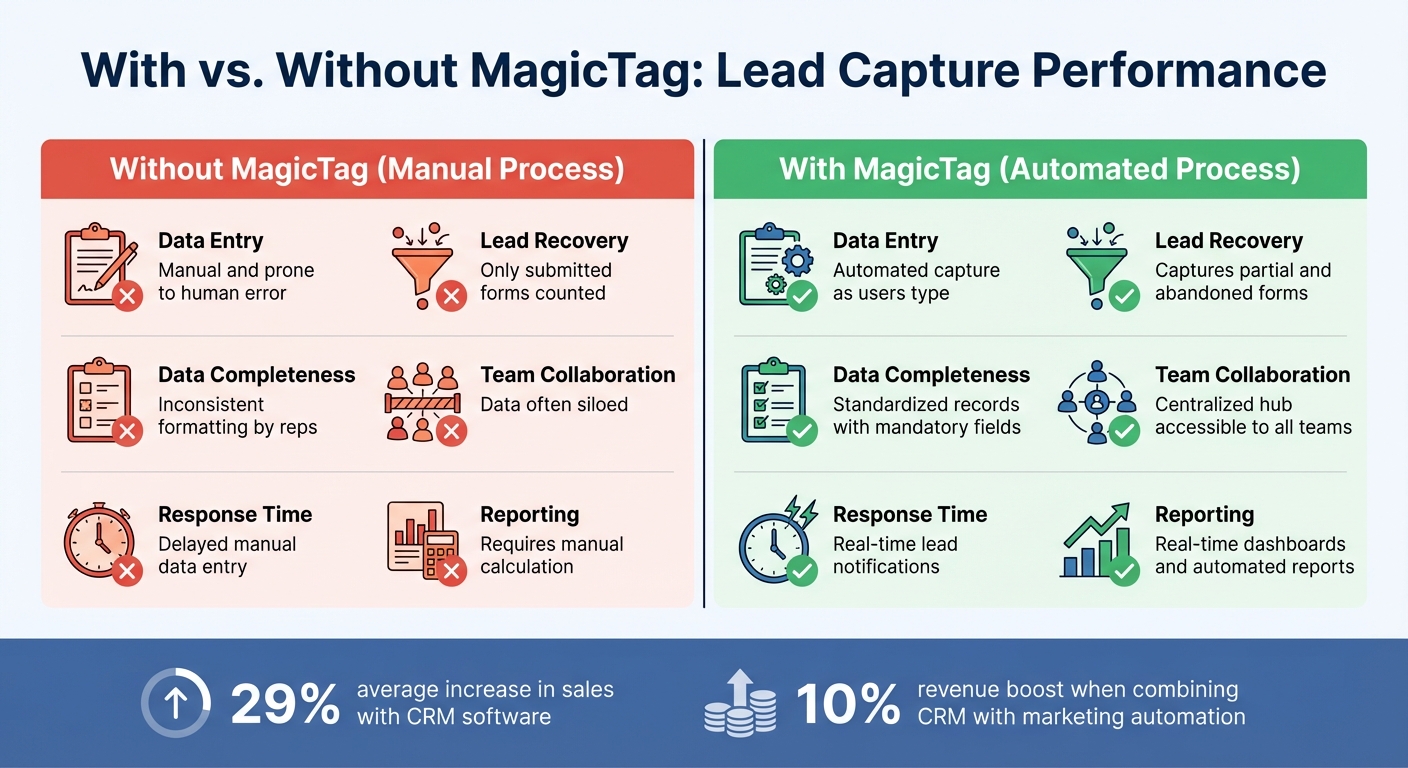
MagicTag vs Manual Lead Capture: Performance Comparison
Tracking Key Metrics
The MagicTag–Pipedrive integration delivers the data you need to evaluate how well your lead capture efforts are performing. Start by keeping an eye on lead volume to identify trends and seasonal patterns. Pay attention to which channels - like your website, email campaigns, or social media - are driving the most traffic.
Dig deeper by tracking conversion rates, from visitors turning into leads to leads becoming customers. This will give you a clear picture of how effective your forms and sales processes are. Don't stop there - assess lead quality by distinguishing between Marketing Qualified Leads (MQLs), who show early interest, and Sales Qualified Leads (SQLs), who are ready for direct sales conversations.
Sales velocity metrics are another powerful tool. They can help you pinpoint bottlenecks in your funnel. Look at your average sales cycle duration, lead response times, and win/loss trends to uncover where improvements are needed. On the financial side, calculate your Customer Acquisition Cost (CAC) and Customer Lifetime Value (CLV) to ensure you're getting a positive return on your integration investment.
"As a business owner, my favorite feature in Pipedrive is the statistics and being able to look at the dashboard and use those metrics to help each individual on the team." – Lisa Coyle, CEO, 360 Payments
Pipedrive’s interactive dashboards, like Lead Source and Activity Reports, make it easy to visualize these metrics in real time. Once you’ve got a handle on the data, focus on refining your field mapping and automation processes to improve data quality and streamline lead management.
Improving Field Mapping and Automations
Getting the connection between your form fields and CRM data right is critical for effective lead management. Regularly review your field mapping to ensure every piece of data MagicTag captures is properly routed to the corresponding field in Pipedrive. Misaligned fields can lead to messy records or even lost data. Go a step further by mapping behavioral data - like product interest, budget range, or page views - to custom fields to enable more personalized outreach.
Lead scoring can also be a game-changer. Set up rules to rank leads automatically based on factors like company size, job title, or website activity. This helps your team focus on high-value prospects and avoid wasting time on low-quality leads. Dynamic lead routing is another smart move. Instead of assigning leads randomly, route them based on criteria like location, product interest, or other relevant factors to ensure the right rep gets the lead.
Fine-tune your triggers, such as comparing a 30-second delay to an exit-intent trigger, to see which approach generates better-quality leads. Use "wait until" conditions to pace your follow-ups so they feel natural and engaging rather than rushed or robotic.
To improve form performance, track three key metrics: how many visitors see your form, how many start filling it out, and how many complete it. If you notice high abandonment rates, consider simplifying the form. Research shows that each additional question can drop completion rates by about 10%. Use conditional logic to keep forms concise, showing extra fields only when absolutely necessary.
Accurate field mapping and automation not only improve lead quality but also ensure you’re working with reliable data.
Comparing Results: With vs. Without MagicTag
Here’s a snapshot of how automated lead capture can transform your processes. Take the example of Chicago Athletic Club, which switched from Excel spreadsheets to Pipedrive’s CRM in 2020. Membership Advisor Kellan Strobel and his team gained instant access to real-time data with just one click, eliminating the risk of losing potential customers.
| Metric | Without MagicTag | With MagicTag |
|---|---|---|
| Data Entry | Manual and prone to human error | Automated capture as users type |
| Lead Recovery | Only submitted forms counted | Captures partial and abandoned forms |
| Data Completeness | Inconsistent formatting by reps | Standardized records with mandatory fields |
| Team Collaboration | Data often siloed | Centralized hub accessible to all teams |
| Response Time | Delayed manual data entry | Real-time lead notifications |
| Reporting | Requires manual calculation | Real-time dashboards and automated reports |
Sales teams using CRM software have reported a 29% average increase in sales, and combining CRM with marketing automation has been linked to a 10% revenue boost. By pairing MagicTag’s real-time lead capture with Pipedrive’s automation tools, you can recover leads that might otherwise slip through the cracks while gaining a detailed view of every prospect’s journey.
Conclusion
Key Takeaways
Pairing MagicTag with Pipedrive changes the game for lead management. By capturing visitor details as they type - even if they abandon the form - you can reclaim potential leads that might otherwise be lost. This automated process removes the need for manual data entry, saving your sales team time and reducing errors in your CRM.
MagicTag's ability to capture partial form submissions, combined with Pipedrive's automation, ensures your data is always standardized and ready to use. Leads flow seamlessly into your pipeline, giving your team real-time access to every interaction. No more waiting for manual updates - everyone stays on the same page. Automated workflows kick in immediately, assigning leads to the right sales reps, triggering follow-ups, and scoring prospects based on their actions and profile data. The result? Your team spends less time on repetitive tasks and more time closing deals.
The integration also enhances data quality. Standardized field mapping keeps your records consistent, while advanced tracking supports tailored outreach. These improvements pave the way for faster, more effective action.
Next Steps
To get started, install MagicTag on your website. The setup is straightforward, requires no developer assistance, and works on any platform. Connect MagicTag to Pipedrive using a webhook or API integration to ensure every lead flows directly into your CRM.
Take time to map your form fields to Pipedrive's custom fields. Build automated workflows that respond to lead actions - like sending a follow-up SMS when a prospect reaches the "Demo Scheduled" stage.
Use Pipedrive's dashboards to track key metrics like lead volume, conversion rates, and sales velocity. Analyze your performance data to fine-tune automations, adjust field mappings, and refine routing rules to maximize conversions.
MagicTag's free plan supports up to 1,000 identified users per month, while Pipedrive plans start at $14 per user monthly. This makes it easy to test the integration and scale as your lead volume grows, ensuring you capture every opportunity that might otherwise slip through the cracks in your sales funnel.
FAQs
How does MagicTag help recover leads from incomplete form submissions?
MagicTag seamlessly collects data entered into forms, even when submissions aren't finished. This information is immediately transferred to your CRM - such as Pipedrive - via webhook or API integration, ensuring every potential lead is captured. By enabling faster follow-ups, MagicTag transforms incomplete forms into actionable opportunities, helping you recover leads more effectively and enhance your sales process.
How do I integrate MagicTag with Pipedrive?
If you're looking to integrate MagicTag with Pipedrive, there isn't a detailed step-by-step guide available at the moment. However, MagicTag provides a lightweight script to help capture lead information, and Pipedrive offers general integration capabilities. For tailored instructions, it's best to explore your MagicTag account settings or reach out to their support team for direct assistance.
How do I use MagicTag with Pipedrive to automate lead management?
Using MagicTag with Pipedrive makes lead management a breeze. Start by connecting your favorite lead-capture tool - whether it's Google Forms, Gravity Forms, or even email submissions - directly to Pipedrive through MagicTag. Once connected, MagicTag automatically transfers key form data like names, emails, phone numbers, and company details into Pipedrive, eliminating the need for manual entry.
After the integration is in place, you can streamline your workflow even further with automation rules. For instance, you can tag high-priority leads, assign them to specific sales team members, or set up follow-up actions - all from the MagicTag dashboard. This smooth process keeps your leads organized, updates them in real time, and ensures they’re assigned to the right person, enabling your team to respond quickly and close deals more effectively.