Every incomplete form means lost leads - up to 76% of potential leads vanish due to form abandonment. Why? Forms are often too long, or users worry about privacy. But you can recover these lost opportunities with straightforward strategies:
- Real-time tools like MagicTag save inputs as users type, capturing leads even if they abandon.
- Autosave features ensure no data is lost, making it easier for users to return and finish forms.
- Follow-ups via email or SMS re-engage users, bringing back nearly 20% of abandoners.
- Session restoration allows users to pick up where they left off, reducing frustration.
- Form analytics pinpoint where users drop off so you can fix problem areas.
- Better form design (e.g., shorter forms, progress bars) reduces abandonment by up to 35%.
- Privacy-compliant practices build trust, addressing the 30% of users concerned about data security.
These steps don’t just recover leads - they improve user experience and boost conversions. Businesses using these tactics have seen up to 12x more leads and a 15% increase in conversions. Stop losing leads - start recovering them today.

Form Abandonment Statistics and Recovery Impact
How to Measure and Decrease Form Abandonment
1. Use Real-Time Field Capture Tools Like MagicTag
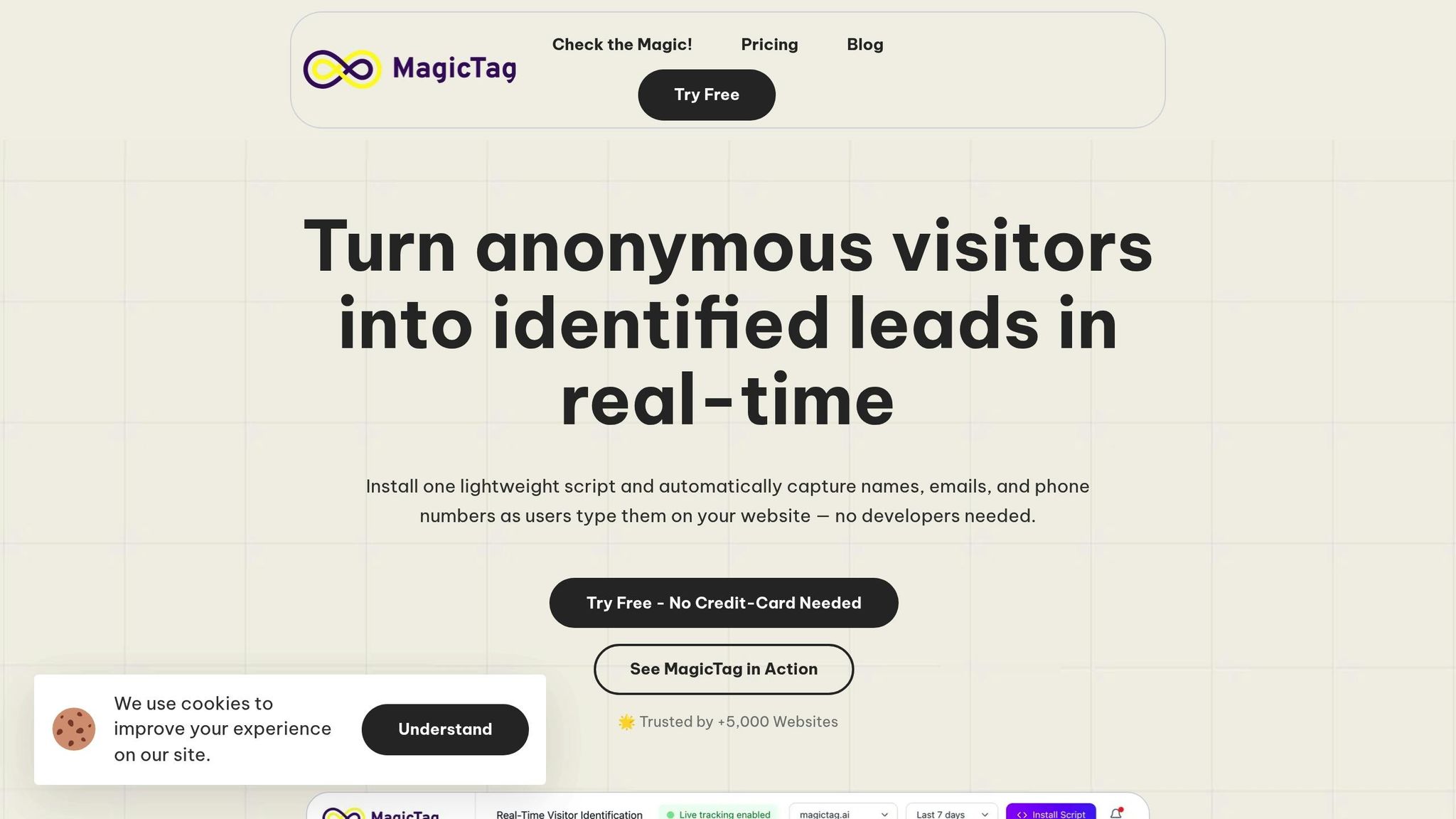
Real-time field capture tools, such as MagicTag, save every keystroke as it happens, ensuring you retain lead data even if users don’t hit “submit”.
Recovering Partial Submissions
Did you know nearly 20% of users are likely to return and complete an abandoned form if a company follows up with them? Tools like MagicTag make this possible by capturing contact details early in the process. Whether users leave the page, abandon a multi-step form, lose their internet connection, or simply get distracted, MagicTag turns incomplete entries into actionable leads. In fact, websites using these tools can identify up to 12x more leads compared to relying only on fully submitted forms.
Quick Setup and CRM Integration
One of the best features? MagicTag is incredibly easy to implement - no developer needed. It works on any website and integrates directly with your CRM via webhooks or API. Plus, with a free plan that supports up to 1,000 identified users per month, it’s a practical solution for businesses of all sizes. This straightforward setup also ensures that your data collection aligns with compliance standards.
Privacy Compliance Made Simple
Roughly 30% of users abandon forms due to privacy concerns. MagicTag addresses this by adhering to GDPR and LGPD regulations. Its transparent consent mechanisms and careful data-handling practices reassure users, letting you recover leads without sacrificing trust.
Enhancing User Experience and Boosting Conversions
MagicTag works quietly in the background, ensuring a smooth experience for users. When visitors return, they’re prompted to pick up where they left off, reducing friction and increasing the likelihood of completing their submission. This approach not only improves the user experience but also helps turn partial entries into high-quality leads.
2. Enable Autosave and Partial Entry Features in Your Form Platform
Autosave is a game-changer for forms. It captures input in real time, ensuring no data is lost if users leave before submitting their entries. This feature is especially useful for longer forms that people might tackle over multiple sessions. By working alongside real-time data capture, autosave ensures every keystroke is preserved - even if someone steps away unexpectedly.
Capturing Partial Submissions
When autosave is turned on, it records data from incomplete forms, giving you a clear view of where users drop off. This insight helps you pinpoint problem areas in your forms and understand user behavior better. Plus, it opens the door to follow-up opportunities. You can reach out to users who didn’t finish, offering assistance or even incentives to nudge them toward completion.
Implementation and Integration Made Simple
Autosave can be triggered by input events, time intervals, or field changes. For logged-in users, drafts can be saved to your server, making it easy to recover across devices and sessions. For visitors who aren’t logged in, local storage in their browser ensures fields are repopulated when they return. Some platforms even allow you to tag partial leads (e.g., "is_dropoff": true) so your CRM can handle them differently from completed submissions. This setup not only ensures continuity but also ties in seamlessly with follow-up strategies discussed later.
Staying Privacy-Compliant
Respecting users’ privacy is non-negotiable. Avoid saving sensitive fields like credit card numbers in partial submissions. Many platforms also honor Do Not Track (DNT) settings, ensuring data from users with this option enabled isn’t recorded. Additionally, you can customize which fields to save, excluding sensitive details like phone numbers if necessary. To maintain transparency, include a note on the form’s welcome page informing users that partial entries will be saved, ensuring they’re aware and consent to this feature.
Boosting User Experience and Conversions
Autosave enhances the user experience by removing the frustration of lost data. Users can complete forms at their own pace, across multiple sessions, without having to start over. This naturally leads to higher completion rates. By reducing friction and making the process seamless, autosave transforms more partial entries into full submissions. It’s a simple but powerful way to improve form performance and set the stage for even better lead conversion strategies.
3. Set Up Trigger-Based Follow-Ups for Drop-Offs
When users abandon forms mid-way, it’s not necessarily the end of the road. By capturing partial data - especially email addresses - you can re-engage these potential leads through automated follow-ups. Whether through emails, SMS, retargeting ads, or even direct outreach, referencing the specific details they’ve already provided can make these interactions feel more personal and effective.
Effectiveness in Recovering Partial Submissions
Did you know nearly 20% of users come back after a follow-up? Abandonment emails, in particular, boast a 40–50% higher open rate compared to standard campaigns. Take Hurtigruten, for example - they sent 25 follow-ups and recovered 16 orders, pulling in $57,000 in revenue. That’s a solid return for just a few targeted messages.
Ease of Implementation and Integration
Setting up these follow-ups is easier than you might think. Tools like Typeform can trigger immediate follow-ups through email or Slack and integrate seamlessly with platforms like HubSpot and Salesforce. If automation is your goal, Zapier can help you build drip campaigns effortlessly.
A good sequence might look like this:
- Send the first follow-up immediately.
- Follow up again 24 hours later with helpful content or a special offer.
- Send a final message 48–72 hours later.
For high-value leads, consider layering in retargeting ads, SMS, or even LinkedIn outreach to amplify your efforts.
Compliance with Privacy Regulations
Transparency is key when handling user data. Make it clear to users that their form data is saved as they fill it out and explain how it will be used in your privacy policy. Explicit consent is non-negotiable. To stay compliant with GDPR and other regulations, ensure your site uses HTTPS, SSL, and security tools like hCAPTCHA or reCAPTCHA. Also, provide users with the option to delete their data.
Impact on User Experience and Conversions
Thoughtful follow-ups that reference the user’s specific inputs don’t just feel relevant - they’re actually appreciated. With 77% of people preferring email for promotions, personalized messages with pre-filled details can reduce friction and encourage conversions. It’s a win-win: users feel understood, and you see better results.
4. Provide Session Restoration and Resume Links
Allowing users to save their progress and return later is a powerful way to recover incomplete form submissions. This approach is especially useful for lengthy or multi-step forms, making it easier for users to pick up where they left off and complete the process without frustration.
Why Session Restoration Works
One of the main reasons users abandon forms is that they simply run out of time or need to gather additional information. When users know they can pause and resume without losing their progress, they're far more likely to come back and finish. This is particularly helpful for forms that require input from others or involve complex decisions.
How to Implement It
Session restoration builds on the benefits of autosave by creating a seamless experience. Many modern forms already save user input automatically, and adding resume links is relatively straightforward with client-side and server-side integration. To ensure users can recover their progress across devices, server-side storage is crucial - browser-based saving alone won’t cut it.
Adding real-time feedback, like a "Saving…" or "Saved!" message, reassures users that their data is secure. You can also send email notifications with a resume link, making it effortless for users to return to their incomplete submissions.
Privacy Considerations
As with any feature that handles user data, transparency is key. Make sure users know their progress is being saved by including a clear notice on your form's welcome page or in your privacy policy. Avoid saving sensitive information, like credit card details, in partial submissions, and respect browser Do Not Track settings. To further protect user privacy, consider setting a time limit for incomplete submissions - such as deleting them after 30 days.
Boosting User Experience and Completion Rates
When users return to find their saved progress intact, it removes a major source of frustration. This smoother experience not only improves satisfaction but also significantly increases the likelihood of form completion. By reducing friction, session restoration can make a noticeable difference in your conversion rates.
sbb-itb-77d5bc3
5. Analyze Drop-Off Points Using Form Analytics
Figuring out where users give up on your forms is a game-changer when it comes to recovering partial submissions. Form analytics tools help you pinpoint the exact fields or steps that cause users to abandon the process. With this information, you can make precise adjustments that improve completion rates and reduce drop-offs.
Effectiveness in Recovering Partial Submissions
Form abandonment is a widespread issue, with rates ranging from 50% to 80% across industries. Some sectors lose up to 74% of potential leads due to incomplete forms. By identifying the sticking points - whether it’s forms that are too long, confusing steps, concerns about data security, or poorly designed interfaces - you can tackle the specific issues driving users away. Addressing these drop-off areas can lead to significant improvements, with some businesses reporting over a 10% increase in conversions and a 12% boost in closed deals.
Ease of Implementation and Integration
Once you’ve identified the trouble spots, the next step is deploying analytics tools to dig deeper. Zuko Analytics, for example, tracks user sessions and highlights fields that see the most drop-offs. Similarly, Insiteful offers detailed field-level insights and funnel visualizations, making it easy to see where users are leaving - whether on mobile or desktop. The best part? These tools integrate seamlessly with your existing forms and don’t require advanced technical skills, giving you quick access to actionable insights.
Compliance with Privacy Regulations
One major reason users abandon forms is concern over data security - about 30% of users drop off when asked for sensitive information. To address this, prioritize transparency and security. Collect only the data you truly need, use clear consent options, and add privacy notices directly on your forms. Strengthen your site’s security with SSL certificates and CAPTCHA systems. Let users know their interactions are being tracked to enhance their experience, which can help build trust.
Impact on User Experience and Conversions
When you tackle the pain points identified through analytics, your lead recovery efforts become much more effective. For example, over 25% of users abandon forms they find too long. With this knowledge, you can simplify forms by cutting unnecessary fields, optimizing them for mobile, and adding helpful features like progress bars for multi-step forms. These changes make the process smoother for users, increasing the likelihood they’ll complete the form and boosting your lead recovery rates significantly.
6. Optimize Form Design to Reduce Abandonment
Effectiveness in Recovering Partial Submissions
A poorly designed form can be a dealbreaker, with abandonment rates soaring between 50% and 80%. While features like real-time data capture and autosave can help retain information, they won't solve the root issue: bad design. A well-thought-out form design can reduce abandonment rates by as much as 35% and recover otherwise lost leads. Here's the reality - about 70% of visitors will bail on a form if they encounter an issue. Problems like overly long forms, confusing layouts, or too many required fields are some of the biggest culprits. Fixing these issues creates a smoother, more user-friendly experience that encourages users to complete their submissions.
Ease of Implementation and Integration
The good news? You don’t need to reinvent the wheel to improve your form design. Start by cutting out unnecessary fields and simplifying the layout. Use dropdown menus, checkboxes, or radio buttons wherever possible to make data entry less of a chore. If your form is long, break it into smaller, digestible sections with progress indicators to guide users through. Conditional logic is another game-changer - it shows users only the fields relevant to them, reducing clutter and confusion. These tweaks not only make the form easier to fill out but also leave users with a better overall impression of your site.
Impact on User Experience and Conversions
The design and usability of your form can make or break whether someone decides to complete it. For instance, more than 25% of users abandon forms they find too lengthy, and 37% drop off when asked for their phone number. Making that field optional can almost double your completion rate. And don’t forget mobile users - ensure your form has readable text, buttons that are easy to tap, and smooth auto-fill functionality. Aparup Das puts it perfectly:
"It's about how simply it works, how welcoming it appears, and how quickly it finishes. Clarity, brevity, and scannability are the keys that hook your user into starting to fill out a contact form without any second thought".
7. Use Privacy-Compliant Data Handling Practices
Compliance with Privacy Regulations
When capturing partial submissions, make sure you have a valid legal basis for doing so. For instance, under GDPR, you can rely on "Legitimate Interest" if you clearly define your purpose, prove the data is necessary, and balance your interests with user privacy. It’s crucial to exclude sensitive information like credit card details from any partial data collection. Transparency is key - let users know you’re recording partial submissions. You can do this by updating your privacy policy or adding a note directly on the form.
Once you’ve established compliance, focus on keeping your data handling practices secure and easy to manage.
Ease of Implementation and Integration
Staying compliant doesn’t have to be complicated. Start with data minimization - only collect what’s absolutely necessary. For example, skip asking for phone numbers unless they’re essential. Protect the data you do collect by using end-to-end encryption, both when it’s stored and while it’s being transmitted. Keep track of the data you gather and establish a clear lifecycle for it, from the moment it’s collected to when it’s securely deleted. Tools like MagicTag allow you to capture real-time form data while staying compliant with GDPR and LGPD.
Impact on User Experience and Conversions
Following privacy-compliant practices doesn’t just keep you on the right side of the law - it also builds trust with your users. And trust plays a big role in boosting conversion rates. Privacy concerns are one of the top reasons people abandon forms. When users see that you’re upfront about how you handle their data and give them control over it, they’re more likely to follow through and complete the form. Clear consent options and visible compliance badges can reassure users, breaking down a key barrier to conversions. Businesses that prioritize privacy don’t just avoid legal issues - they win over potential leads who might otherwise walk away due to concerns about their personal information.
Conclusion
Form abandonment is more than just a missed opportunity - it’s a direct hit to your bottom line. With 50% to 80% of users abandoning forms before clicking submit, businesses are losing out on 70% to 80% of potential leads, often without any system in place to recover them. These numbers highlight the need for a robust recovery strategy that doesn’t let these leads slip away.
Recovering partial submissions can turn this challenge into a win. While the average sign-up form converts only 20% to 30% of visitors, implementing targeted follow-ups alone can reclaim a significant chunk of those abandoned leads. That’s a massive, untapped opportunity waiting to be seized.
The key lies in combining multiple tactics into one cohesive recovery system. Real-time capture tools can collect contact details as users type, ensuring no data is lost. Trigger-based follow-ups can re-engage users who abandon forms, while form analytics help pinpoint problem fields that may be driving drop-offs. Privacy-compliant practices, meanwhile, build trust and ensure your strategies remain ethical and effective. Together, these methods create a system that transforms abandoned forms into a goldmine of opportunities.
When these tactics work in harmony, the results are undeniable. Analytics guide improvements, real-time capture locks in critical data, follow-ups re-engage users, and privacy compliance keeps everything above board. In fact, businesses have reported up to a 15% boost in conversions simply by adding user-friendly features like "Save and Continue Later".
Don’t let valuable leads vanish. By adopting a comprehensive recovery strategy, you can turn abandoned forms into revenue-generating opportunities. With the right tools and approach, you could identify up to 12x more leads and convert partial submissions into measurable business growth.
FAQs
How does MagicTag help recover data from incomplete form submissions?
MagicTag collects user input in real-time as they type into form fields, even if they abandon the form before submitting it. This means businesses can retrieve partially entered details like names, emails, or phone numbers, giving them a chance to re-engage potential leads.
With seamless integration into CRMs through webhooks or APIs, MagicTag simplifies lead recovery, enhances remarketing efforts, and helps increase conversion rates. It's straightforward to implement, compatible with any website, and adheres to GDPR and LGPD regulations, making it an effective solution for capturing and acting on missed opportunities.
How does MagicTag protect user privacy and ensure data security?
MagicTag places a strong emphasis on user privacy by strictly following regulations like GDPR and LGPD. It ensures data is collected only with user consent, and no personally identifiable information is stored unless users explicitly provide it.
To uphold trust and security, MagicTag employs advanced encryption and secure data management practices. This approach allows businesses to operate confidently while honoring user privacy.
How do autosave and session restoration features help improve form completion rates?
Autosave and session restoration features make filling out forms much easier by automatically saving users' progress as they go. This means users can take a break and come back later without worrying about losing their work. It reduces frustration and makes them less likely to abandon the process altogether.
By simplifying the experience, these tools not only improve user satisfaction but also help businesses keep potential leads and increase conversions. When completing forms feels effortless, users are more likely to stick with it, leading to better engagement and stronger results.